I have a book-length manuscript with many block quotes that I have been working on in Scrivener for a long time (15 years or more), so many of the block quotes are in the original preset format of preserved block quote, which features a smaller space above the block quote than below it, and preserves the default font (Optima) in the compile, reqardless of what font I choose in the compile editor. At a certain point I also created a ‘Block quote 2’ format option of my own with a different font from the default but it retains the same unequal spacing above and below.
The manual suggests all formatting can be changed for compile, but despite the detailed instructions I still can’t figure out how to change the ‘space above and below’ format of all the block quotes in all the project files before they are compiled for Word, so that I don’t have to fix every block quote manually in the Word doc. Any specific instructions on how to manage this will be very gratefully received!
Hi.
(Windows screenshots)
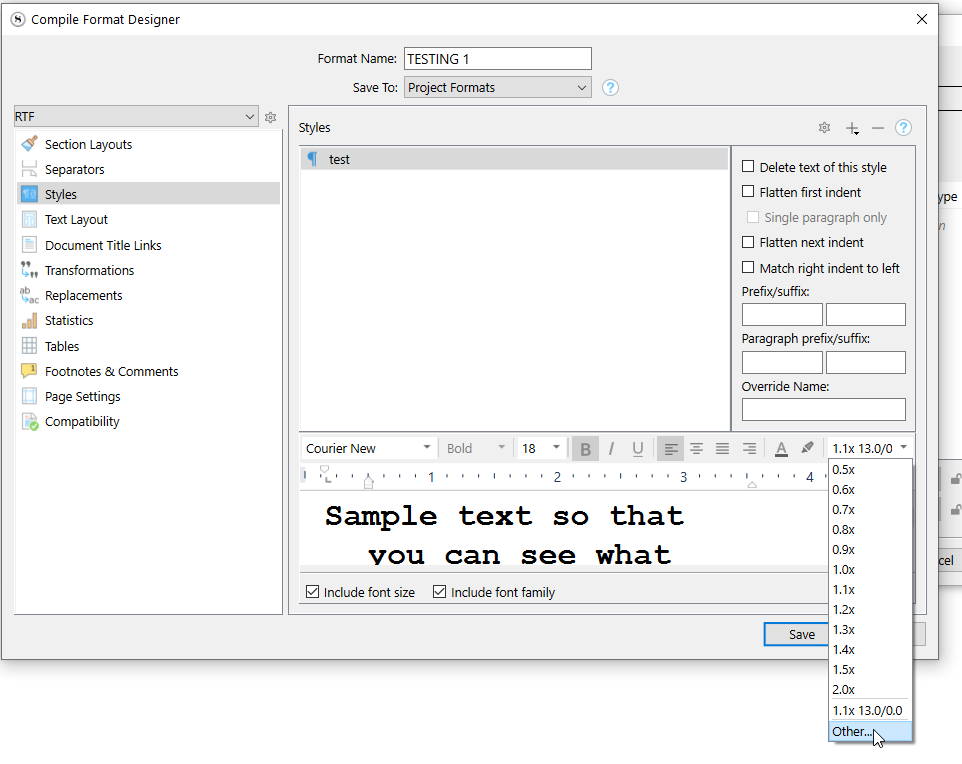
In your compile format, styles panel :
You need to have those styles added to the list before you can tweak them. 
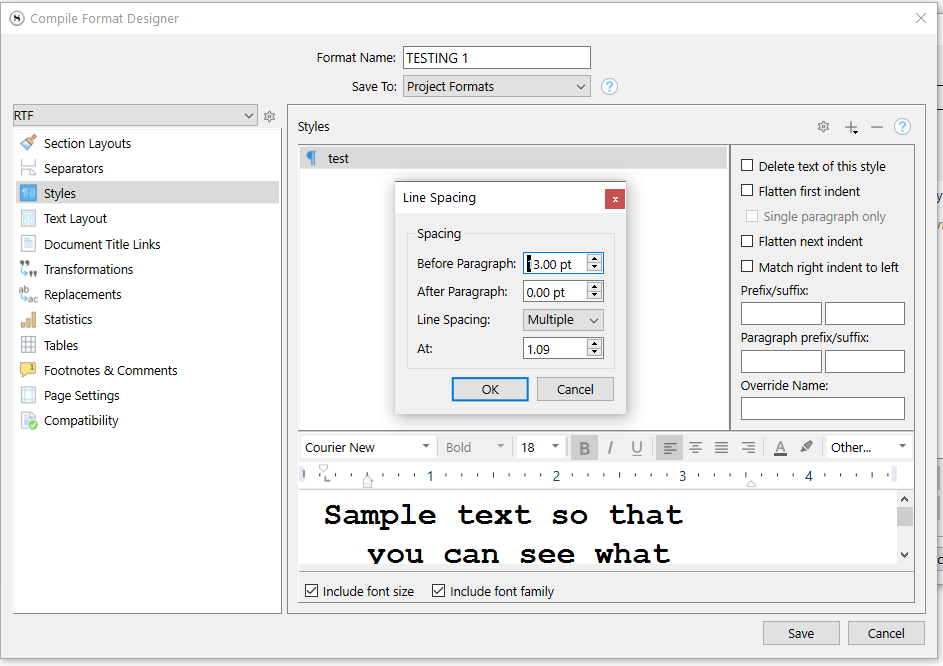
Then :
Drop-down –> “Other”
═════════════════════
You can also activate this setting (if not already turned on), so that Word see’s their style assignation :
(You only do this once, it is a global setting, not per style.)
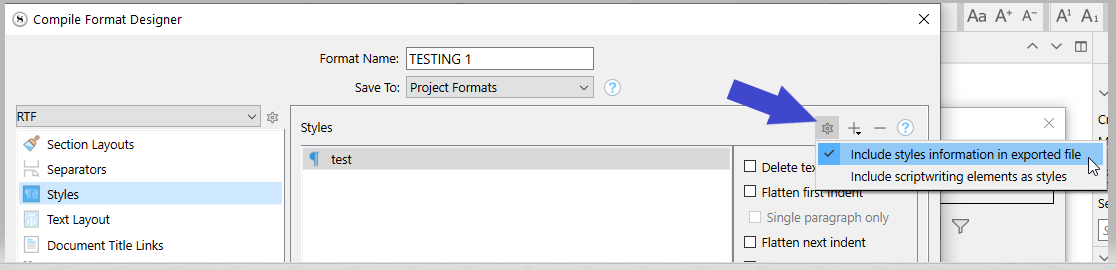
So, with this setting activated, Word should have your blockquotes as styles, and you’ll be able to edit their formatting in bulk just the same.
Brilliant, thanks for the swift response, and I will give it a go!
An extra :
If you don’t want two styles for your blockquotes in Word, give them both styles the exact same name here :
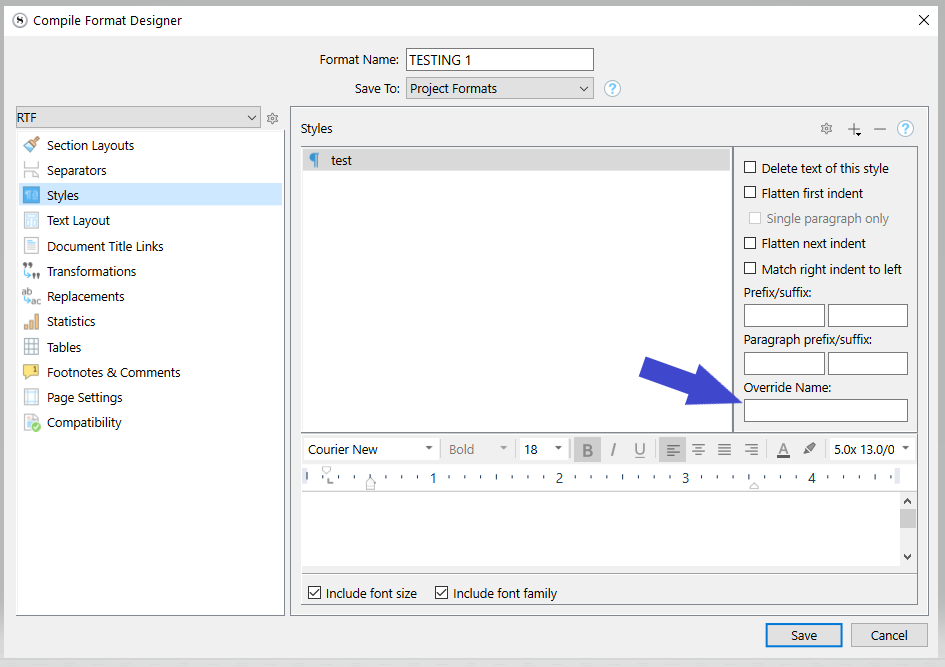
I have never done it, and therefor don’t know whether it works of if it rather causes a problematic collision, but it is worth the try.
If it fails, just delete this alternative styles’ name (x2) and recompile.