This is a tough one to explain. I hope someone understands what I’m asking here and how to do it.
We are close to the end of an 8-year project: a 70,000-word NF. I’m working with a copy editor to get the look we want as close as possible to the publisher etc and wish to print a mock-up dummy.
The book format we have chosen very happily has chosen as header on each page the book title but on the recto, rather than the author’s names, is there a setting which will replace that with the title of the chapter we are reading?
We have a TOC operating perfectly. There are 20 chapters, each with a short Title
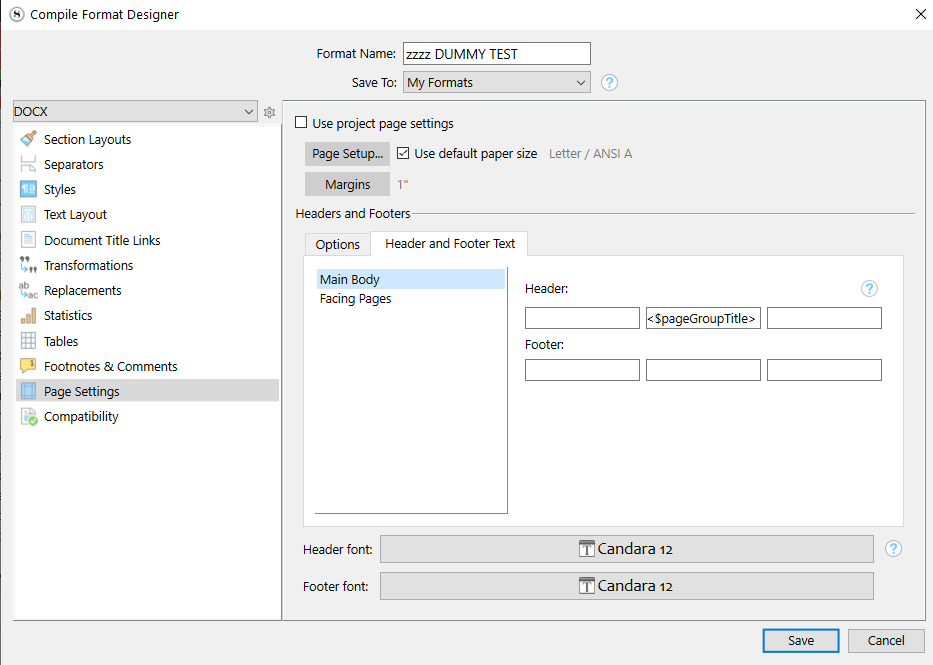
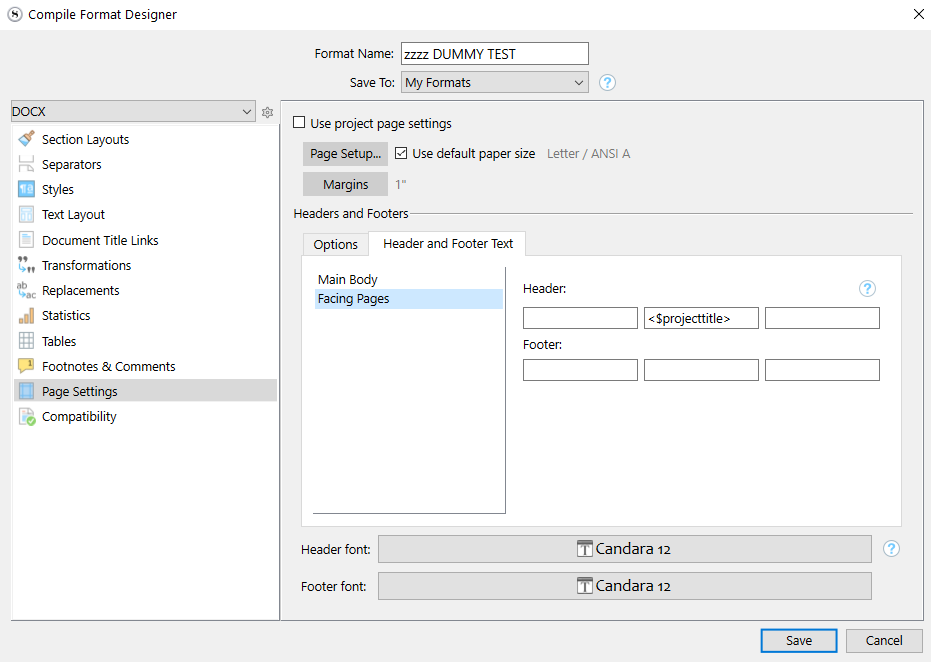
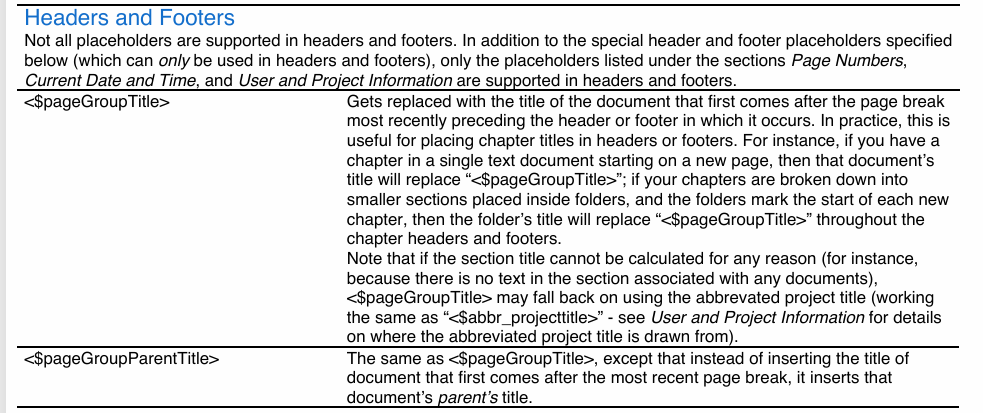
–> The title of your book might come from a different placeholder than the one in my second screenshot. It is ok, leave it as it is. Only change the “Main body” (my first screenshot) header’s placeholder for <$pageGroupTitle>.
Nothing else.
now I’d like to know one more thing regarding this same tweak…
I liike that the chpater titles are in caps BUT i don’t want them in caps on the Header on each page…I’d like them in initial caps….is there a way of editing <$pageGroupTitle> so that it does this? transforms into Initial caps….you see I like the HEADING of the book on Main and the Heading of the Chapter on the Recto
If you are saying that they are on the wrong page, just exchange the placeholders from one to the other. Do the opposite of my two initial screenshots. (Use cut/paste.)
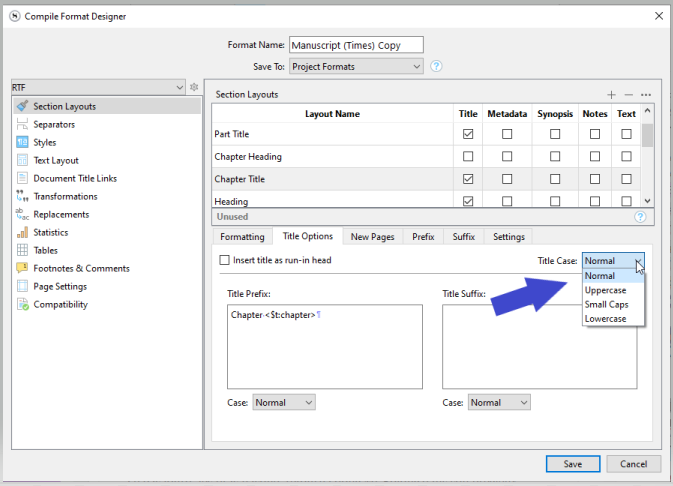
Not to my knowledge. At compile, you can make titles in CAPS, and a placeholder, if written in CAPS, will do the same. So, as a general rule, don’t write your titles in CAPS in the binder, as you can make them all-caps at compile, but not the other way around.
“Title” < Only the initial cap. Write them titles in the binder as they should be written in a normal context.
They are on the correct pages. That is not a probloem at all. I want the Chapter Headings in the TOC and the Headings Ch 1 MEETING ON A DRUM ROLL in caps but at the top of each Recto page, the book title is in CAPS but I want the chapter header in Meeting On A Drum Roll
If your titles in the binder are like “Meeting On A Drum Roll”, and you get “MEETING ON A DRUM ROLL”, then it means that you have typed the page-header placeholder in CAPS. Don’t.
If you are asking how to have the page header be “Meeting On A Drum Roll” out of “Meeting on a drum roll”, it can’t be done. You need your binder title to be as you want it.
Make Title Case is what I am looking for (also called Initial Caps in Word)…but only for the Headers at top of pages, not for the Chapter Title at beginning of each chapter (becuase you see I have Strapline/Subheader which is initial caps)
Fix your titles in the binder. And then adjust where you no longer get what you want.
Much easier : don’t bother with it for now, as long as your titles are where they should be, and then fix them page-headers at the very end in a third party app (Word, in your case, I guess).


 (Which is entirely fine.)