I have got Typst working to achieve everything I want on the web app apart from bibliography creation which is on the back burner for the moment. So I have copied the “templating” and the first few sections of my simplest project into Scrivener. The coding/scripting is all in Front matter, with the sections copied into separate Binder documents under Draft… there are only Level 1 Headings.
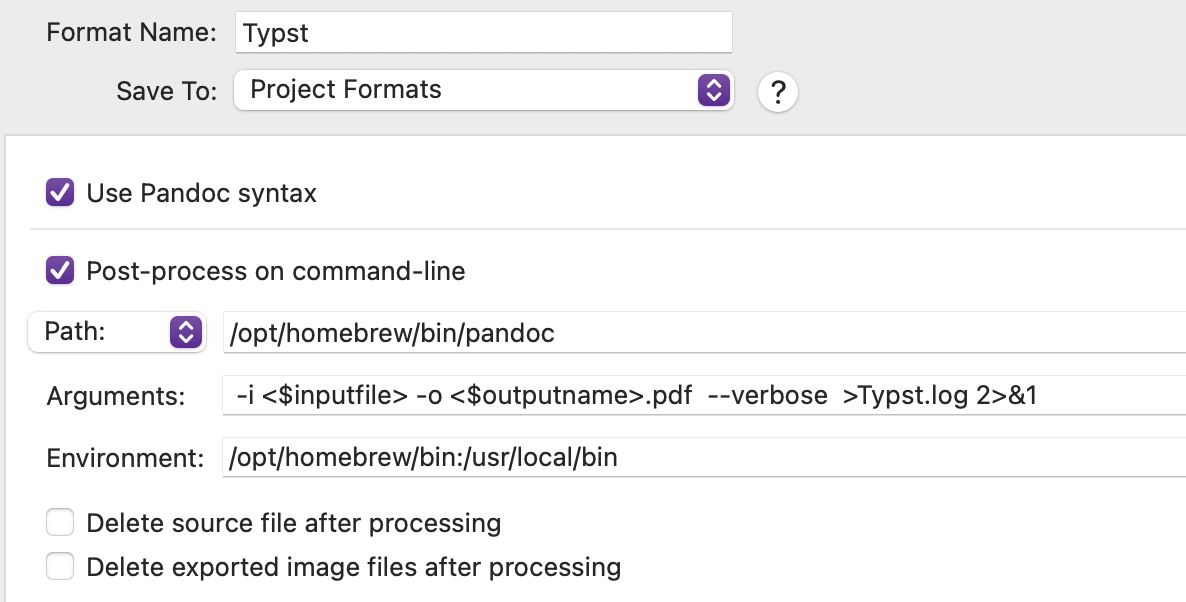
But I need help with compiling. The post processing pane is like this (reduced from the argument string in @nontroppo’s sample project):
Error parsing YAML metadata at “20251116-typst.md” (line 1, column 1):
YAML parse exception at line 6, column 36,
while parsing a block mapping:
did not find expected key
Consider enclosing the entire field in ‘single quotes’
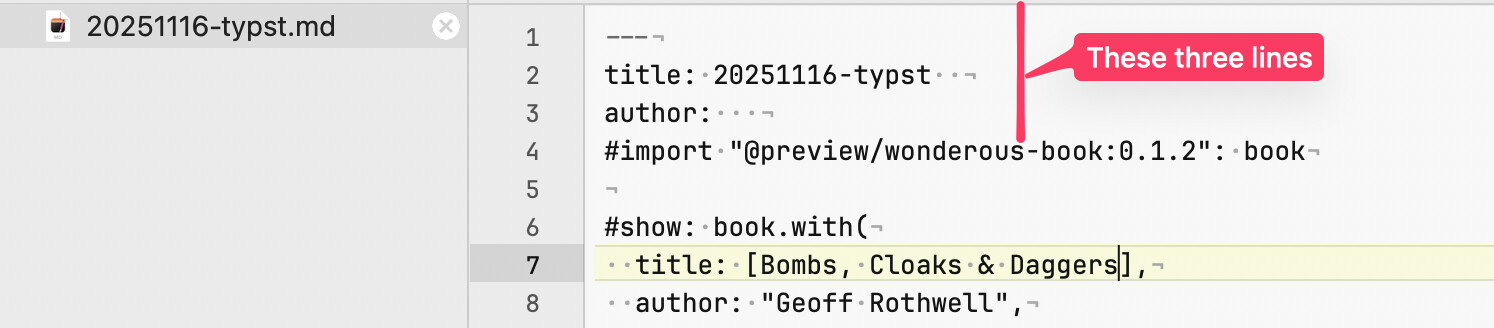
So the .md file saved to disk has this at the start:
which is exactly as in the web app, where it compiles without problem. I seems that it is those three lines (the “title: 20251116-typst” is the Scrivener project title) which are causing the problem, as the log doesn’t make sense to me as the same thing compiles perfectly in the web app.
Where do they come from and how do I prevent them from being inserted?
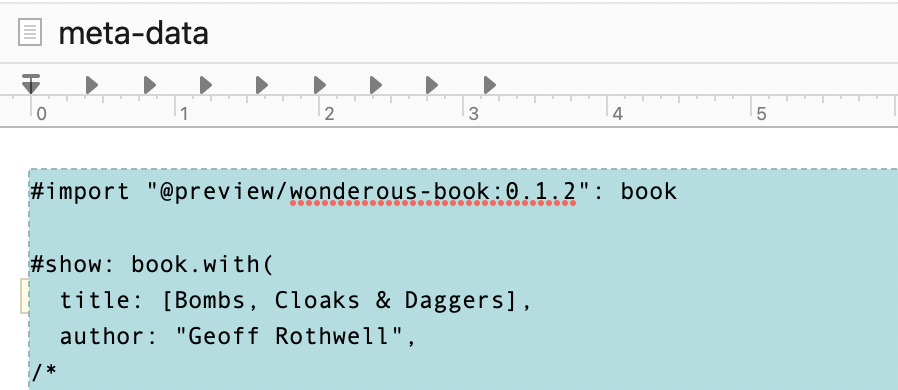
Check the Metadata tab in the main compile overview. It looks like you’ve got a couple of fields defined there (title and author are defaults for new projects).
Thanks. I discovered that after I posted and managed to remove the entries but the --- line persisted and still caused the failure.
To check further, I changed the file extension from .md to .typ, opened it in BBEdit, removed that line and sorted out differences between .md and .typ coding, then ran typst compile from the Command Line.
It produced a PDF, though with some oddities, which I worked out came from settings in the package imported, like page size and font assignment, conflicting with those I had set. Interestingly that doesn’t happen with the web app.
So I have decided that the way forward for the moment is to work locally using VSCodium (which has a Typst LSP) and sort out all niggles that way, checking compiling with the CLI before moving back into Scrivener.
Though I’d still like to know how @nontroppo got his .scrformat to work without even the --- at the beginning of the .md file.
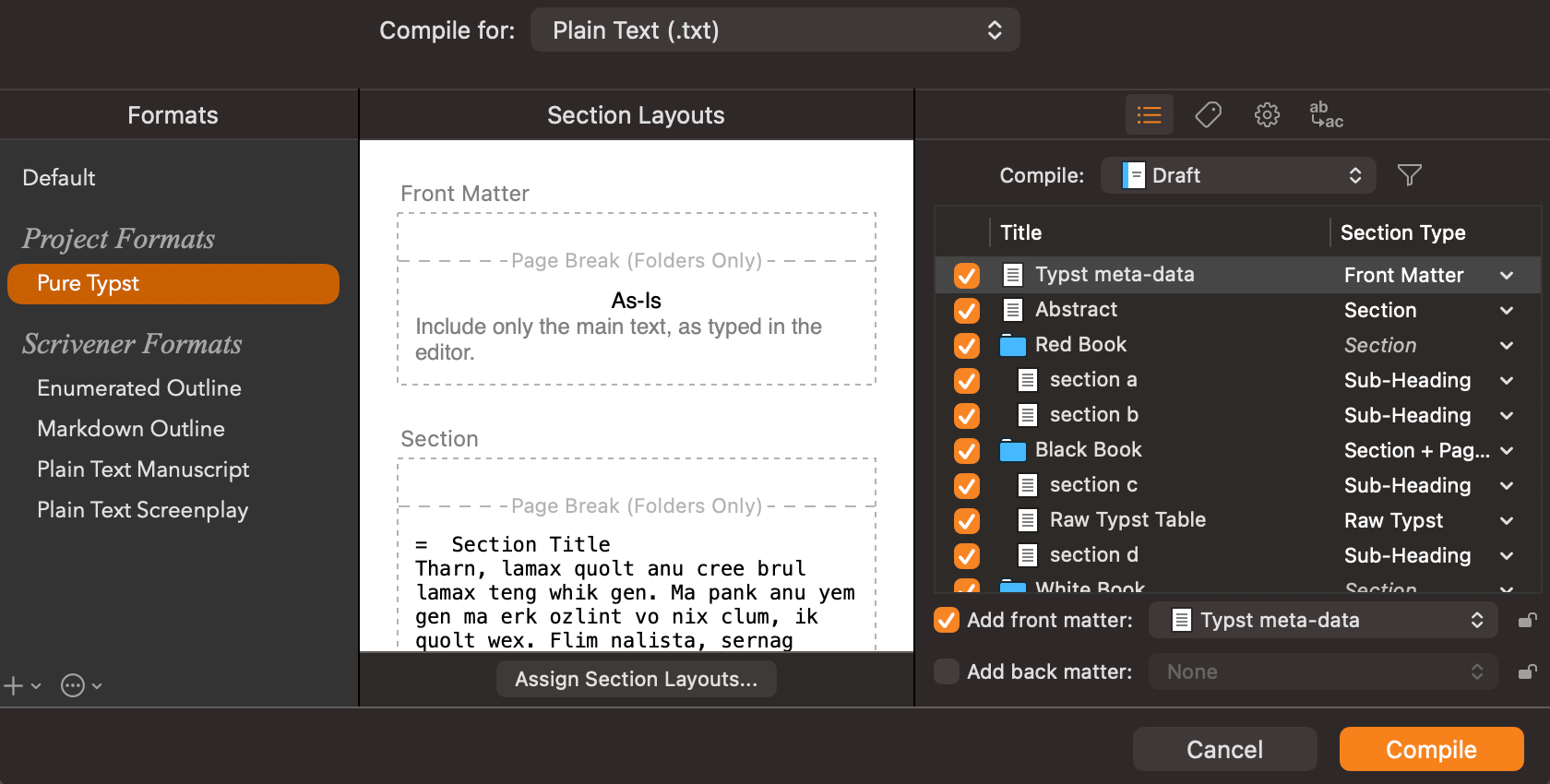
I’m not 100% on this, as I haven’t use the template you are using, but might overall be better to use the Plain-Text output (where you can also dictate the extension in the Format, top right) instead of a Markdown-based output, as that might get in the way in other regards too, but specifically to this, you could avoid the hyphens by calling the binder item anything other than “metadata” or “meta-data”. That triggers the behaviour to assemble a Markdown preamble, merging it with compile settings (as you saw).
Hi Mark, I think @AmberV solved the issues you faced:
Scrivener default is to inject its own markdown metadata which can conflict with your own.
You are using a MMD workflow, but your metadata is raw Typst which requires a plain text workflow.
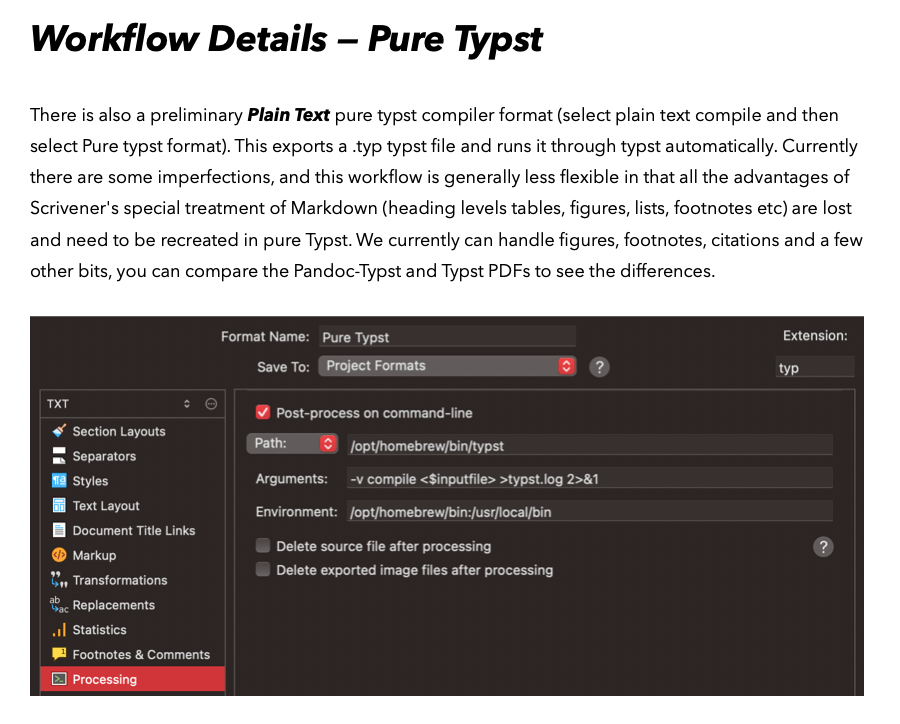
In my Typst sample project I demonstrate both a Pandoc+Typst workflow and a pure-Typst one, each has different metadata, and for pure-Typst you need to select Plain Text in the compiler to see that format available:
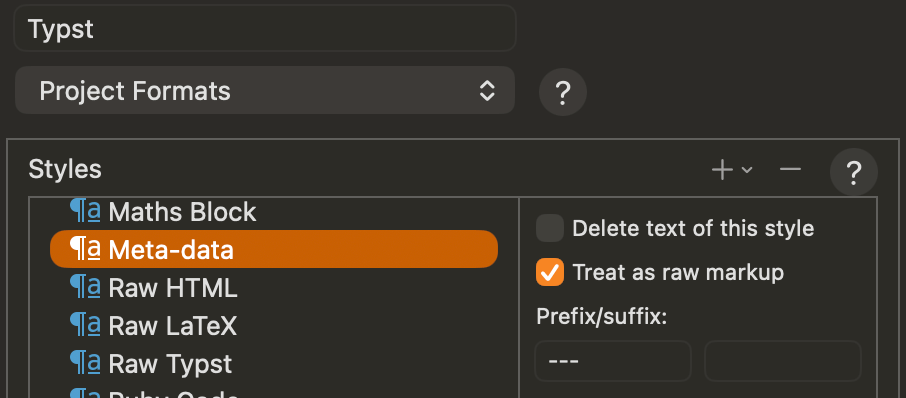
The front-matter document is given a Meta-data paragraph style and in the MMD compile format it prepends/appends ---; and this style does nothing in the pure-typst format so there are no --- there.
I think once you move to plain text then you should get a PDF fairly quickly. My Typst example workflow mentions this about the pure Typst format:
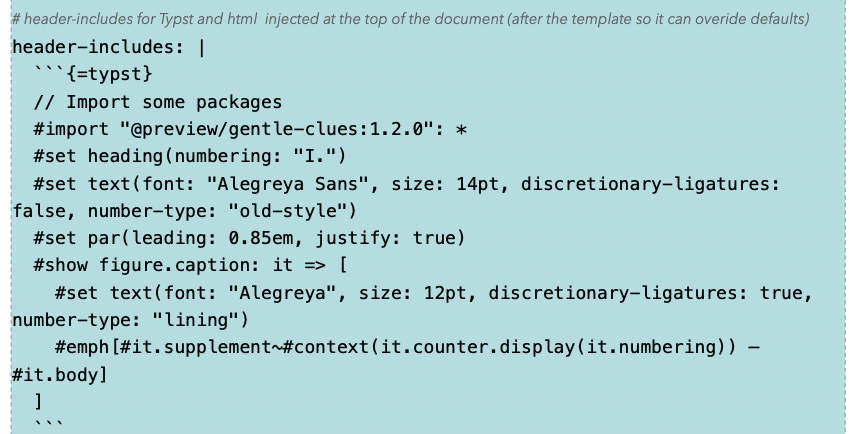
Get things working first with plain text. My personal view is that Pandoc+Typst is more flexible than pure-Typst overall for Scrivener users, but the added wrinkles are that to customise the Typst formatting you either uses styles or section types, or add raw typst to the YAML metadata:
and/or you edit your own Typst template for Pandoc like my one:
The template can take YAML metadata like mainfont: "Alegreya" and modify the generated typst for you. Any route is fine and you can swith from one to the other without too much fuss…
Thanks for the explanation. It’s nearly a year since I last looked at Scrivener + Typst; in the meantime I have been working exclusively in the web app, to great effect as far as I am concerned (with help from members of that forum), including customised tip boxes, margin notes, drop caps, tables, etc.
Coming back to it in Scrivener, I felt very rusty. More particularly, there was so much in your template that I was finding difficult to reconcile with the Typst scripting that I had developed that I came to the conclusion I should build my own project template.
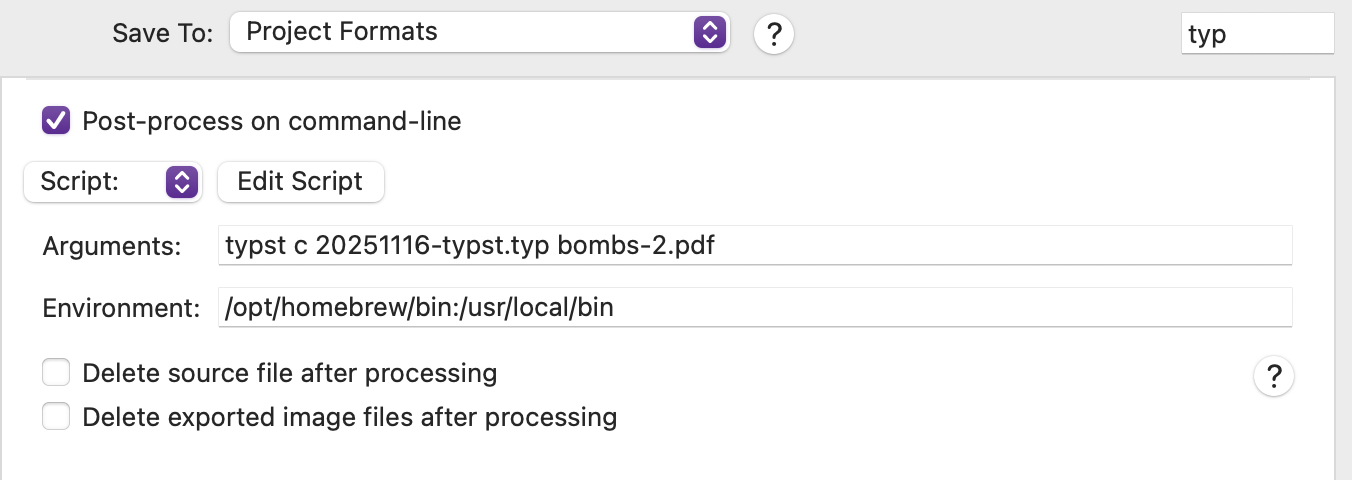
I started setting up a plain text compile format, but immediately ran into a gotcha… the Processing pane that comes up on my system is different from yours. Instead of the Path setting, which I understand, I got Script:
which I don’t understand. Leaving Script empty and putting typst at the beginning of the arguments creates a .typ but doesn’t call Typst to compile it. So I tried importing your .scrformat but got very confused. That said, I have just realised that there is a dropdown which allows change to Path!
Anyway, as what works in the web app has oddities using the CLI locally, I am now working locally using VSCodium to check where there are problems in any compiled .typ, so I can sort them out in the Scrivener project. My route forward is:
Get my web app projects compiling as I want them locally using the CLI, then…
Sort out Scrivener pure typst compiling for them, and when that is working, move on to…
Sorting out Pandoc > Typst compiling, and finally…
Set up bibliography, which as I said is on the back burner.
The differences between the web app and CLI should be only related to setup of additional files. I am happy to check any CLI errors, post them here or in a PM (you can also share the web project if needed), and I am also very happy to make a custom Scrivener template for plain typst based on your needs. You course of action makes sense, reach out if you need anything and good luck!
Thanks very much, Ian. As I said way back when, the main purpose of all of this is keeping my brain exercised, so I shall pursue the strategy outlined above. I am clear in my mind how I’m going to go about it. I have already resolved the issues I had compiling a .typ processed to PDF on the timeline, though the current metadata part needs sorting, which I will do using the process of web app > local-version.typ > Scrivener project, doing it stage by stage.
That said, I will come to you if I hit any barriers, but asking you to create a custom Scrivener template for me is not something I intend.