Hello, I found a previous thread on this general topic, but it is several years old and didn’t answer my question, so I’m creating a new topic and hoping to get some help.
I have not tried to use Scrivener on two computers (laptop and desktop) since before Scrivener 3. I want to be able to work on a single Scrivener project on both computers. I tried to set that up on OneDrive by saving the project from my laptop to OneDrive, then on my desktop downloading it and opening in Scrivener. No problem so far. I regularly backed up my work to the project folder on OneDrive. When I went to the laptop to try and work on the project, it seemed that I needed to download the project from OneDrive creating a new project with a new name. If this is true, I will end up with many copies of the project, which I don’t want. I’ve read the Scrivener user manual to try and figure out how to sync back and forth between the computers, but unfortunately, I can’t understand the instructions clearly and I’m afraid to try anything.
Hi.
You need to make your project folder available offline. This way, technically it would auto-sync, without you having to download anything.
In the computer where it originated, make the folder available offline (somewhere in the right-click menu).
On the second computer, navigate to the project through OneDrive and do the same. (I believe it should then download on its own. That one first time.)
I am no longer a OneDrive user, so take my answer as solely a hint.
Note that OneDrive is not so recommended for sync. (Dropbox is the one recommended.)
Also, my personal opinion, if you are going to use a cloud service for sync, store your backups elsewhere.
Technically, Scrivener won’t back up on a cloud service.
But if you can tell your cloud (whichever it is) to monitor and miror or backup the content of a folder, you then set Scrivener to backup to that one folder in the options.
What I mean is that Scrivener actually “doesn’t care”. It just spawns a backup where told to. There is no “Backup to cloud” specific function.
So, in a way, yes : likely you can set Scrivener to backup to the image you get of your cloud content, if accessible via a file-explorer interface. Which is somewhat the same, except that it’ll go to a temp folder and then be wiped off once the upload is complete. (You won’t have a copy on your HD.) [Not what I would opt to do, though.] [I can only suppose that it would also render inoperant the option to set the number of backups to retain. Your cloud backup folder won’t clean itself up ; backups will just keep pilling. I presume. (Now that I think about it a little more, perhaps not – I don’t know.)]
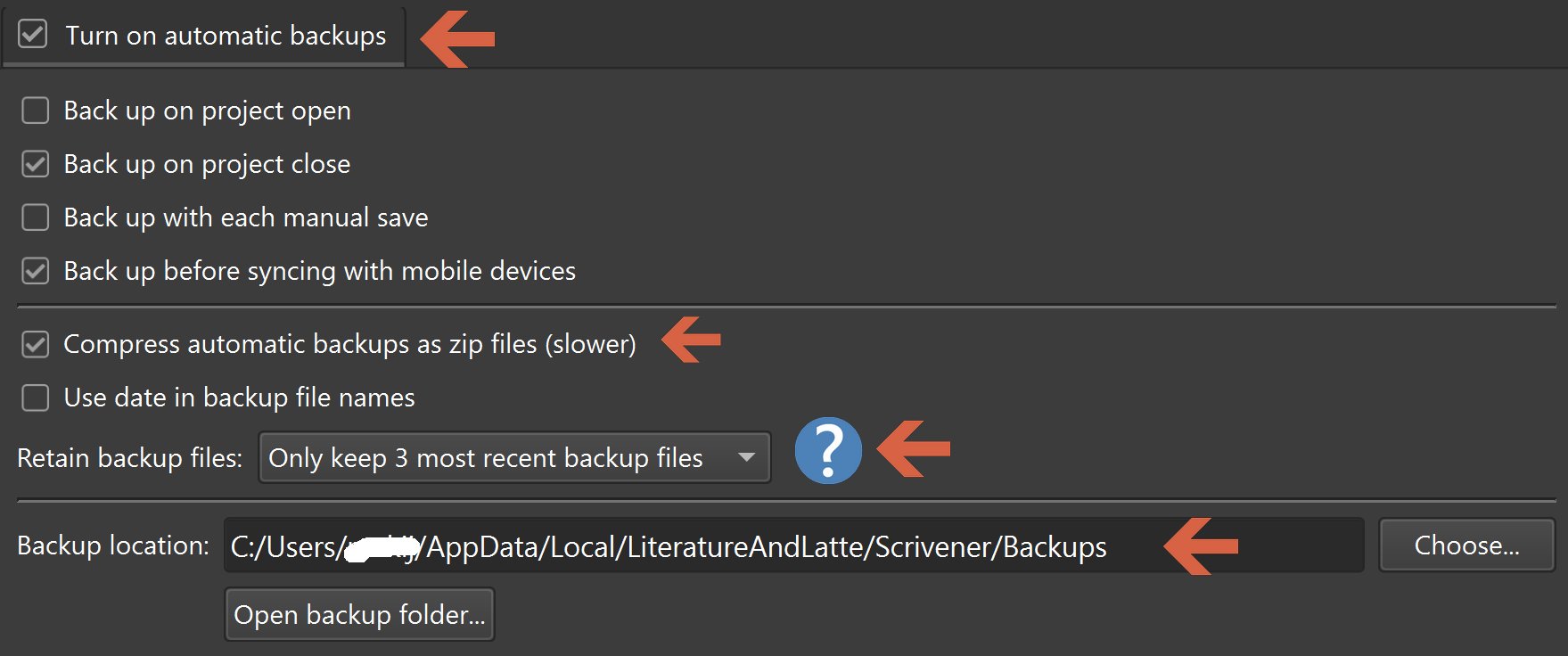
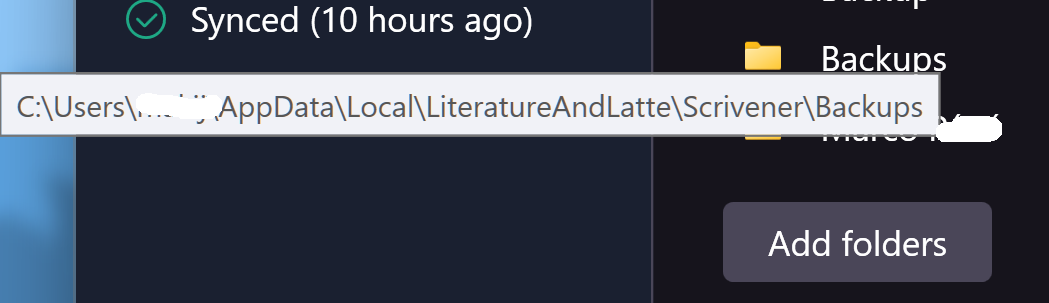
Since Proton Drive has no Windows file system but only a synchronization daemon, I use Proton Drive to save my Scrivener backups as zip-files from the local file system like this:
ZIP-files are gentler for the cloud upload than numerous files to be synchronized, it reduces the errors for simultaneous access (Scrivener writing a file while synchronization daemon is reading that very same file - Proton needs to try later again). The number of ZIP-files (backups) to keep you need to decide. Please note that “synchronization” is a blind copy, not a cumulative backup: the files are not piling up in the cloud drive. If the file disappears from the local drive, it also disappears from the cloud disk, and vice versa.
That is why you need another local backup copy (on an external drive, like USB). Search the web for “3-2-1 Backup Strategy” (or “Rule”). Also, please consider that a backup which has never been tested to be restored is not a backup but wishful thinking…