Hiding the titles in the Outliner

Hi,

When this will have to appear in the compiled output, I write a section title (a heading) as the first line of a document. I also set this document title as the name of the document that should appear in the Binder.

This is less and less necessary, due to the fact that Scrivener automatically shows the first line of a document as the document title in the Binder. But I still have the habit of doing it. This is particularly useful when the document does’t start with a printable heading, and I tend to omit it.

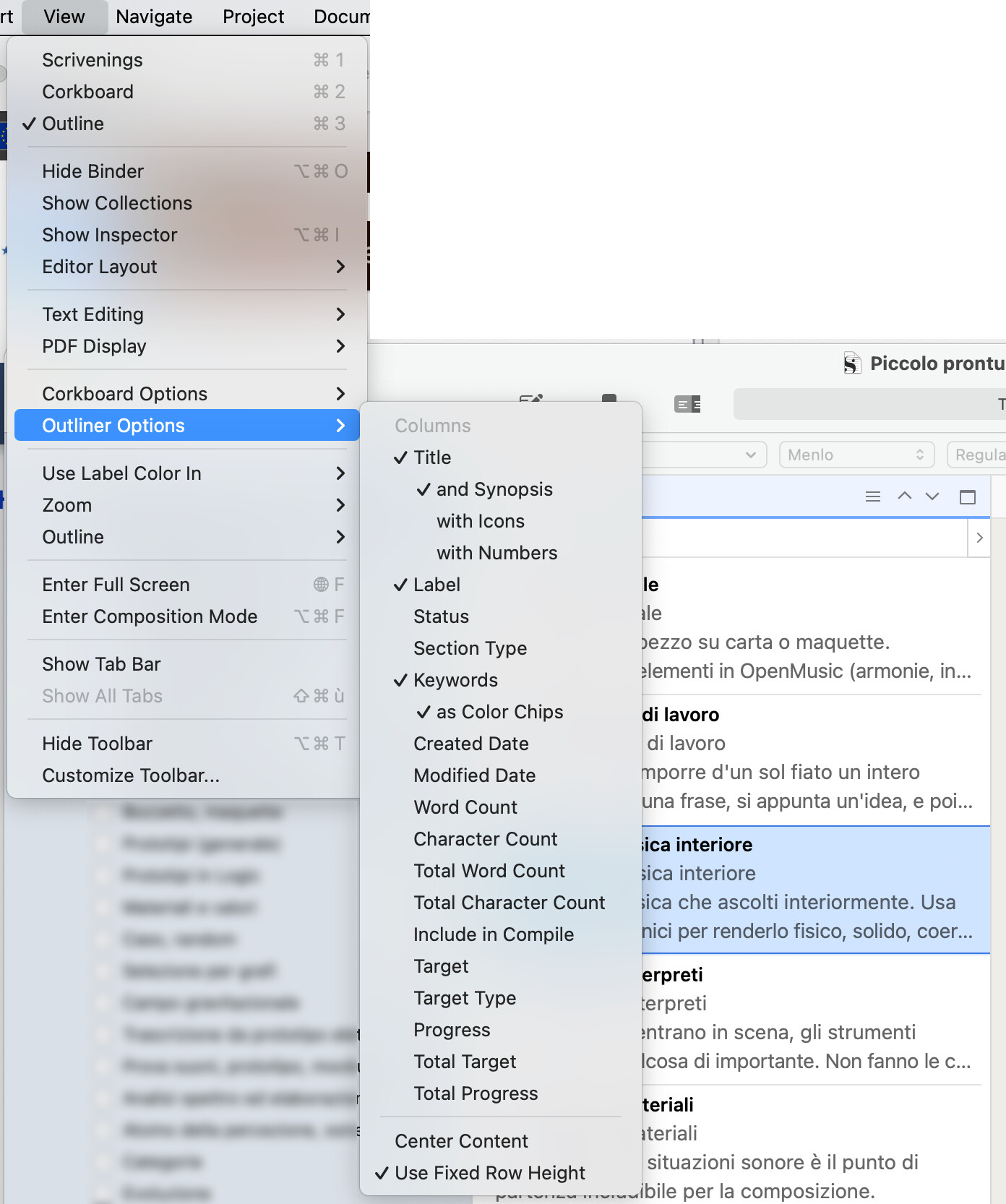
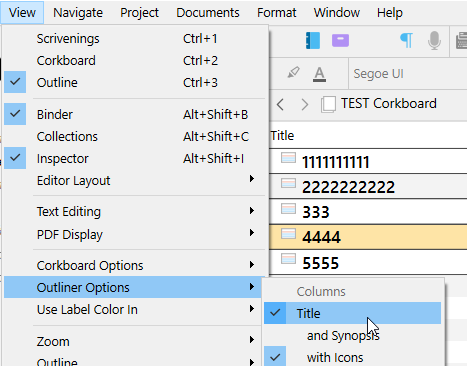
When I have a title both as the document name, and as a printable heading, I get the same title duplicated in the Outliner. I wouldn’t dislike if it was possible to hide the Title Text in View > Outline Options, as you can now do with other elements (icon, synopsis, number).

Paolo

This aside, I’m a bit confused. What view are you actually referring to? (The outliner doesn’t actually show text, so that can’t be your issue.)

A scrivening?

Compile?

. . . . . . . .
I’m running the Windows version.

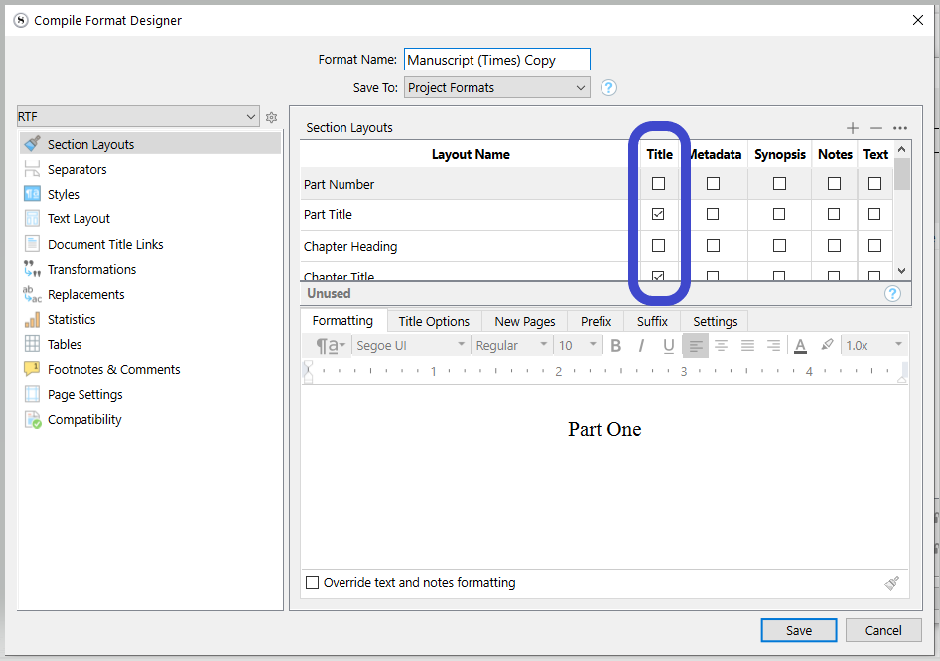
If you check chapter or scene title and put the title in the text then you will get what you are talking about. If want the title once, check the title box in the compile format and remove the title from the body of the text.

At least in the Mac version, the Outliner can show text, if you don’t enter alternative text for the synopsis. In this case, the synopsis is taken by a copy of the full text.

If I deselect the Title, in the View > Outliner Options menu, the synopsis is also removed. There is no way to only hide the title text.

As far as I can see, this has no effect on the Outliner. Just on the output.

Paolo

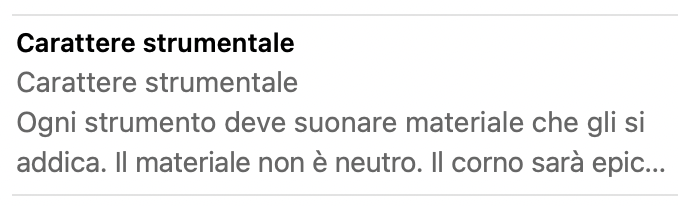
Yes, this is how the Windows version works as well. The setting that is being used here is the “Use Fixed Row Height” toggle, at the very bottom of the menu. In that mode, the outliner acts a bit more like the corkboard in how it populates the cell with an excerpt of the synopsis (which can be of course adapted from the main text if it is left empty, which is kind of what we are seeing here). If the item has no title, then the synopsis/text occupies the entire cell to a maximum of four lines (three if you have a title, to remain fixed).

Which leads to the question, why do you have a formal title at all on this item, if the title is in the text as a styled heading? Wouldn’t your compile settings be leaving the Title off anyway, to allow the text to handle the heading?

To step back and clarify the design a bit here, while Scrivener’s core design is very much tilted toward item titles having the power to become headings in the output document, the purpose of this “empty=content one layer down” approach is so that you can, if you want, have the first line of your text be the heading, and then by leaving the synopsis and title for the item empty, let that text in effect become its title in searches, binder and bookmark listings, etc.

Having both is giving the software two competing working habits as data, so it isn’t odd I would say to see double the data. For that reason I don’t see this feature request itself having legs, as it would only serve to make less visually awkward an awkward data request, if that makes sense.

I use this capability myself now and then, but typically more at deeper sublevels. For example a tip box often starts with a box header, a table can start with a caption, and so it often makes sense to leave the title empty on such things, so that its representation in the outline is driven by the content. I wouldn’t want a heading on top of a tip box, figure or table anyway.

As far as I can see, this has no effect on the Outliner. Just on the output.

Right, otherwise changing compile Formats could radically alter the data you work with in the views, which would be kind of weird and force you into having to swap settings around between what you want to export and what you need to work comfortably—the opposite of Scrivener’s ethos.
2 Likes

There are a few situations where I would want to have the document title both in the Binder and in the documents itself:

  • Working on a document in multiple languages. It may happen that I have the printed text in a language I don’t know, but I want to have the title in the Binder in English, so that I can understand where I am. (As odd as it may sound, it is my everyday situation in the main job…).
  • Working on translated projects, where I have different printed titles, and I want to keep the title in the Binder in English, to preserve navigation and coherence between projects in different languages.
  • Seeing the title in the document when working with the Binder hidden, or even being in Compose mode.
  • Seeing the title in the document with a different style, for ease of identification of the structure level. Yes, we have the Binder (when not hidden), but sometimes the text style system can do wonders in letting one immediately perceive where you are just by the shape and size of the fonts.

In other words, I would like to be able to consider the Binder as a navigation/structuring tool, instead of part of the printed document. This would make the above cases much easier to handle for me.

Paolo

1 Like

That makes a lot of sense, in cases where the title is conveying some additional meaning or “handle” that isn’t expressed in the content, like in translations—to have one unified “binder”. Indeed one of the reasons for why someone might want to use styled headings is so that they can free up the binder titles for purely creative or internal use. Though you do tend to see that more where the compiler is still generating headings, but those headings are generic, like “Chapter Twenty-Six”, or no headings at all, for sub-structural outlining.

My previous comments were more narrow than that, as I was reacting to the earlier screenshot that showed the same exact string printed twice, and I wasn’t quite understanding the purpose of doing that. That is where it seemed, as I put, awkward, and not just at a visual level with the outliner set to this specific view mode.

Maybe that’s coming at it from a programmer’s perspective though. I see the same data printed twice and immediately see a flaw in the code. :laughing: I would rather have either the main title empty so that the content drives it, or the other way around, and use the <$title> placeholder in the content.

Seeing the title in the document with a different style, for ease of identification of the structure level. Yes, we have the Binder (when not hidden), but sometimes the text style system can do wonder in letting one immediately perceive where you are just by the shape and size for the fonts.

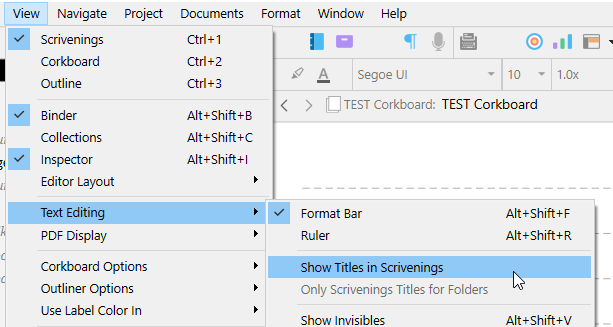
That makes sense, though to go back to the condition where titles are meant to become headings (by and large, maybe not always), the View ▸ Text Editing ▸ Show Titles in Scrivenings checkbox does wonders. I never turn that off, and it is set in all of my template starters. I don’t understand how anyone uses Scrivenings without headings. :slight_smile: I would be eternally lost, or annoyed at having to squint at tiny fields that only show you where you are after you click into the text.

What I’m getting at is that if the reason to have a styled heading in the editor is to aid in navigation, then this setting can do away with the redundancy and overhead of having the title twice on everything.

2 Likes