Because I like writing in the corkboard view, but the number of words of synopsis is not included in all word count statistics. How can I count the number of words of synopsis?
Hi.
Here is a way it can be done.
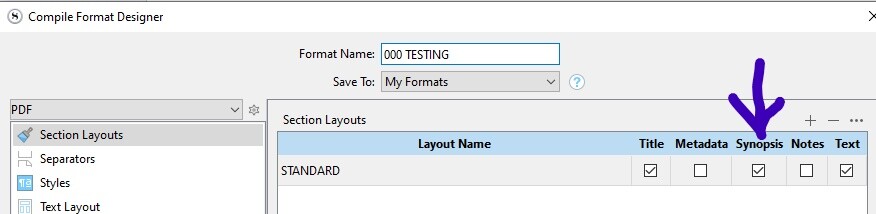
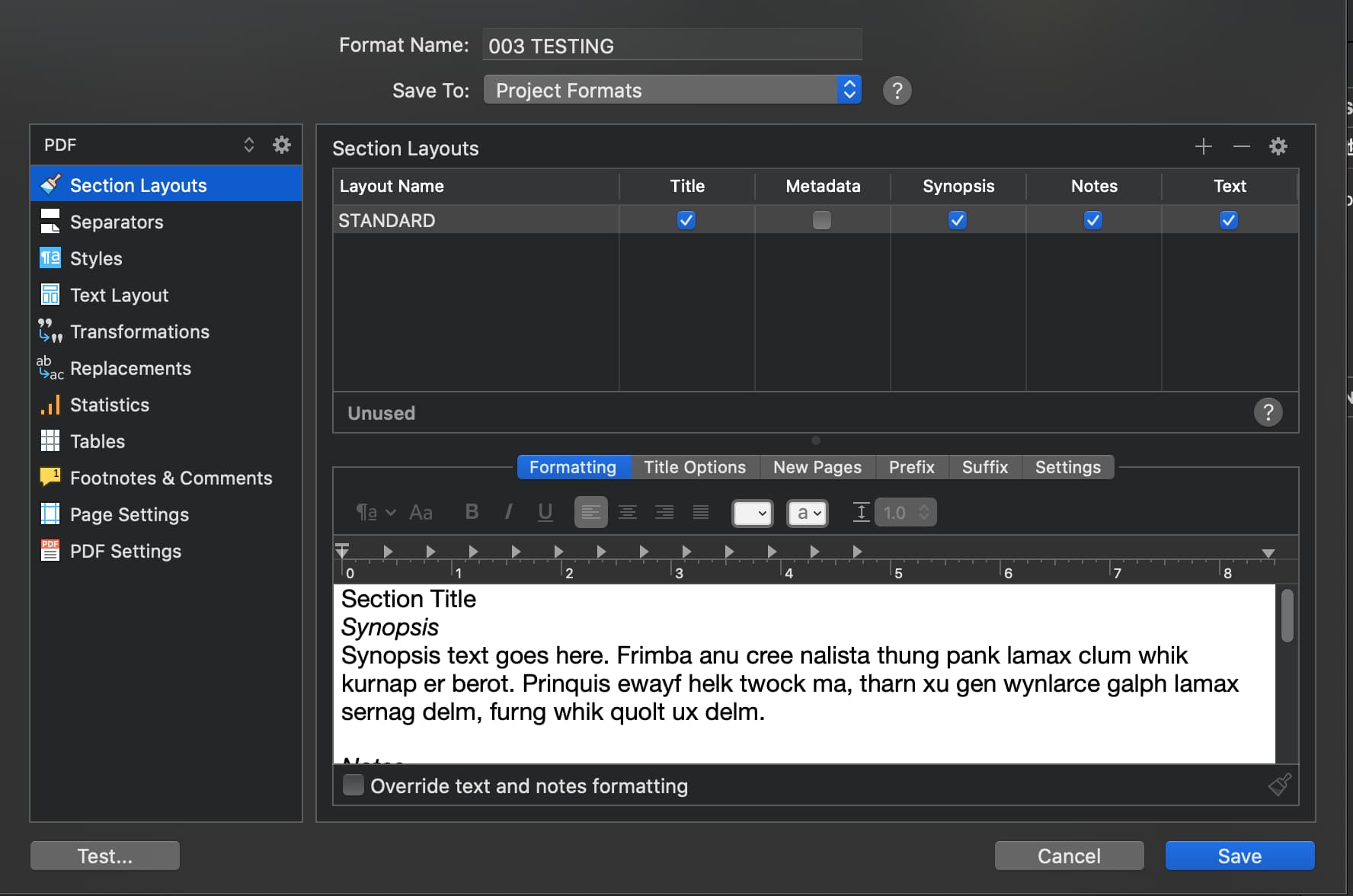
In your compile format, have synopsis be checked in your section layouts :
Then set the compile dialog to “current selection” :

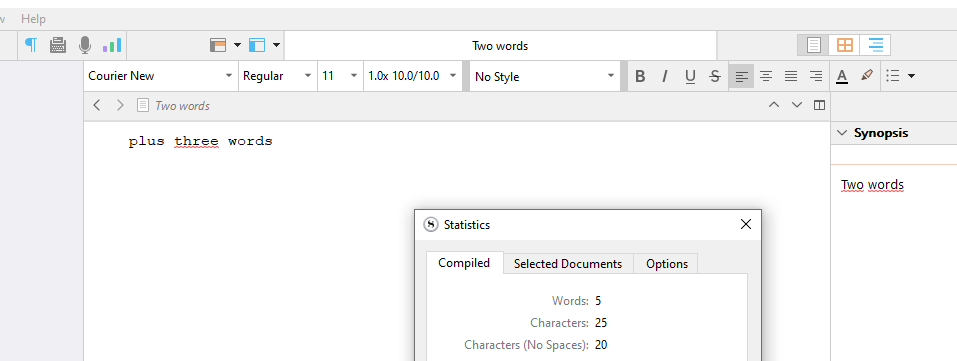
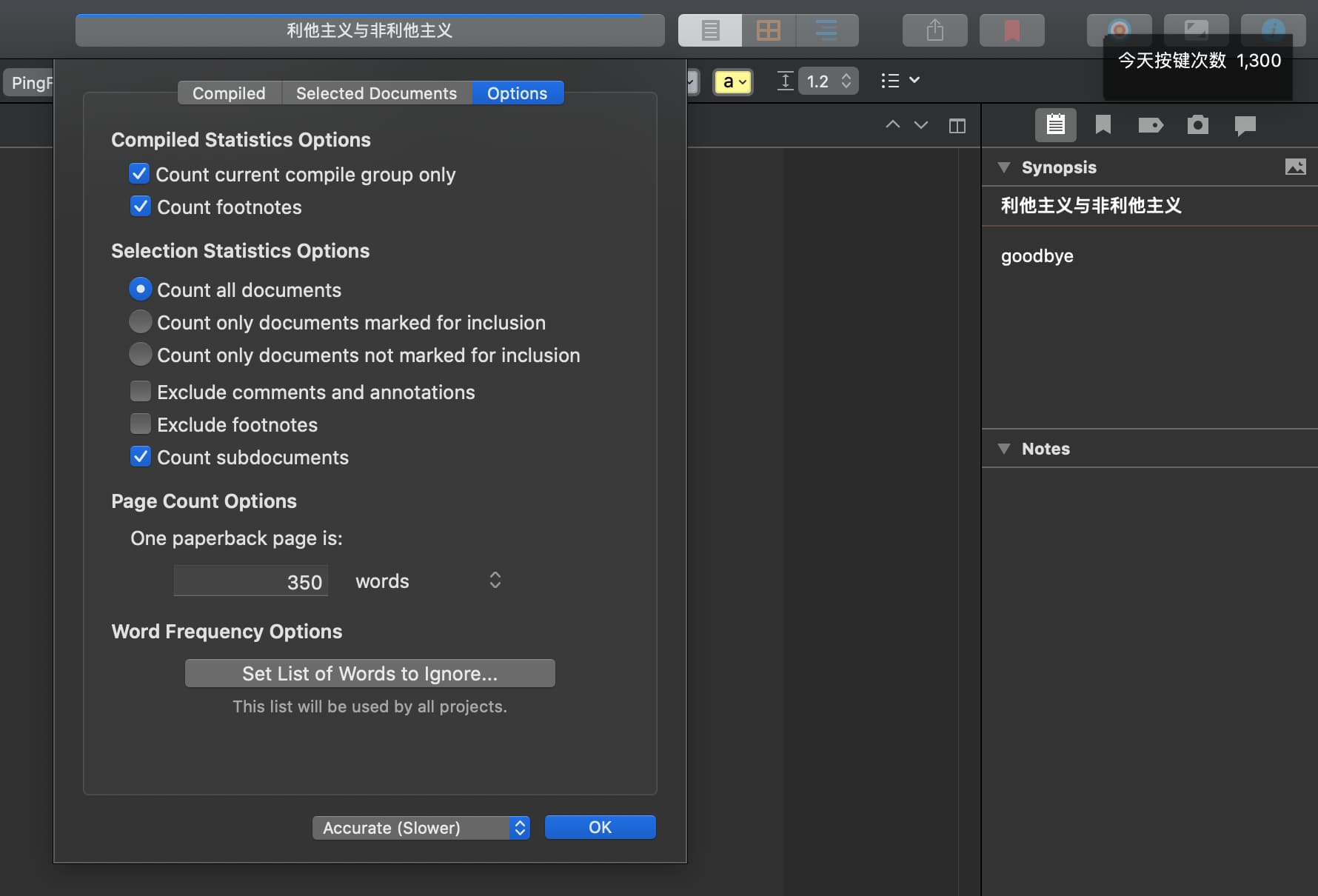
Check this option in statistics :

The “compiled” tab of the statistics panel will now show the word count of your selected documents including the synopsis.

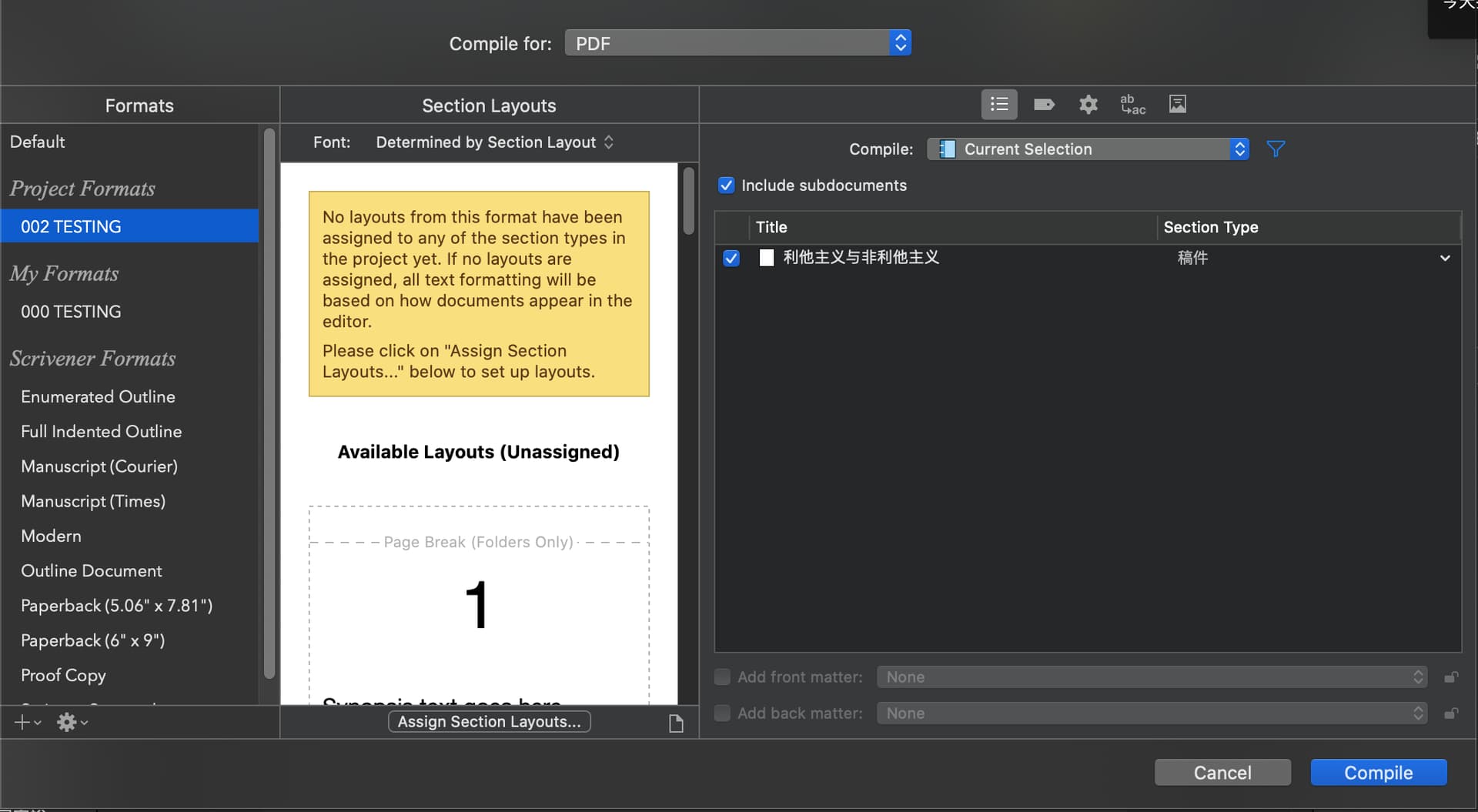


Sometimes (all the time actually, now that I am playing with it some more) I need to uncheck the option (in the statistics panel), then go back to the “compiled” tab, then recheck the option, and finally go back once more in the “compiled” tab in order for it to work.
Perhaps setting it to fast, then back to “accurate” could do the same.

Otherwise, this should have worked.

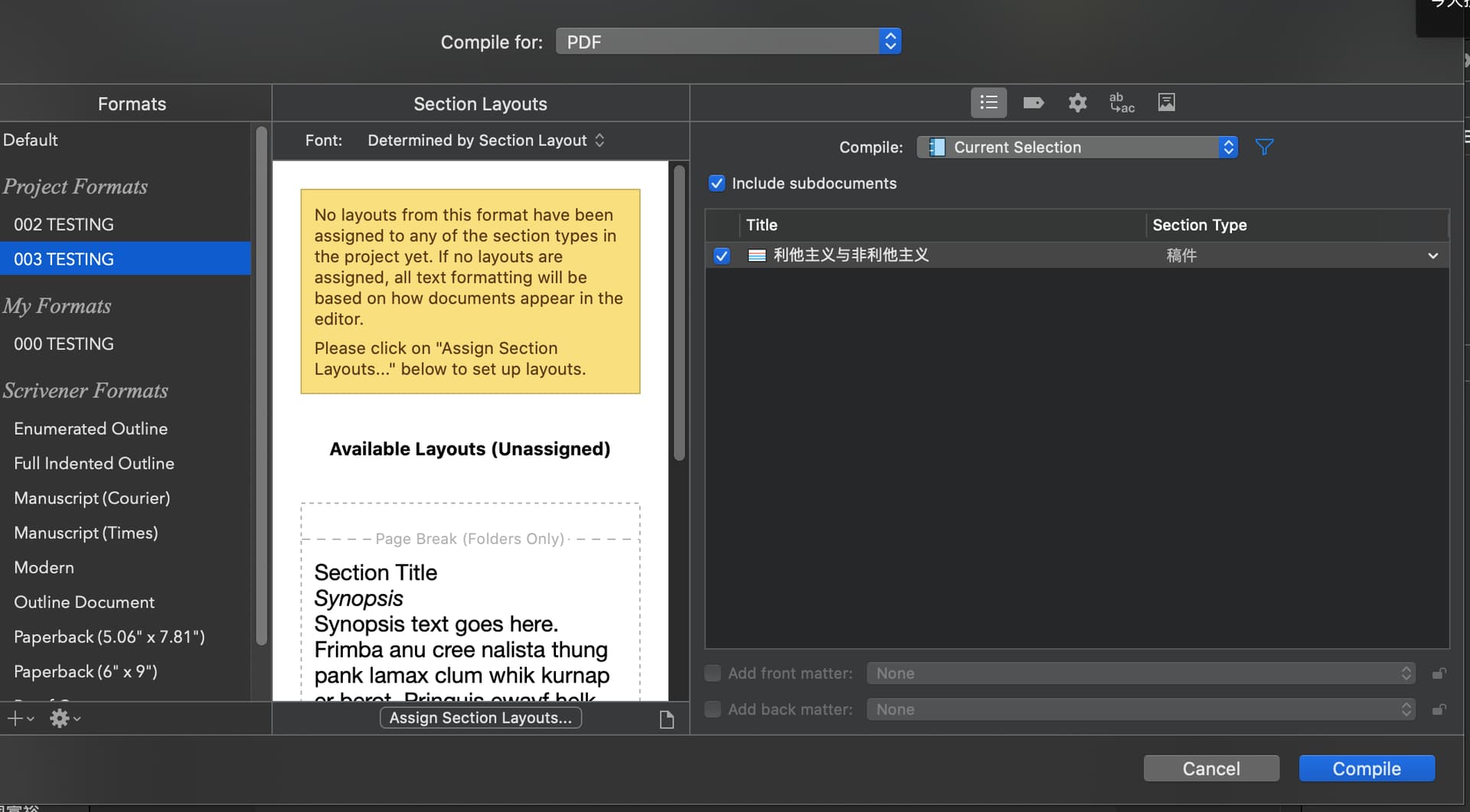

You have no layout assigned in the compile panel :


Click here :

and assign the one you just set to include your synopsis.


If you want the word count for your whole draft + synopsis instead than for only selected document(s), just uncheck the option in the statistics panel.
Enjoy. 
1 Like
Yes! I’ve set it to count the entire draft word count! Thank you so much!