I can create connections with arrows individually but is there a fast way to create connections with arrows from
test1 → account
test2 → account
test3 → account
thanks in advance for your time and help
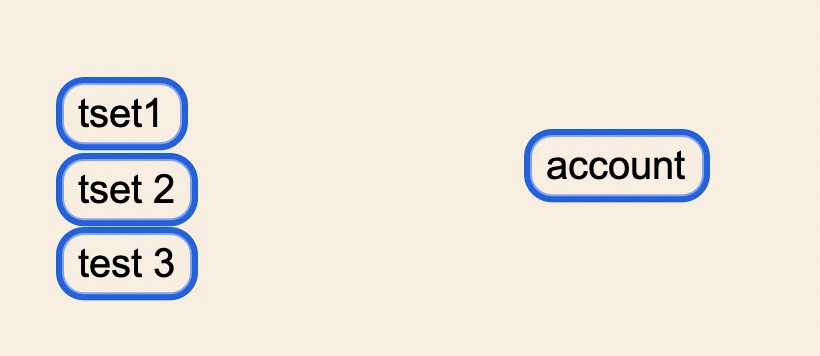
You would do this the same you would connect one note to another individually—only you would start with a selection of multiple notes, the ones you want to link to the note to.
1 Like
thank you. I was close but unsuccessful because I was using the marquee selection.
By the far, congratulations for the new forum format - superb !!
I spoke too fast, sorry
If I select account first, and then select test 1, then test 2, then test 3, I get this
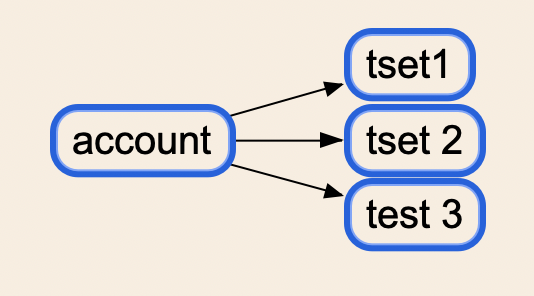
If I want to create connection arrows:
test 1→ account
test 2→ account
test 3→ account
I tried to follow your instructions: I select account, then I select test 1, then test 2, then test 3, then in the menu connection with arrow. I also tried using the marquee and get the same result
I end up with this
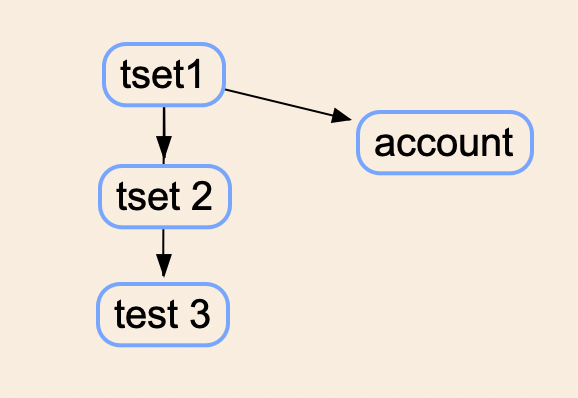
instead of what I want which is this (in addition, I would like connections with arrows)
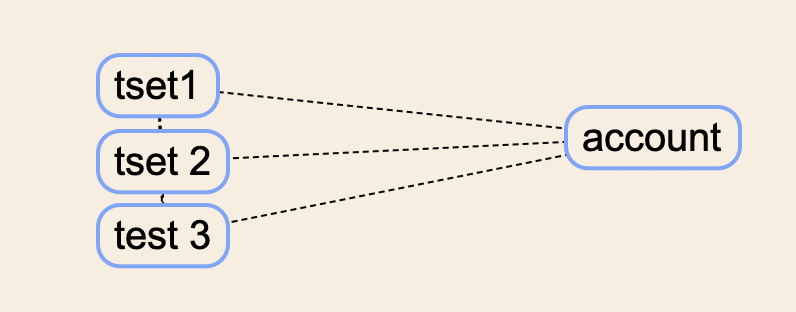
Sorry to irritate you with this and thank you again
Well to go back to my original description, I may have been assuming you were using drag and drop to make the arrow connection, rather than menu commands. The menu commands are going to be more useful for the various types of connectivity you posted examples of. For simpler cases where you want three things connected to one thing, drag and drop is easier.
And then in that case it works precisely as I described. You would not select both the source and the target at once, because then dragging would simply move both of them together. You would select the one you want to link from and drag it onto the thing you want to link to (with the Opt key held down in this case, to make the connection an arrow).
Whether what you want to link from is one or six things is only a difference in how many of them you select prior to dragging onto the target.
By the far, congratulations for the new forum format - superb !!
Thanks! Glad to hear you’re diggin’ it.
1 Like
now I understand. thank you Ioa !