I’ve been using Scrivener for Mac for about a decade. I just got Scrivener for PC because I’ve recently been struggling with carpal tunnel and need to work on a different machine for awhile. So, I’ve spent the entire day trying to get it set up to look like my Mac’s setup (surprisingly not as easy as one might think, sadly) and I’m finally there. Time to work.
I am in editor layout, side by side. And the version on the right has page breaks showing like one might see in Word or something and there’s no title, so you can’t see which document you’re looking at.
I’ve double checked that it’s not a folder with separate pages in it. It’s totally not. It’s just one sheet. But it’s got page breaks. I cannot figure out how to get rid of them. Can anyone offer advice?
Thank you, GoalieDad!! I did finally figure it out yesterday. Yes, somehow I was not in page view. Changing to page view, however, did not automatically bring back the header. That took me another hour, but I finally figured out why it wasn’t there. I didn’t realize each side of the split screen editor had their own header/footer you could toggle on and off. Thanks!!
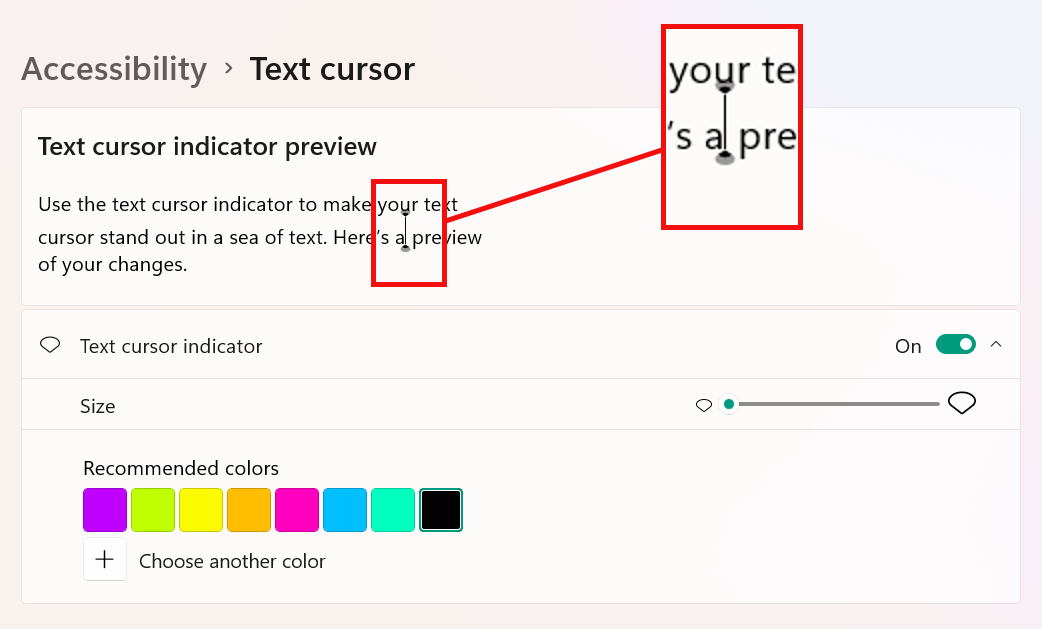
P.S. I don’t suppose you know how to get rid of the little ‘ above the cursor do you? It looks like there’s constantly a hanging apostrophe wherever my cursor is. It’s the last annoying issue I’ve been trying to figure out how to fix and otherwise things appear to be going swimmingly so far
No. I already checked with the Windows accessibility and turned that on. (Mine was purple). And realized what it did and shut it off. It’s not that. It’s like a ghost cursor. It seems to be only happening in the main editor, not a split screen editor. But… yeah. It’s quite annoying. Hopefully someday I’ll just get used to it.
If you mean the text insertion point, do you have Format ▸ Paragraph ▸ Writing Direction set as Right-to-Left? The description sounds rather like what you see when that’s enabled, although if you’re using a Left-to-Right language, you’d notice some odd jumping with the caret placement, also.
 Thanks!!