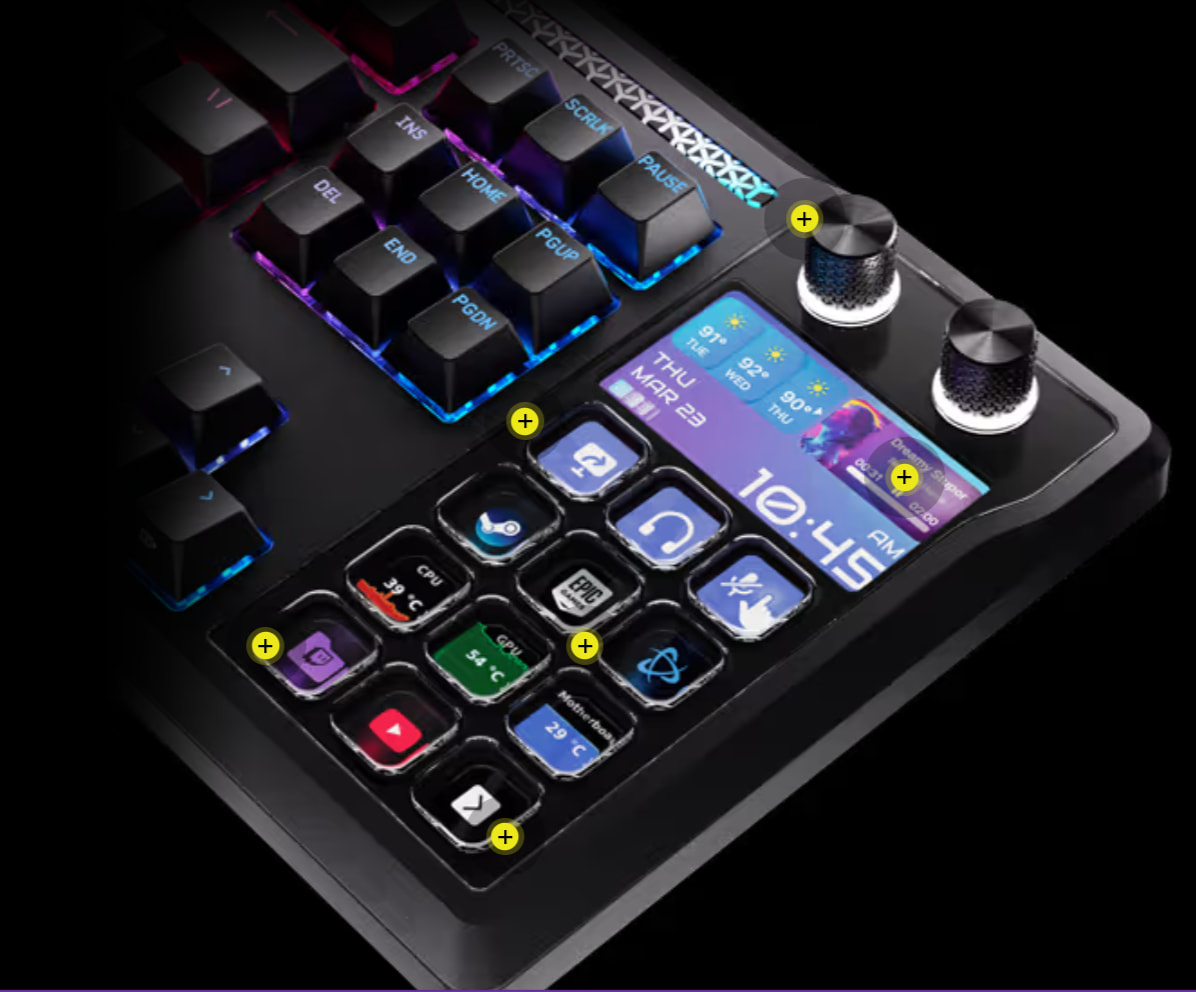
It combines a high-performance keyboard with Stream Deck buttons. Although it doesn’t have as many Stream Deck keys as my stand-alone Stream Deck XL model, it’s a beautiful combination of features I haven’t seen in a keyboard before. Frankly, though they market it for gamers, to me it’s the ultimate writing keyboard. It’s certainly all one would need for Scrivener and other apps used in the writing process.
I tend to be suspicious of devices that combine other devices as one. One thing breaks and the whole is not as usable as before.
(Not to diminish your excitement, though.)
It looks cool, but the placement of the “Steam Deck component” is rather… not so helpful. Off to the side and at very a shallow angle. Those recessed mini screens are not built for that use case (IMHO). And of course, like all non-modular full size keyboards, it pushes the mouse even further to the right side. (Unless you’re a leftie.)
That’s one of those purchases you really want to see in person before buying, if you ask me.
It’s your money. I would want to get my hands on this keyboard before paying. Not just related to its most prominent feature. Depending on the keycaps, the RGB light distribution could be uneven. And you definitely want to perform a typing test. The “MLX Pulse” switches may be too linear and light for your use case / taste and you only get those. They are hot-swappable, though (extra expense later on).
I think it looks cool and totally want one. I have absolutely no idea what I would use twelve extra buttons and 2 twiddly knobs for, but that may not be enough to stop me.
Can you programme them to play sound files when I need a bit of encouragement?
“You da man”
“Wow, dude… I’ve never seen writing that awesome before”
That sort of thing?
Here’s a trick to make this price appear more reasonable: Look at this. (Yes, the optional slab of wood to adjust the keyboard angle changes hands for just $290.)
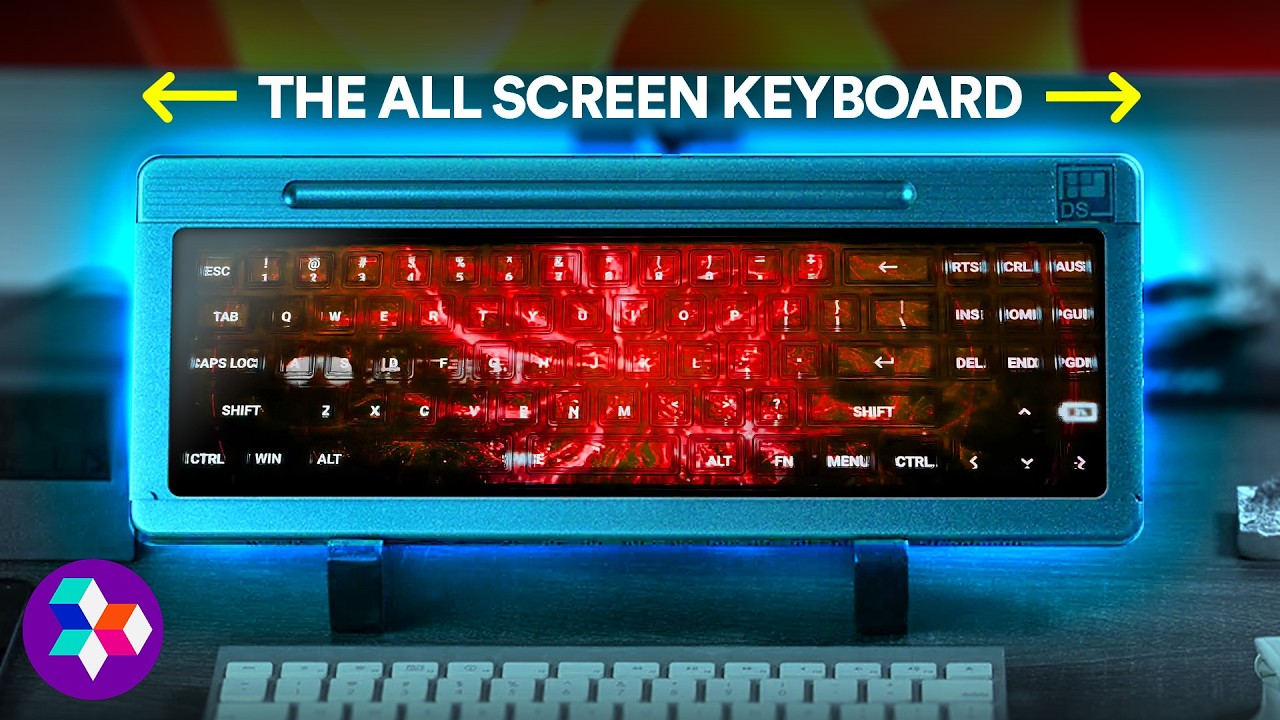
I have reservations about how it would work in an actual workflow, though. If the workflow involves keyboard entry, such as, I don’t know, novel writing, you’d have to constantly switch modes. I’d rather have my Stream Deck keys separate from the text input keys for this reason, whether that is in a keyboard such as the one I shared at the start of this thread, or my current setup with a separate Stream Deck XL device.
That’s the problem with these kind of concepts: Nobody managed to build a mechanism that looks great and types great (yet). We’ll get there, eventually, on a technical level. With keycap tops being some kind of e-ink material, otherwise feeling and acting exactly like “normal” keys. Or whatever.
What won’t change, not matter the approach, is the general dilemma: You don’t know which key does what without looking at it. On a device that you’re not supposed to look at while using it.
It’s like dry water or warm ice.
I agree, but it’s the same principle. Slap some kind of transparent rubber thingy on top of a screen.
We already do.
It is you who were born with the abominous birth defect of having your hands where your ears should be.
Must be hard for you to spy, having to slide your whole head through the crack in the door.




 (any ideas where to place the ears instead?)