HI. I have Windows Scrivener 3. This is specific to the image background for my cover art, not in composition mode. It is forever a light blue/grey color. Even in dark theme.
I have changed themes. I have gone into project options and set the background there. No change. I have gone into options and selected appearance and checked ALL of them. Including Main Editor - Fixed Width Background, Binder and Composition Mode.
Is this bugged? Or do i just not have control of the image background color? Any info is appreciated.
Fixed width editor background depending on editor width and amount of zoom may see the background in this or not.
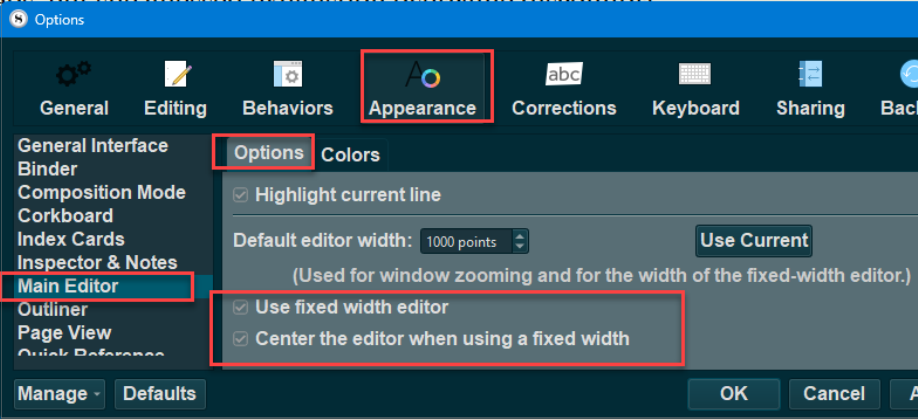
File >Options >Appearance >Main editor
First you must select used fixed width editor option and center the editor with fixed width
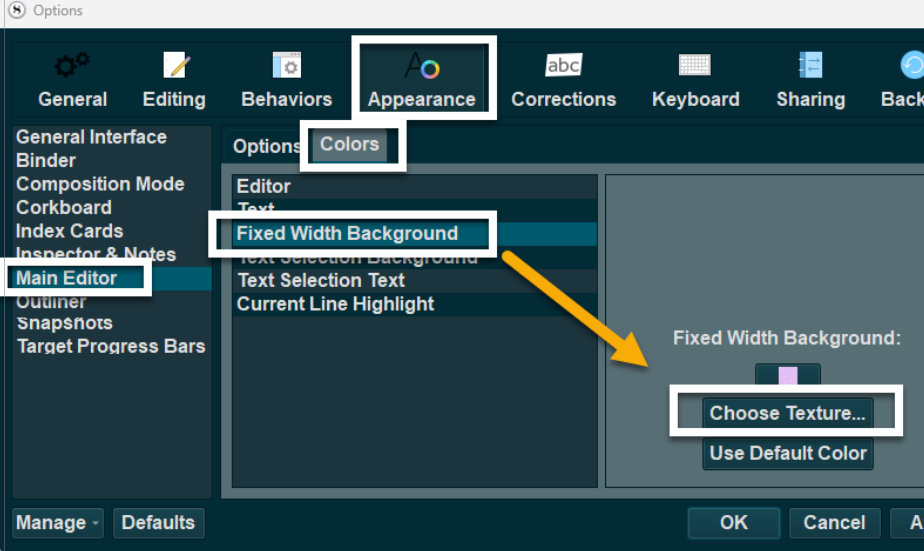
Then look at colors option and choose Fixed width background option and then choose texture to pick picture or tile option (choose texture opens explorer window to look for a graphic file)
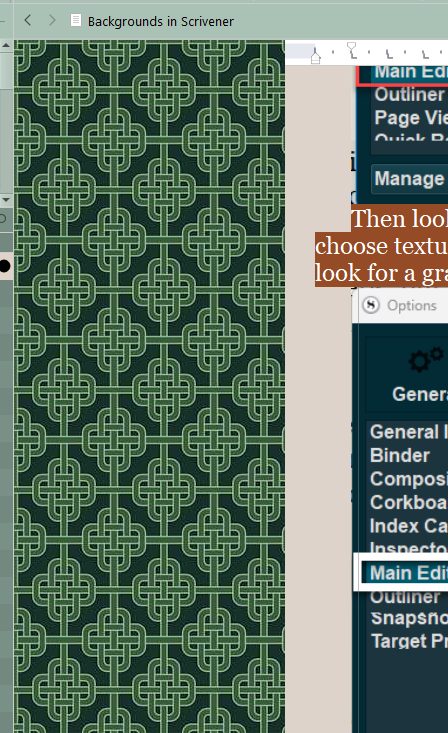
The texture is the background image, and this can a large image or repeating tiles like image below. Click choose texture and pick a file included with a Scrivener theme or one on your computer.
The above notwithstanding, which I believe is talking about a completely different part of the editor (as you put, all of the text editing settings): there is indeed a missing setting. There should be a “Media Background” colour tab setting under Main Editor, that would let you control this. I note that I even documented it in the user manual appendix, so I wonder if at some point during the beta it was in the software, but did nothing, so was later removed. Well, it’s equally possible I just forgot to remove it.
I’ll make sure we have its inclusion on a list somewhere, because I agree it is very shocking to see this bright colour in dark mode themes.
Thank you so much for looking into this and for the explanation. It is a relief to know I wasn’t just missing a hidden setting. I was working on this for hours before I gave up and posted here.
I really appreciate you adding this to a list somewhere. As you mentioned, that bright flash in an otherwise dark theme is a major contrast shock. While I don’t look at media files constantly, when I do have a migraine, that sudden bright background is incredibly painful. It can spike the migraine to the point where I have to completely stop working for the day, so having an option to change that background color would be a huge help for accessibility.
Thank you again for your time and for tracking this. I hope to see it updated some day.