Imported Styles not Applying

I have established styles in one Scrivener project (call it Source), that I want to have in another project (call it Destination). As well, I have a document where I have used these styles to pre-input information on the page (think: Character Sketch form).

In the Source project, it looks as I expect.

I go to the Destination project and choose to Import Styles from the Source project, overwriting any local that share the same name.

Then, with both projects open, I go to the Source project and open the document I want to copy/include in the Destination project. With that document open, I go to the Documents menu and choose “Copy to Project”, then choose the Destination project and internal location.

The file does copy across to the Destination project, but some of the formatting is lost. For instance, the page contains a “Template Header” style that has a text color applied to it. Half of the uses of this style revert to black in the Destination project, even though they still bear the “Template Heading” style applied to them.

Also, selecting correct (white) text and attempting to redefine the style to match tells me it is going to update the rest of the entries in the project, but it does NOT change what has gone wrong in moving the file.

What am I doing wrong, or what am I missing about understanding what is happening so that I can make sense of this?

Scrivener Info: Version: 3.1.5.1 (2073405) 64-bit - 06 Jul 2023

Hi

Try drag and drop from binder to binder. I do it often, no problem.

You could also try importing the project. Perhaps “calling upon it” from the destination project rather than sending binder elements from the source project is gonna make a difference. (?)
(You can ditch the unwanted extra documents, if any, afterwards.)

Of course (I think you got that right, from your description), the styles have to migrate first. Otherwise the styled paragraphs will end up with no style. Importing the styles afterwards will have no effect.

. . . . . . . . .
[EDIT] There is also the possibility that, perhaps, simply quitting the project and then reloading it will fix formatting temporary misbehavior. (Who knows.)
I think styles are “redrawn” the first time you load a document after opening a project. What I mean is that Scrivener reads back from the styles definition file and applies the styles’ formatting fresh where needed as the different formatting per style are defined in that styles file. In other words, the project file itself only stores the style assignations, not the formatting that goes with it.
So I wouldn’t be surprised if that was to fix it for you.

1 Like

Thanks for the response, Vincent.

Unfortunately, closing/reopening the project did not correct this. I’ll try copying from binder to binder, but maybe it’s something more fundamental than that (and maybe something I’m not understanding) because I can simplify the problem down to staying in the same project:

In my Source project, I can choose white-colored text then right click on the “Template Header” style in the Styles Panel and choose “Redefine Paragraph Style from Selection”
 but no color is applied to other uses of the style throughout the document (they remain whatever color they were).

Similarly, if I choose text in the document and set it to be “No Style”, then choose the same text and choose to apply my “Template Heading” style, the size and font change as a part of both style applications, but no color is applied.

If I enter a new line the text is initially white (the default styling of a daker theme); if I then assign it to be of the style “Template Heading”, it stays white
 so it seems like the text that refuses to take the color white from the definition of the Template Heading style
 must have
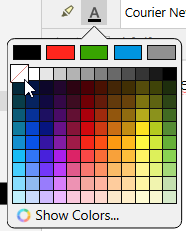
?.. had a color applied to it at some point? I seem to be able to remove it by selecting the text, long-pressing the font color button in the toolbar, and choosing the empty-set option. But it would seem that I should be able to override that by assignation of the style to the text (if the style can have a color component and does have a color component, that color should override the current color of the selected text – even if the current color of the style is “No color”).

Is color not carried in a paragraph style?
If it is not (and that’s why the color is neither being written to the style nor overwritten in the document when I choose to reapply the style to text), then where is it stored so that I can remove it and/or reapply it as necessary?

A guess: your problematic style is a “paragraph formatting” style.
You need it to store character attributes as well.
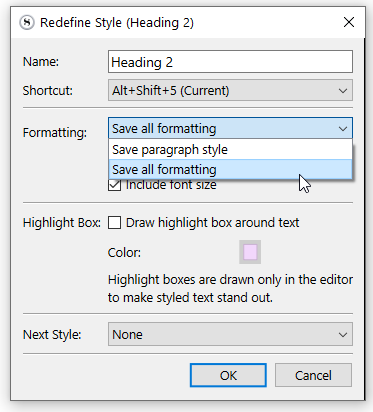
So: “Save all formatting” in your case.
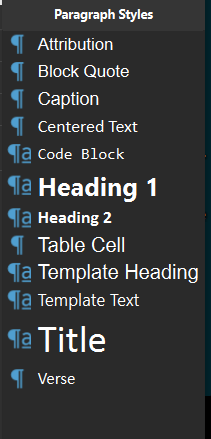
The concerned style’s icon in the styles dropdown needs to have a little blue “a”
image

Apply your style to a chunk of text, make the font the color you want it, then redefine the style, but this time “save all formatting”.
If this was the issue, it should then be fixed.
Applying the style will also affect the font color.

By the way, that is not a white font color.
That would be -no color-.

No color is the only “color” that adapts to the theme.
→ Black font in a light theme.
→ White(ish) font in a dark theme.

If you set your style for a white font, the text will remain white even if you switch theme.

By the way, that is not a white font color.
That would be -no color-.

This is the realization I quickly came to in troubleshooting this! :grin:

A guess: your problematic style is a “paragraph formatting” style.
You need it to store character attributes as well.
So: “Save all formatting” in your case.
The concerned style’s icon in the styles dropdown needs to have a little blue “a”
image

The style does appear to have that blue “a” in the Styles panel, and I have verified that I am choosing “Save all formatting” from the Redefine Style dialog.

What is strange is that the text that I would select to redefine the style (the text that is formatted correctly) is displaying as white. So either it had the white color applied to it, or it had the “no color” option applied to it. If redefining the style should capture the color data (and update other usages, elsewhere), it seems either of those should carry priority and supersede whatever color is assigned in other usages.

Notably, this text was on the page (that is, it did exist) when I initially built the style rules, which was prior to swapping my color scheme away from default to the scheme I’m currently using. Maybe there is some order of operations that could occur during that set of behaviors that could trigger this sort of situation
?

yes

I would find a spot in the destination project where things misbehave.
(Duplicate the document for the purpose of testing without messing up the original.)
Select that misbehaving chunk (engulf the whole paragraph) of text and cut it (Ctrl-X)
Paste it right back using Edit / Paste and Match Style (Ctrl-Shft-V)
Reapply the style to your specific segment.
If it now works, that means that there is foreign formatting data in your document(s) that you’ve unknowingly imported from elsewhere. 
 That will have to be cleaned up.


 If it doesn’t change anything, I would try the same procedure again, but this time cutting/repasting the whole content. (Ctrl-A) (You will lose all formatting. That’s why you really should duplicate the document first.)

I don’t see how this could be a problem. (Aside from the above.)

. . . . . . .

I can test your styles in my dummy project if you want.
All you have to do is navigate to your current (the misbehaving one) project’s folder in file explorer.
Inside, there will be a sub-folder named “Files”. In this folder is a file named “Styles.xml”
Zip that and upload it here (or in private message, as you prefer – the file contains no personal information whatsoever) and I will see if I can spot the issue.

If the styles work fine at my end, then we’ll know the problem is rather with your project itself.

(Feel free to decline, as you feel it.) ← For the sake of fixing my formulation. :stuck_out_tongue:

Thanks for taking a look at it, Vincent.

If you do see something, please point it out so I can learn what to be on the look out for.
styles.zip (1.4 KB)

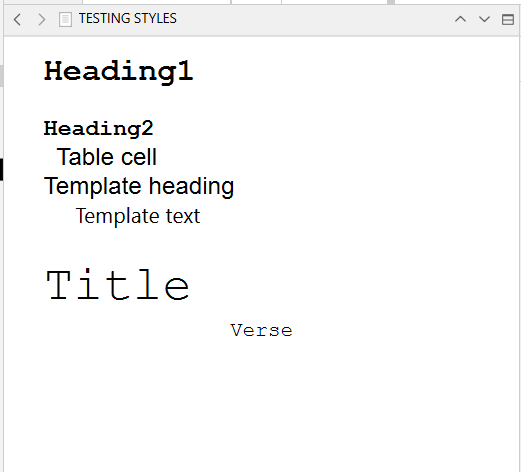
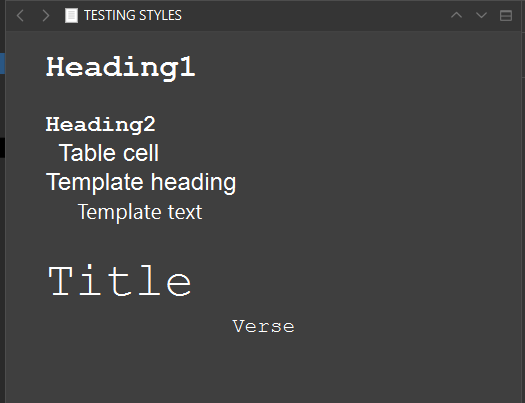
Here is what I get, default theme, dark theme.
Anything I should notice as wrong? (It all looks ok to me at first glance.)

Some of your styles don’t have character attributes stored (and therefor recalled). Does that look like what you had in mind :

→ Table cell and Verse. Those two styles won’t go back to -no color- on their own once the text had a font color applied.

image

But that is totally expected. You can see in my styles panel that they only stored paragraph formatting. No character attributes. So the style does nothing to the font, other than the basic font familly and size that is available as checkboxes.
image

image

It wouldn’t recall bold, italics etc either if you wanted it to.

In short, at this point I only get what is to be expected.

If you have no intention of using font color at all, the quick fix would be to select the whole content of your problematic document (click in the editor, then Ctrl-A), and set it all as -no color-.
Otherwise, do that, but only to segments where you don’t use a font color and have an issue of black over dark.

1 Like

If you have no intention of using font color at all, the quick fix would be to select the whole content of your problematic document (click in the editor, then Ctrl-A), and set it all as -no color-.

That’s a good Gordian knot approach to the whole mess, for sure! In fact, I’ve done that, then gone through various methods of defining, applying, and redefining styles, and all with expected results (the styles were on their best behavior after that).

That makes me wonder about what had been special about the way the colors were defined for the various paragraphs in the document that were not responding to the style definition previously. But I’ll pay attention, this time, to how I develop, define, and assign styles so if it crops up again I’ll hopefully have a better handle on what went wrong!

Thanks again for your help, Vincent!

1 Like

They had their font set to black. (Or to whatever was the color they refused to change from.) Along those of your styles that didn’t have character attributes stored (saving only as Paragraph formatting, and therefor leaving the color unchanged when applied.) – Your font being of a color other than -no color-, the theme had no effect on it.

Your styles are fine without the character attributes included. (If you don’t need it, you don’t need it.)
Just don’t have your font set to a color if you plan on switching themes.

. . . . . . .
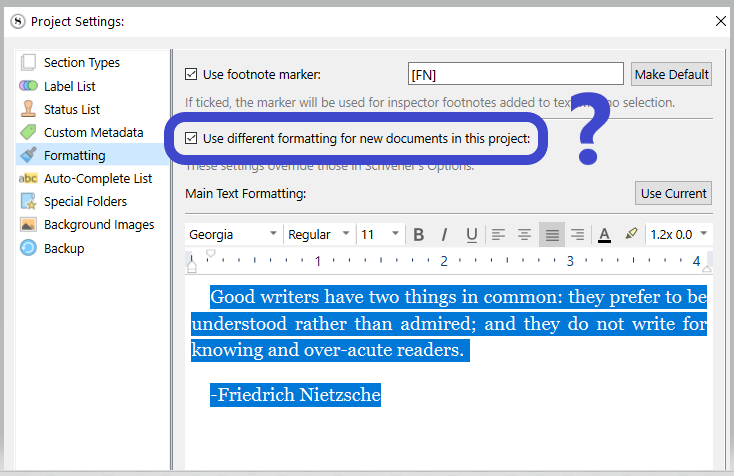
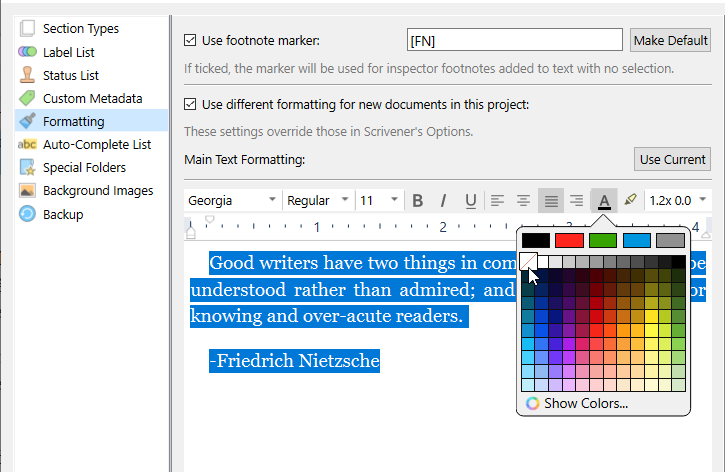
You should go to Project Settings / Formatting, and see if your project uses the default formatting from the options.
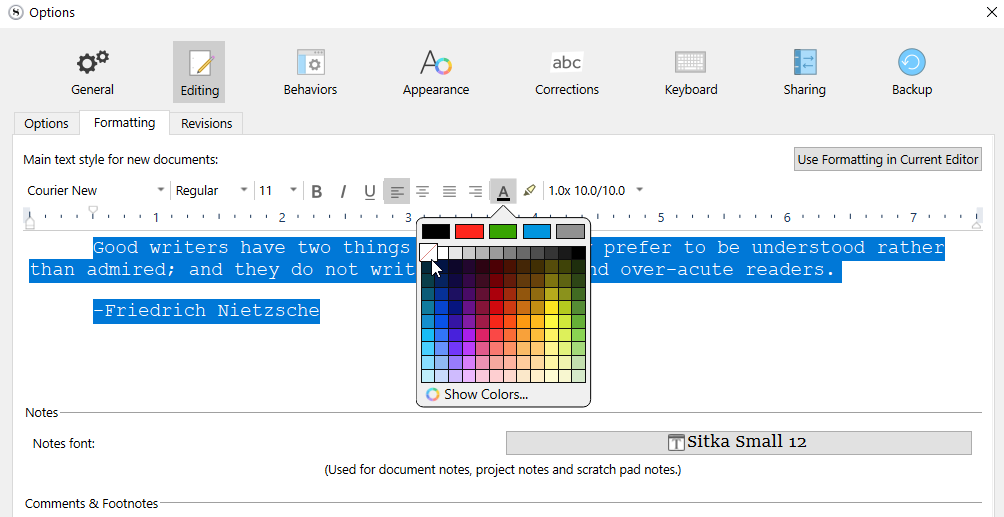
Whether it is in Project Settings or Options, make sure that your default formatting for new documents is set to -no color-.

You should actually do it in both places ; as some of your future projects will likely use the formatting from the Options. (I’m saying in the case that that one current project would happen to have its default formatting rather defined in the Project Settings. – My first screenshot.)

OK, I have taken those steps, and I did see that in the Options>Editing section, there was default black color being applied, which I have now removed and replaced with “No Color”. However, the style that was consistently demonstrating this problem was “Template Heading”, which you can see is a paragraph style, and which I defined numerous times to have the “No Color” assigned.

So, even with the settings in Options (for default black text), I’d still think that style should override it.

My initial worry was that styles can be “build order” specific, depending on a) when styles are defined, and b) when those styles are applied. For instance, we would approach the logic of formatting application temporally: it doesn’t matter if I previously set a property (like font color) via UI choice or via style; if I later apply a UI choice or a style that would set that property, the surviving property value should be determined from the last change.

And alternative approach would be local formatting vs style formatting, and prioritizing the local over and against the style. In that framework, it wouldn’t matter if a style set a property if that property were otherwise explicitly set via user choice in the UI. The user choice could have been a week ago or a year ago and it would supersede the value as defined in the style. (In a purely temporal model, we’d expect this behavior for UI choices made after the application of a style—where a style that did not include “bold” is applied to text, and then the text separately has “bold” applied to it, we would expect to see bolded text—but in this discussion it is the past UI choices that would be novelly prioritized.) Under this framework, we would expect having to remove the local formatting from text before we’d expect style formatting to obtain (i.e., explicitly setting a “No Color” value for the font color on text).

I don’t think this is how the developers of Scrivener would have chosen to implement styles, and from your description, it isn’t how they generally behave. My point in bringing it up is
 since the second framework approach does seem to account for the anomalies of style application I was seeing, I wonder if it could be that I’m encountering a bug
 where some combination and/or order of extant default properties, text creation, UI choice, updating of default properties, style definition, style application, style redefinition, more UI choices, etc., could have introduced junk data that could not be overwritten save by direct UI choice.

Like I said, I have gotten the text and the styles to behave at this point, so I’ll just try to be aware of reproducible steps in the future in case it crops up again.

Sometimes, when trying to figure out something (or trying to fix something) one can lose track. Likely that at some point you had defined the style from a black colored font. So then, there was no way it could’ve worked.

No

You should use styles the least possible. They are for “special occasions”.
If you have a formatting that is almost everywhere, don’t style that. Style what is NOT like the most.

Your root style (what is mostly your overall formatting) has to be “no style”. The formatting defined in the options.

Could be. But unless it comes back, there is nothing that can be done, and no reason to do anything.

My first answer, again. (You confirmed it by saying you had the formatting set for black text.)
Another thing to be aware of : if you copy/paste text from outside to Scrivener, you may very well carry over those “undesirables”. Use Paste and Match Style (Ctrl-Shft-V). That’ll strip the text of all formatting.

Otherwise, the risk is that you paste a chunk of black text, then hit enter, write some, hit enter and on and on, and voilĂ : you have a bunch of ill formatted paragraphs, with no real way for you to know until it starts messing up.
(Of course, if you are using the dark theme and the issue is that the text is black, you’ll know right away. But out of the potential problems, the font color is the least.)

. . . . . . . .

Glad you now have it working properly.