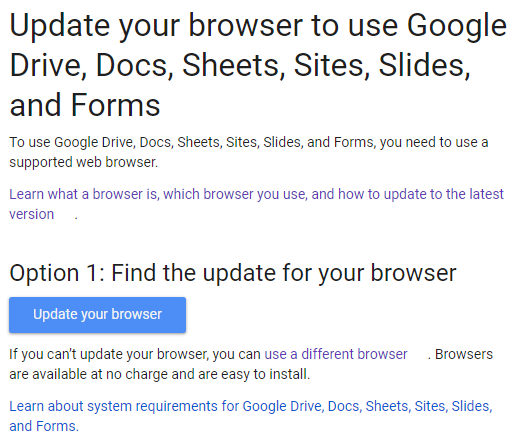
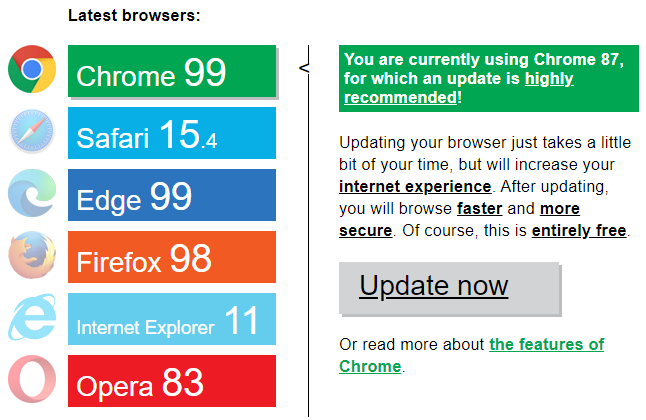
When I try to do the same, I get the pictured error webpage:
I tried clicking update your browser, but it just shows that Scrivener is running Chrome Version 87 and I’m not able to update it through the update now button.
(My Chrome is up to date but it doesn’t look to affect Scrivener’s browser.)
I’m assuming MacOS doesn’t show the same because theirs uses Safari.
Hmm, interesting! When I import a Google Doc on my Mac, I get a banner at the top saying that the browser is unsupported, but I’m still able to see the file and interact with it. When I do the same thing on my PC, I get the same message as you. The Scrivener Manual does say that functional web pages like Google Docs may not import correctly, so this workaround may just not work on Scrivener for Windows, currently. I’m not well versed on the more technical workings of the Scrivener browser, so someone else have more insight or action steps there.
Scrivener’s web page archival system isn’t really meant to be used like a browser. For some basic things you might be able to interact with the pages a bit, depending on how they were coded, but it has no cookie system, scripting will be limited, and anything that requires a constant live stream off of the internet is going to be potentially less viable.
In short, the more you treat it like its intended purpose, an offline archive, the better you’ll get along with it. You should be able to access your imported research regardless of whether you are online. If a page doesn’t load at all, or parts of it fail when offline, then the page itself isn’t coded well for being archived by third-party tools. If you can get it to work, okay, but don’t expect it to.
As for what Scrivener uses itself, on the Mac it uses the system’s page display engine and the WebArchive offline storage format internally (same thing you get when saving a file from Safari). Updating it is thus synonymous with updating the operating system. On Windows we use the programming toolkit’s page viewer (Qt), and any updates to it require updating the core programming library that Scrivener is made with. It stores its offline archives using the MHT format.
If you’re just trying to get some work into Scrivener, it will be far more reliable to export the document from Google Docs as RTF, and import it into Scrivener as text.