Hi,
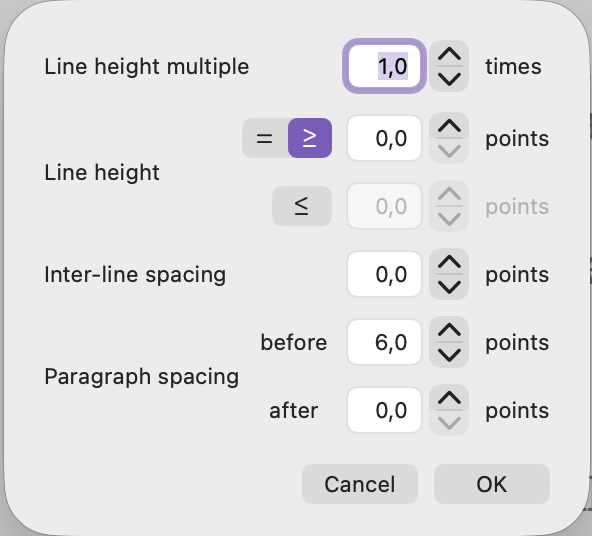
Since Tahoe 26.3, the Line and Paragraph spacing windows is unusable due to the French text too long to fit. We can’t see the values anymore. Very annoying 
Thanks,
Eric
Hi,
Since Tahoe 26.3, the Line and Paragraph spacing windows is unusable due to the French text too long to fit. We can’t see the values anymore. Very annoying
Thanks,
Eric
Unfortunately this will need to be reported to Apple, as it isn’t technically a Scrivener window. You should see the exact same problem if you load TextEdit, pull down on the “1,0” tool in the toolbar, and select “Plus de détails…”. It has the same bug in Spanish, and probably many others!
Thanks for the VERY quick answer !  How can they (Apple) miss such a big one like that… Sometimes it seems like Apple is lauching their OS like a MVP…
This year in particular has not been a shining moment for their QA testing procedures. We filed several dozen bugs starting from the late Summer, all through to Winter, and I don’t know if any of them were addressed. Much had to be rather crudely worked around. 
I’ll put a note in our system to see if there is any way for us to force this window to be wider when it is created, but it wouldn’t surprise me if there is no path between the menu command/button and the dialogue box that passes through Scrivener. It’s kind of like the spell check window, it’s just part of the core development libraries you inherit into your software.