A humble proposal for the hyperlinking of notes in Scapple. I just found out that I can create a link in a Scapple note that opens up a document in Scrivener. But what about hyperlinks within Scapple?
Say there’s a Note way down over here in this corner, but it relates to a Note way far over this way. Each Note is within its own collection of Notes contained within a Background Shape. (Meaning there’s at least two groups of Notes, all contained within their own Background Shape because each collection refers to a different subject or concept. This is why I cannot merely connect the Notes with arrows or lines.) However, it’s useful to link one Note to the other for whatever reason.
While I’m at it: Perhaps a Note in one Scapple board can also link to a Note in another, different Scapple Board?
NOTE: I figured this might be useful for really large Scapple Boards. This is kind of like turning Scapple into a personal wiki. I know people use Obsidian for that; I tried Obsidian three times and didn’t care for it for various reasons. I think my brain is wired differently. I understand Scapple; Obsidian, not so much.
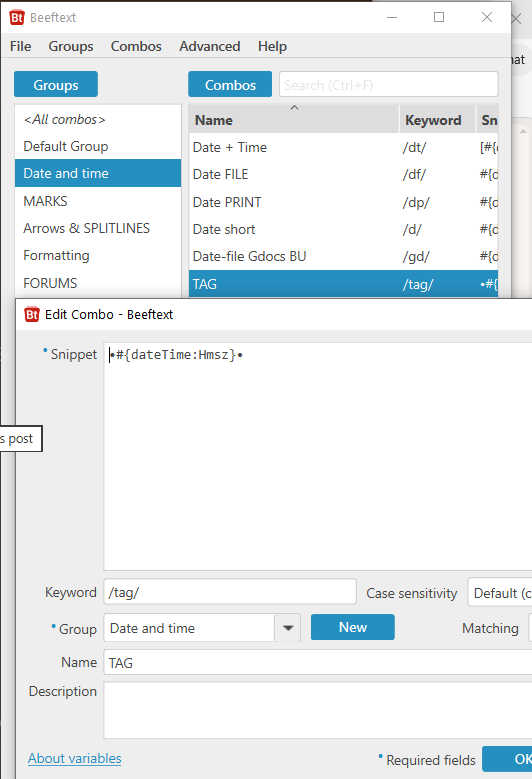
What I like to do in those cases is to prefix the note with a unique tag generated by my text-expander (time-based, you’ll never have the same tag twice), and then copy/paste it into the other concerned notes.
After that, search (Find) can cycle you through.
I also sometimes use them tags to establish a connection between Scapple and a precise location within a Scrivener document.
Yes, you need a text expander. (Any ; pretty sure they can all handle that.)
You could do without, in Scrivener (Windows version), but Scapple… No (as far as I can tell).
Seems complicated to me; I’d rather have the same method used in linking a doc in Scrivener to another doc in Scrivener (or, like I said in the OP, a link in a Scapple note that opens up a document in Scrivener.) Just highlight some text, create a link, and then select another note.
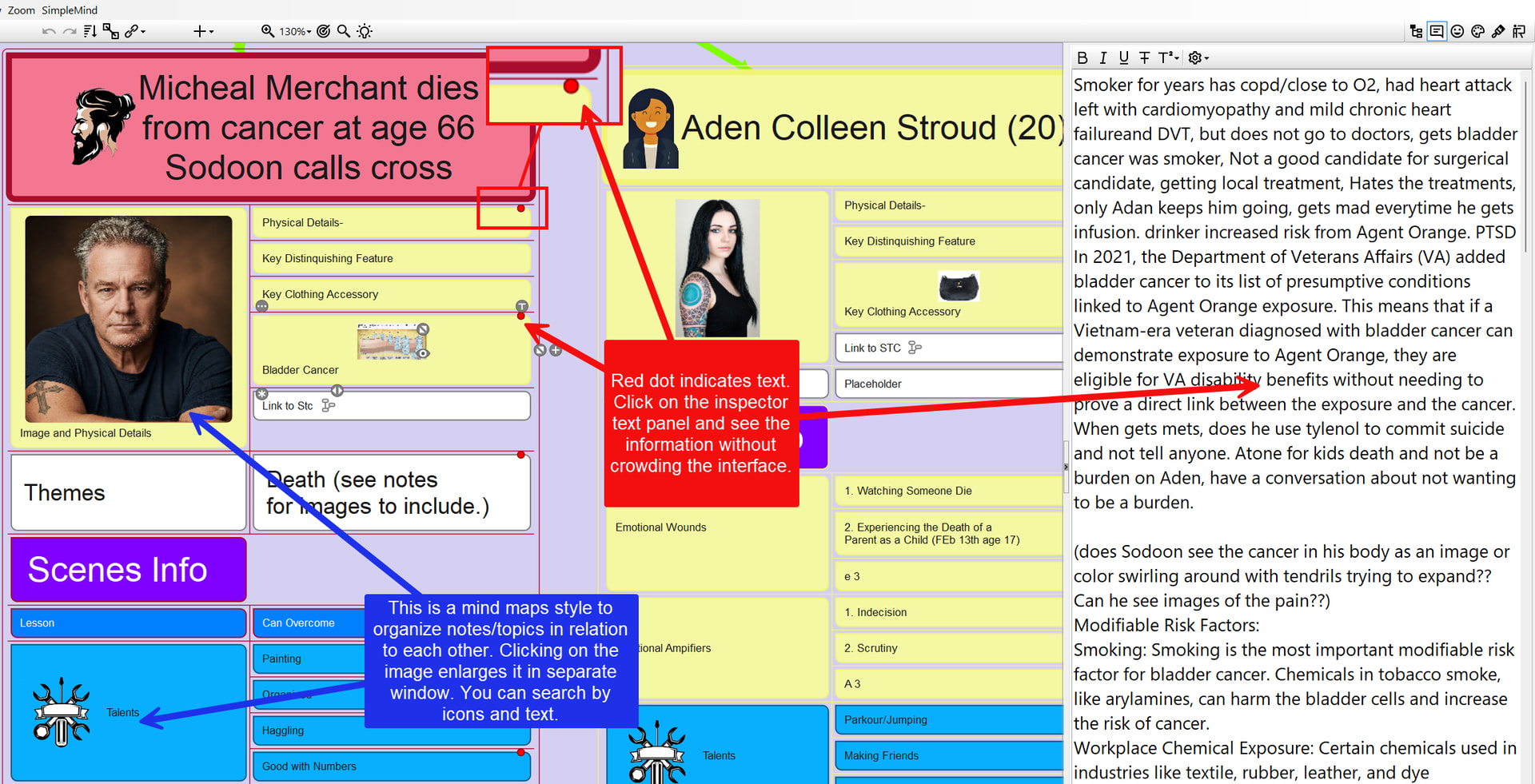
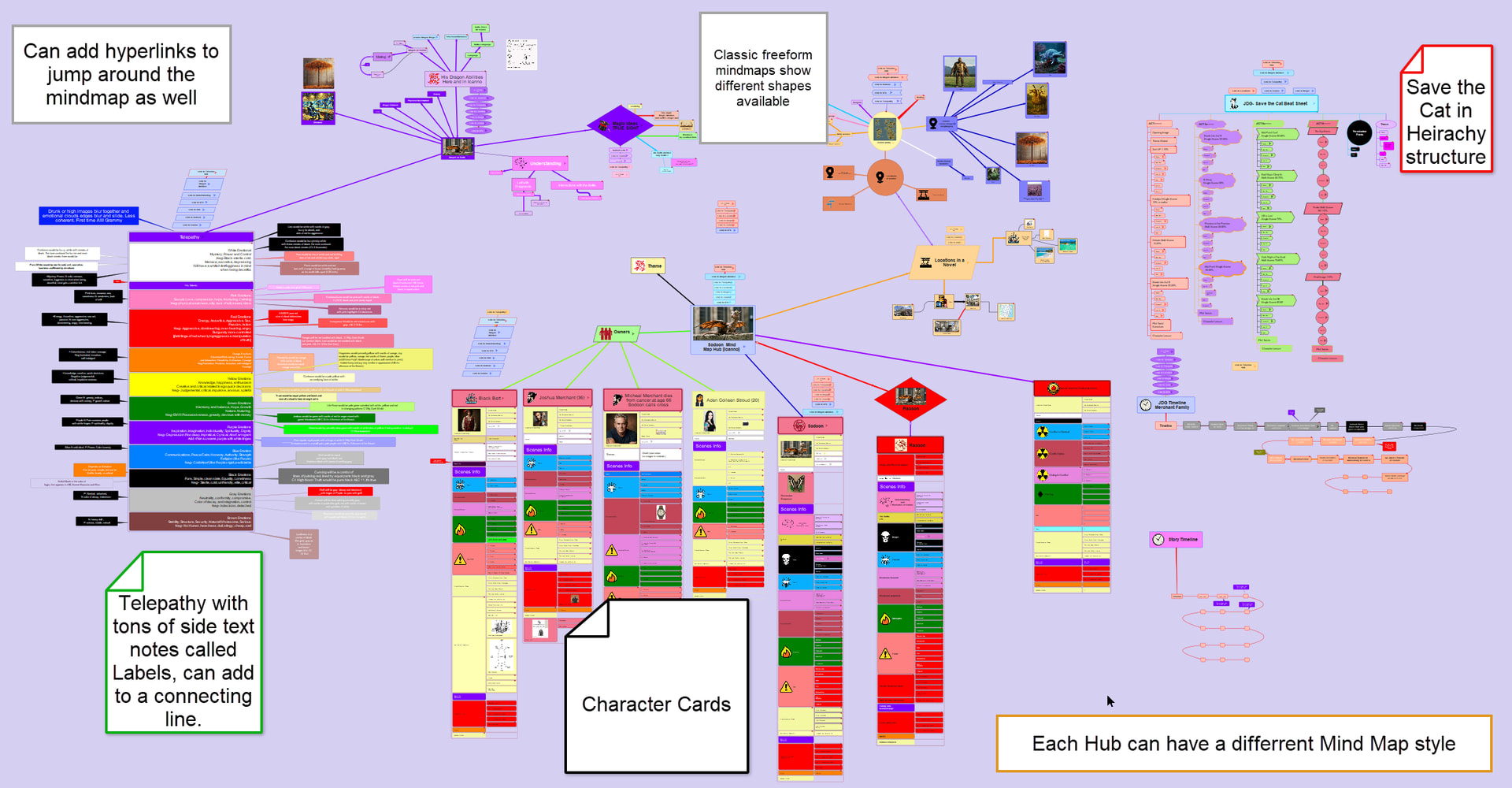
I love Scapple, but there is a similar mind map software called Simplemind pro. Can link inside mindmap, has inspector like interface where can hide text for a note so not clog mindmap, have preview of images in a note, can vary note shape, label connections and create multiple different mind map types in the same mindmap. All for a one time fee and free trial.
some sample images my version of a character card and wherever a red dot is is hidden blocks of text as much as you want.