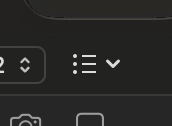
I’ve been working on this project all day and suddenly, for reasons I can’t figure out, the little icon in the editor’s icon bar where you select the type of list you want, has stopped reacting. When I click on it, nothing happens.
It did work earlier today, and the option via the menu bar is still working for me. It’s just that little icon isn’t clickable any more. Even if I go into one of my previous lists, it doesn’t react. Opened another project - same problem.
I’ve already restarted Scrivener, but that didn’t fix it.
macOS Tahoe 26.2, Scrivener for macOS 3.5.2 - should all be up to date.
I shut down my computers every day when I finish. On Saturdays, I update apps as needed then run Onyx Maintenance followed by backing up to an external SSD with Carbon Copy Cloner.
Keeps them clear of cruft and makes sure I have a clean backup.