Great 3.5 version update, congrats…

Really helpful post, congrats.
6 Likes
I know, I am sorry, but the app is behaving really weird lately.
And this new thing that I highlighted is only the new one.
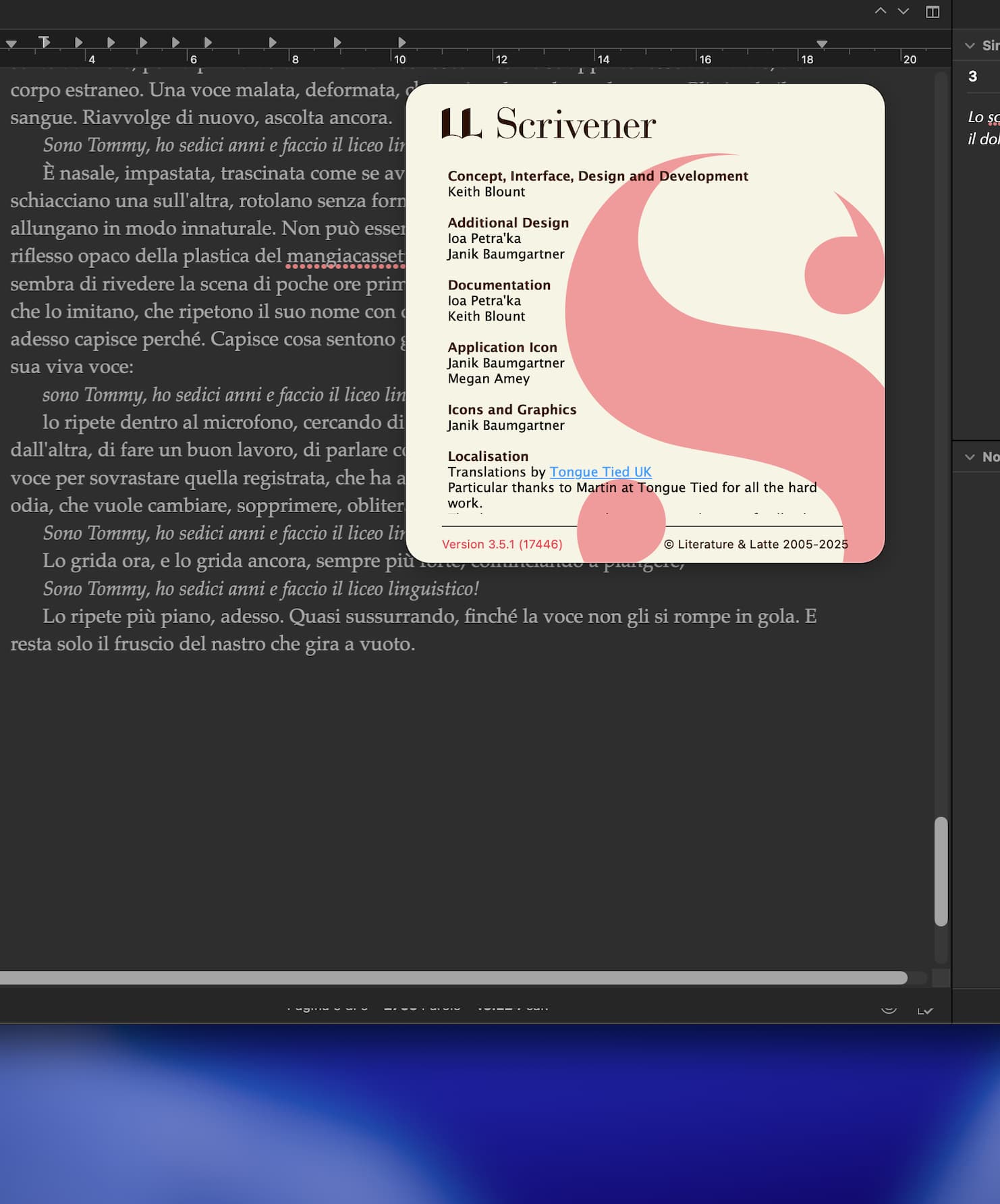
For the record, this is what 3.5.1 (is that what you are using, you say 3.5), running on macOS 15.7.1 set to English looks like, to me, including an attempt to guess at your display settings based on the amount of pixels shown:

1 Like
Please report any strange behaviour with details - we can only fix things if we know about them and how to reproduce them. Sarcasm and an image without details isn’t all that helpful. Not that I outshone myself by replying in kind. 
I have investigated this and it turns out it’s a stupid new bug that Apple has introduced into macOS 26.1 - I am guessing you have updated to macOS 26.1. As of 26.1, any NSTableView or NSOutlineView (Apple’s standard controls for tables and outlines) that has a horizontal scroller draws outside of its content and over other content.
@AmberV - although @tommasoavati didn’t give any details, this only happens when you are viewing the outline view. Can you check to see if it is present on 15.7.1? I’m assuming it’s macOS 26.1, but it might be the Xcode 26.1 frameworks.
I have just reported the issue to Apple (#FB20939886) along with a simple application that reproduces the issue:
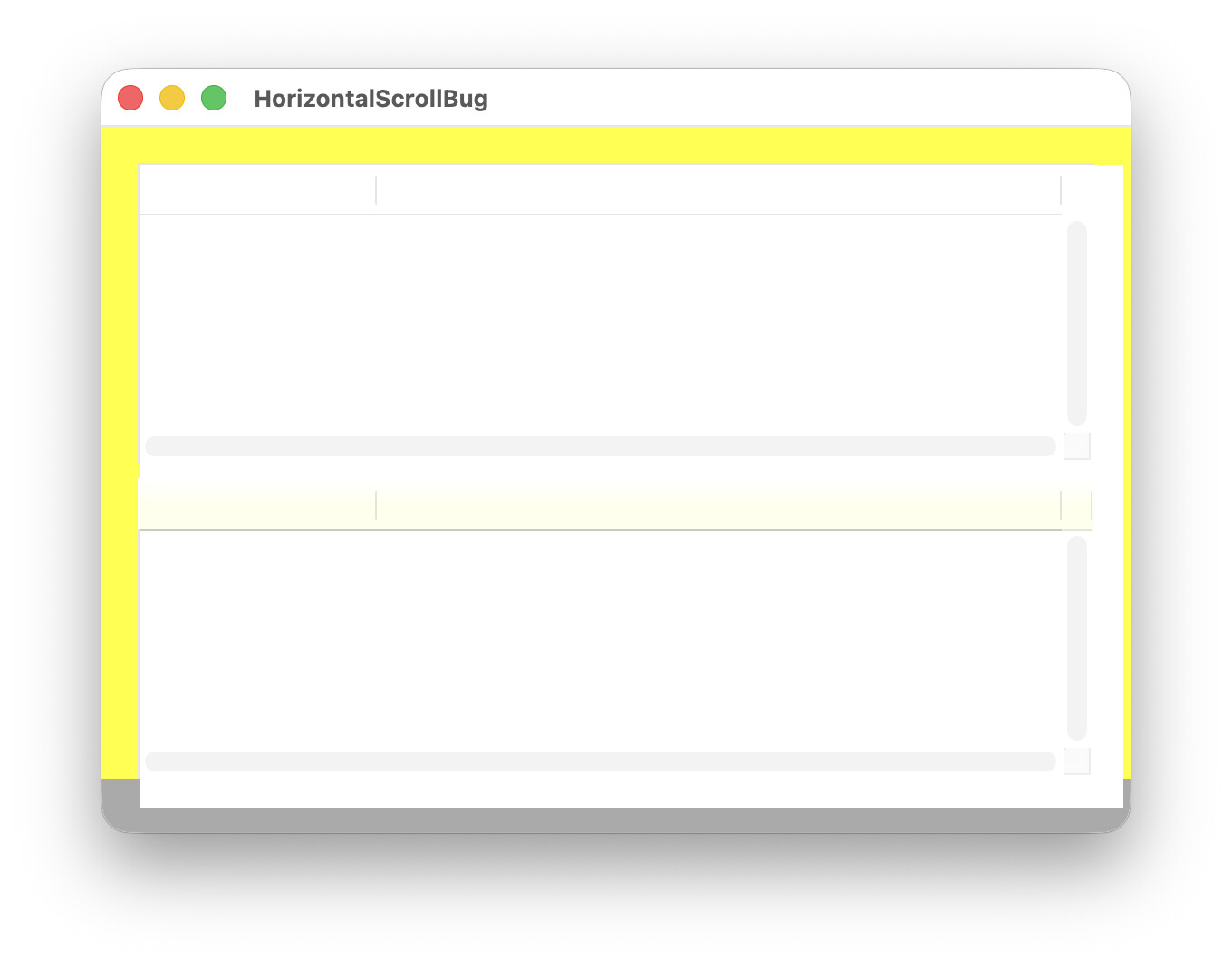
The only workaround is for us to turn on “auto-hide scrollers”, where the outline won’t show scrollers unless it can scroll. That can be a bit annoying because content jumps around when scrollers auto-appear, but it’s the only way until Apple fixes the underlying bug. (EDIT: Never mind. I just tested on macOS 15 and it was fine there - it does indeed seem to be a macOS 26.1 bug.)
4 Likes
(Okay, just saw the never mind, so never mind the following  )
)
…this only happens when you are viewing the outline view. Can you check to see if it is present on 15.7.1? I’m assuming it’s macOS 26.1, but it might be the Xcode 26.1 frameworks.
To clarify, I would need the editor split and one of them is the outliner, I presume? Their screenshot does depict a Page View oriented text editor above the footer bar, I think.
I have tried the outliner by itself, and splitting it off in both vertical and horizontal, and swapping which gets the top or bottom—and it’s all solid on 15 at least.
I do need to update to 26.1 though.
1 Like
Or not. 
^^^^^^^^^
2 Likes
Please see my explanation of the cause above.
1 Like
ok, thank you,
where exactly is that option?
ok I found it, thought at first it was a Scrivener feature…
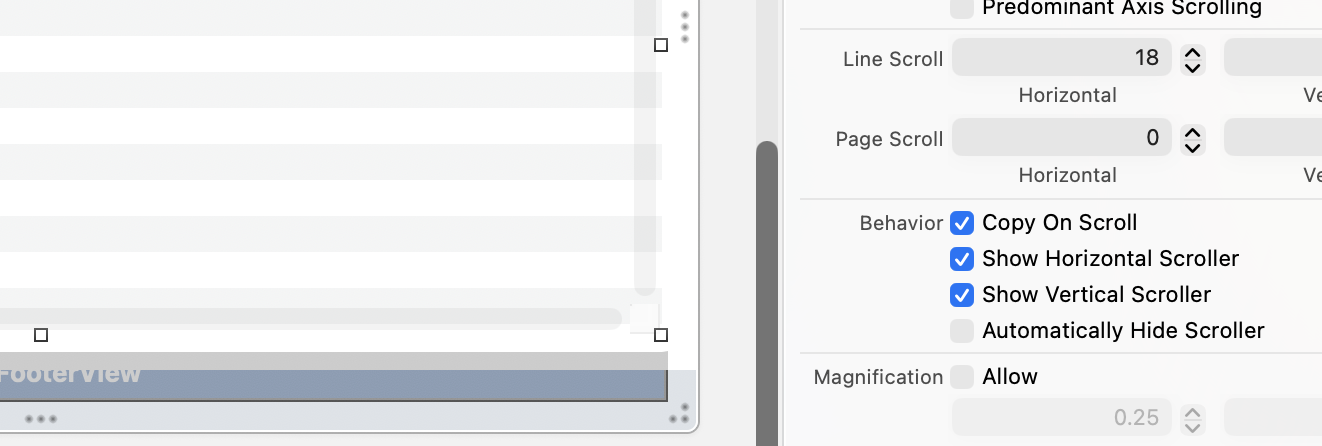
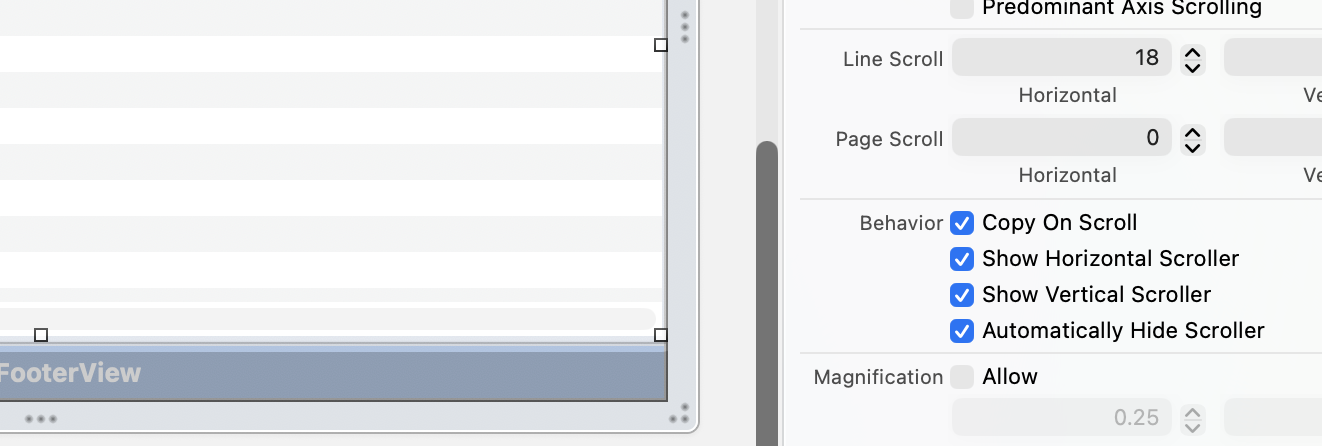
Unfortunately it’s not something you can do on your end - it’s something I have to change in the code. I’ve done that and that will get a 3.5.2 release out next week with this fix.
Here it is in Xcode - the option I have to change in both states. The bug is visible even here.
3 Likes
We have fortunately found that there are three necessary triggers to make the footer bar look the way you’ve shown it in these screenshots:
- Page View must be turned on.
- The Ruler must be showing in that same split.
- The editor view must be narrower than the page view itself, which can be modified by either making the editor wider, or reducing magnification.
Eliminate any one of those factors, and you can get back to using the footer bar, until this all can be fixed (either by us or Apple, it’s not entirely clear yet).
3 Likes
This gray bar looks like a slider bar, as though you might shift the text on the ‘page.’ At the right edge of that bar is a small white square that does NOT move. And that bar being wouldn’t bother me if it didn’t block my scene target, word, and character counts. This gray bar does NOT extend into the binder or the inspector.
I have a screenshot if anyone would like to see it, but I can’t post it. Can anyone tell me how to get rid of it because it’s irritating me when I’m trying to cut words in this scene.
I’d appreciate any help!
Sandy
1 Like
I’ve merged your report into the existing bug thread for this issue. Please refer to the workaround list directly above your post, as this is fortunately easy to avoid in most cases.
1 Like
I was hoping that Apple would fix this bug in macOS 26.2, but as they haven’t, I have just released Scrivener 3.5.2, which works around it. If you bought Scrivener from us direct, go to Check for Updates in the Scrivener menu to grab the update. If you bought from the App Store, please wait for the update to appear on the Mac App Store and grab it from there. Right now it’s waiting for review.
6 Likes
Thank you so much for the patch! It’s working for ME, which is allowing me to see the pages in the scene, word count for the document, and the characters. That gray opaque bar with the white square is still there, only it’s a little higher and while it might bother others, it’s not hiding my word count.
Sandy