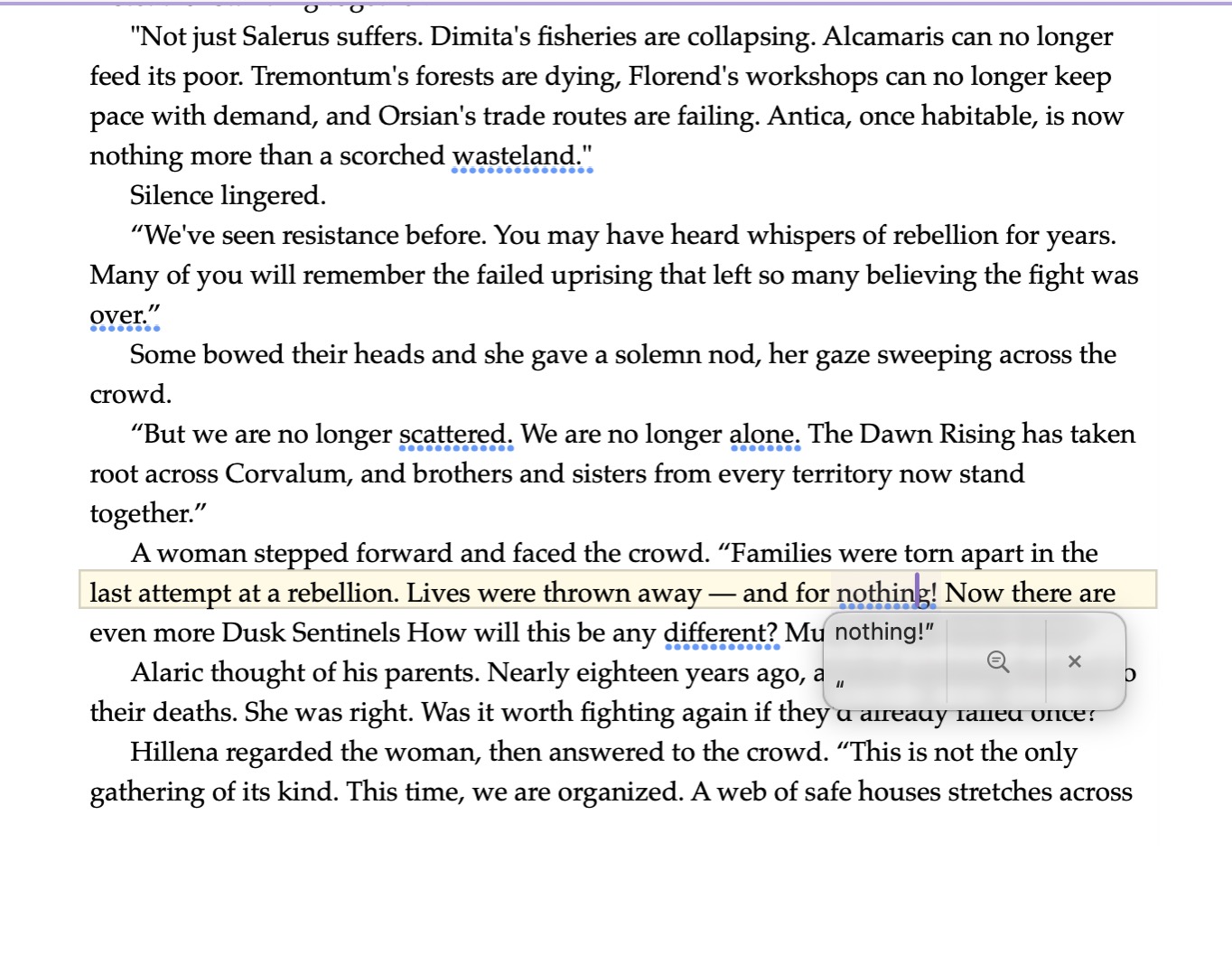
Since updating to macOS 27, I’ve noticed the grammar checker in Scrivener has started giving me some strange suggestions, particularly with dialogue.
For example, in a continuous paragraph of dialogue, it’s suggesting that I add a closing quotation mark after a sentence even though the same character continues speaking in the next sentence. I’ve attached a screenshot showing what I mean.
I don’t remember Scrivener doing this before the macOS update, and it’s happening often enough that it’s becoming pretty distracting while I’m writing.
I’d like to keep grammar checking enabled, so I’m wondering if anyone else on macOS 27 is seeing this. Is this coming from Apple’s grammar checker, or is there a Scrivener setting that might be causing it?
I actually consider this correct behaviour. If you didn’t have ‘Silence lingered’, then no closing quote is correct. But since the speaker stopped (in the narration) it needs a closing quote.
I like putting those observational notes too. If it’s at all confusing, I would attribute the next one,
Salerus continued, “But we are ….
I find that a lot of people are not aware of the missing closing quote meaning same speaker in next quote, particularly in fiction. (I wasn’t aware until long after I was an adult.) So attribution is still a good idea.
I think you may be looking at a different part of the screenshot. The grammar suggestion I’m highlighting as an example is actually on the woman’s dialogue farther down. It’s suggesting I add a closing quotation mark after “and for nothing!” even though her dialogue continues immediately with “Now there are even more Dusk Sentinels.” There’s no narration or paragraph break between them.