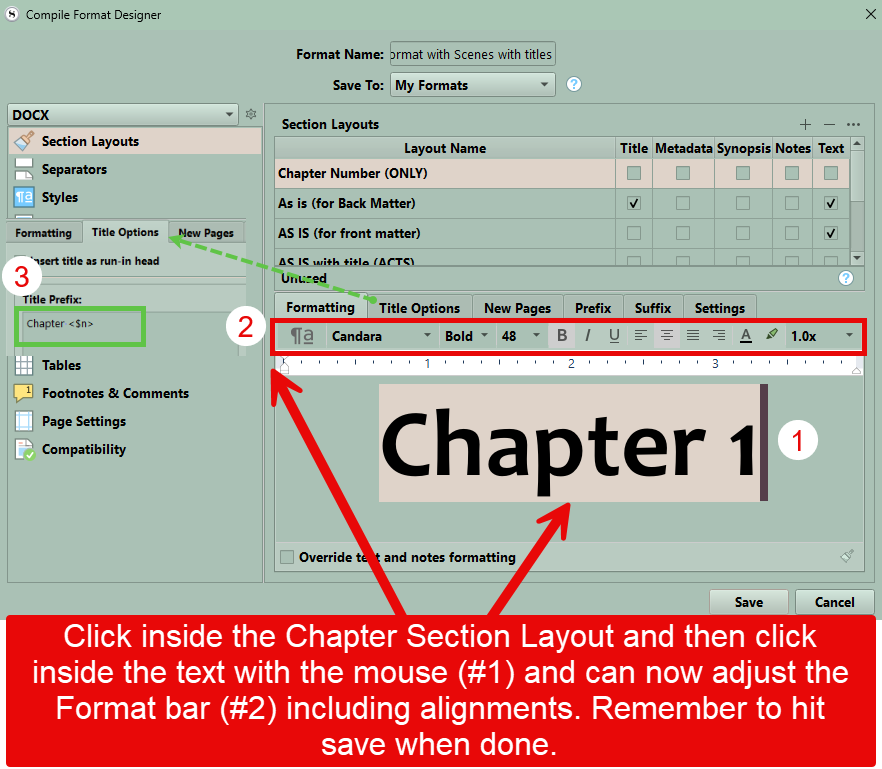
I am a windows user, but should be close enough to get you there look at your formatting as shown below. Make sure the title options pane (#3) is not indented as well.
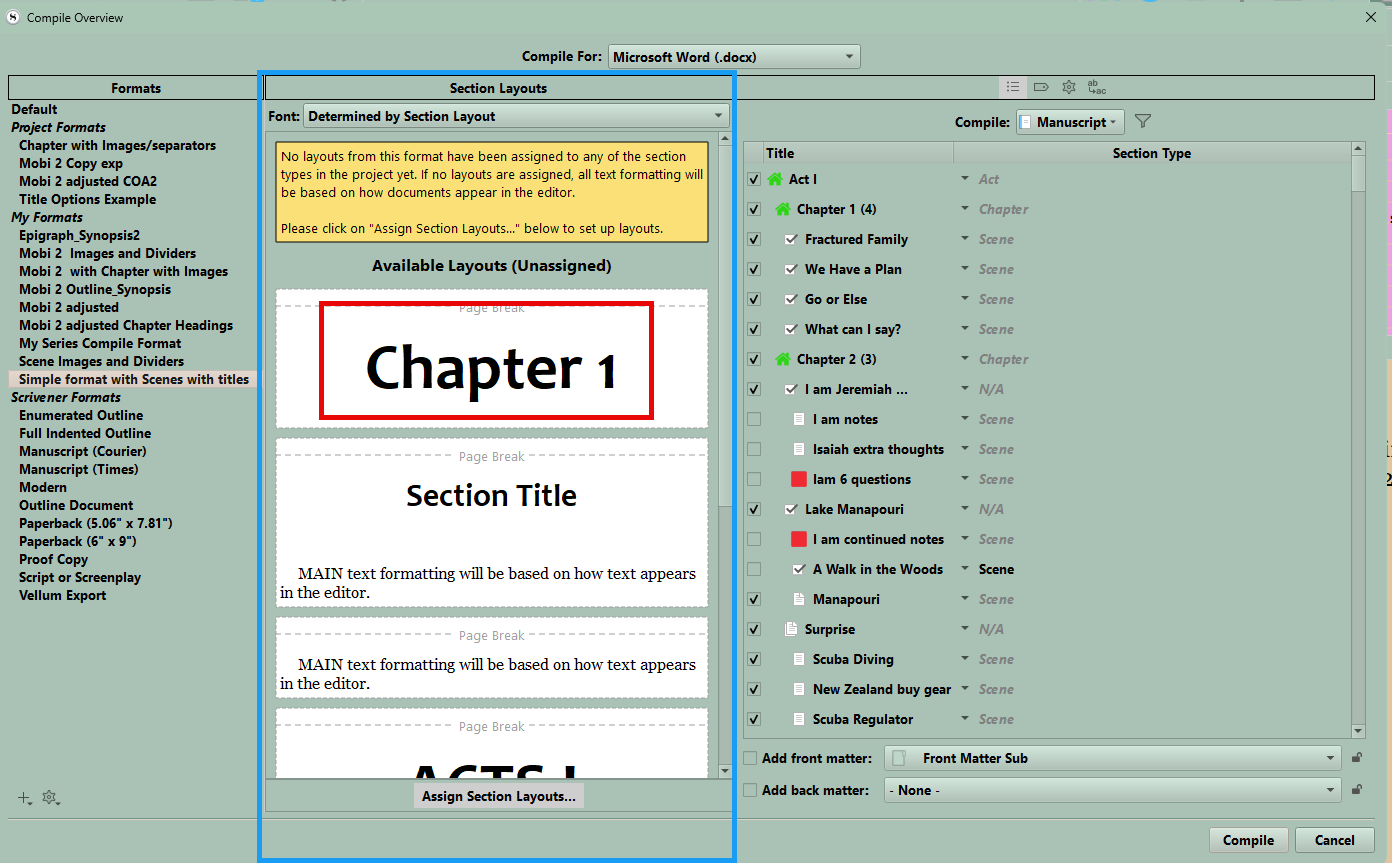
If done correctly after his save will see the Chapter title centered in the second preview pane. You may to expand the panel to make sure it is centered. I hope this helps.