When I ported my projects from Windows to Mac, the Segoe UI font wasn’t installed by default on the Mac. I used the font on Windows for the Inspector Notes. On the Mac, the area defaulted to Helvetica.
I’ve since installed Segoe UI on the Mac and selected it as the default font under Settings > Editing > Formatting > Notes Font.
Where the Notes area is blank for a given document, it uses the default; when it contains written notes, it remains Helvetica.
There seems to be no way to bulk change this. I’ve checked, and Documents > Convert > Text to Default Formatting does not resolve the issue, as it is outside the Editor.
I’m sure you thought of it but,
What if you simply bounce back again the Windows version of your project instead ? Like it’d be for the first time, but with the right font now installed on your Mac ?
Thanks. It’s been a month, and I’ve made changes here, there and everywhere to get the right feel for the app on Mac. In between, I’ve been editing across projects, renaming characters, and, in particular, farming out character arcs from an overly large book to other books.
So, as great as the idea is, it would likely mean even more work.
If you disable Helvetica from your computer ?
Scrivener might fall back to the font you actually want.
⮚⮚ I’m trying to remember where you set the fallback font for when the font is missing.
If there is such a setting. @AmberV once said that it is Arial (for Windows). But I think it can be changed for another one – user defined.
Maybe it would also be true for Mac.
If so, you could force your project/computer to fallback to the font you actually want.
. . . . . . . . . .
The obvious question :
Given you can override the notes font at compile, why does it matter ?
That’s where the feel for the app comes in. It’s important to me to adapt Scrivener to my preferences. I value the interface because I spend so much time using it. The output is a minor adjustment here and there.
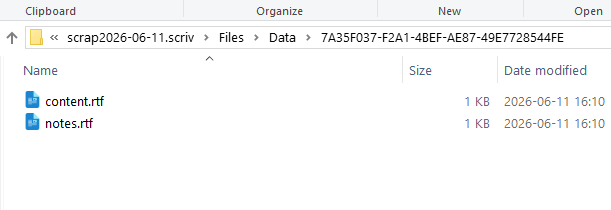
I thought of something like that, but you’d probably have to run it for every single document’s file on disk.
Not sure there is any gain to it, versus fixing the font in your notes.
(I assume that BBEdit is some sort of auto-replace script. ..?)
Should it (the notes font) rely exclusively on the project file (Scrivx), I don’t think you’d have an issue. – You say your converted to default formatting. To no avail. So…
(I’m surprised it failed, btw.)
The default font for notes will be in the scrivs file, but not for your already existing documents.
. . . . . . .
Paste and match style should fix the font, btw.
Again, I’m sure you thought of it. Likely you have formatting to preserve. (?)
BBEdit does multiple documents in a handful of seconds. That’s how I stripped the Windows C: from my external hyperlinks across all documents in the Data folder for each project (using Replace All). Scrivener uses forward slashes for hyperlinks on Windows, too. I think there were excessive slashes as well, can’t remember exactly, but it worked out pretty painlessly.
It’s an app that, among other things, can see the actual link string.
I used something similar (Atom Editor) on Scrivener for Windows when I got a new machine and the flipping thing auto-decided I needed a different username. You’d think renaming a username would be easy. It’s potentially disastrous.
Can’t you set a keyboardmaestro script so that all you have to do is click in a note, and with your shortcut it’ll
select all
change the font.
(To put it very roughly.)
Or do you use multiple fonts already ?
. . . . . . . .
The styles panel’s Select similar formatting works inside notes. (Under Windows, the least.)
Notes are indeed rich text, capable of storing in fact almost everything the main text editor can. They aren’t going to lose their formatting when you change settings—same as main text wouldn’t. Any notes you haven’t looked at or modified yet should use the original fonts in the RTF, provided the Mac can use them in the same way the Windows version did (fonts, being one of those things that sometimes don’t work cross-platform even if you have them installed everywhere). Others that have already been reverted to fallback fonts, you’d have to set back to what you want as you spot them.