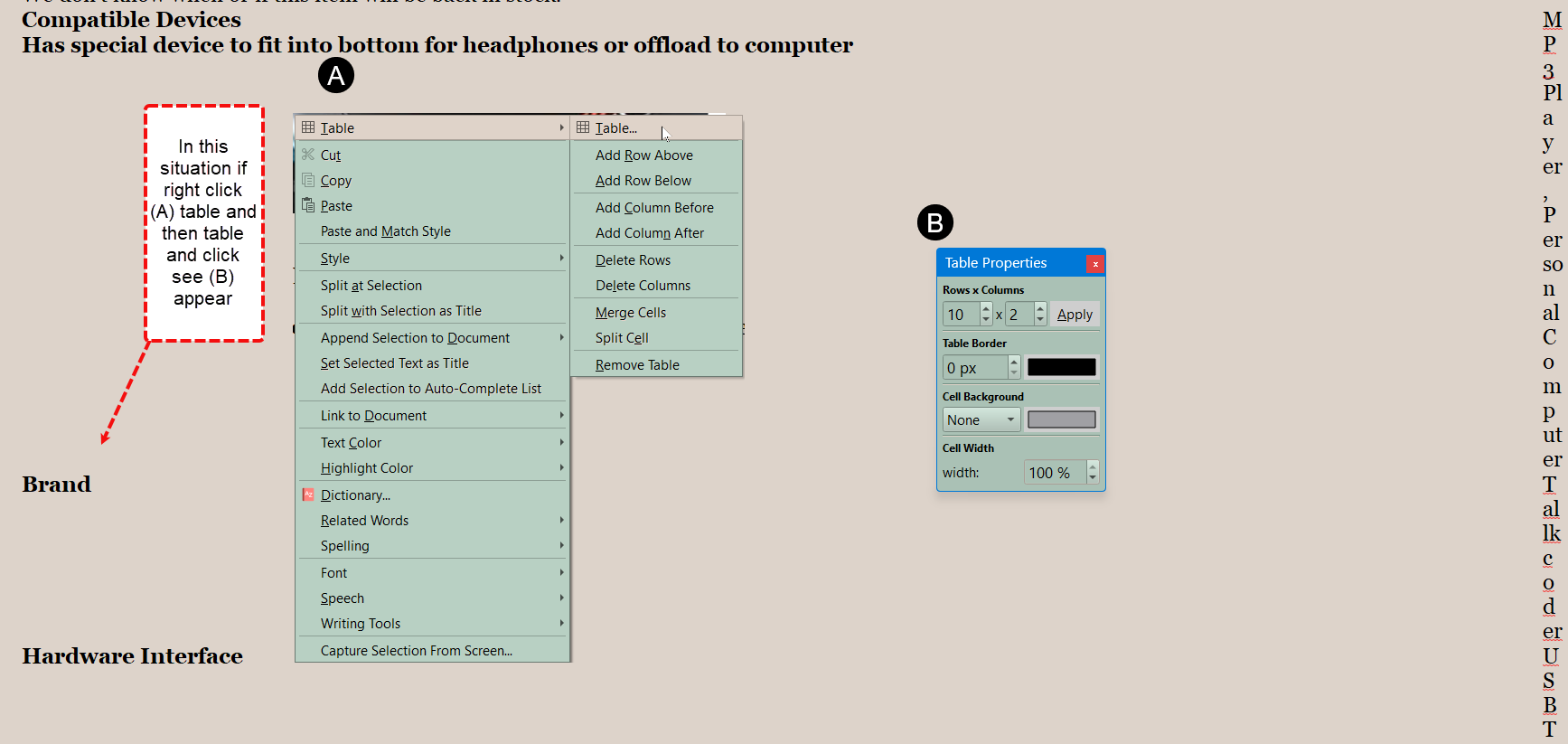
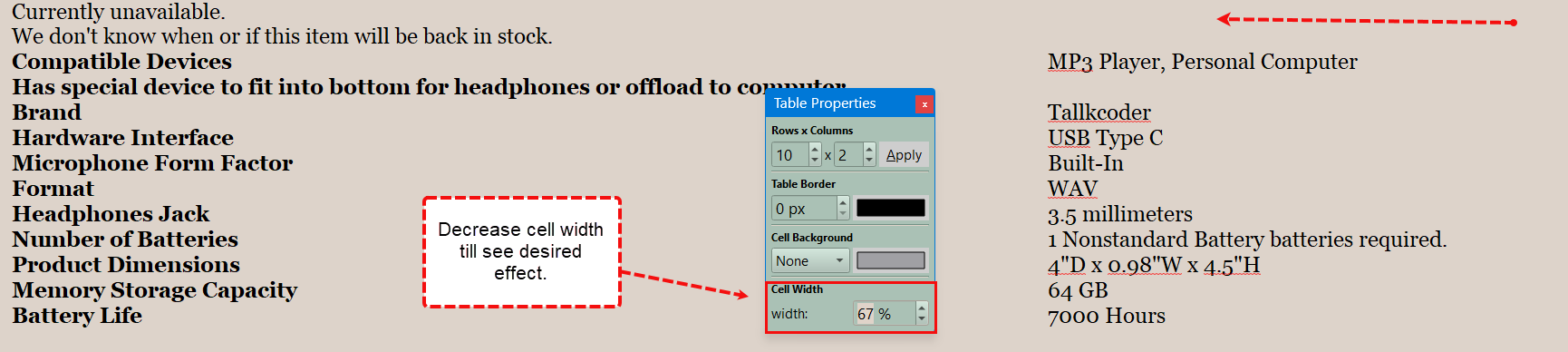
Just as a note, I’ve split this conversation off from the original thread, which was about a particular Mac bug, and has turned into a useful discussion about sharing table tips, instead.
I’m not aware of tables spontaneously breaking in the Windows version nor any reason to avoid using them, unless you don’t like them. The odd HTML pasting issue mentioned above, aside, they seem quite stable.
I think it’s great the efforts you (and others) are making to identify ways (work arounds) with table usage. I see other contributing and understand that AmberV has split the threads; this one now for “what is” and how to work with it.
I will provide more details and screens shots as I finish some testing today. Features aside, I have experienced essentially two issues (they do cascade a bit): Pasting an existing table from an external source and some wonky (though sounds like not so unexpected) formatting gremlins.
I have found the paste issue just as described above with a few caveats. First is when you paste the table in. It, on the initial paste, looks like its parent and yes, after close, it collapses. I have found no way to mitigate that initial table other than to close and fix it. Fair enough, I at least know why so I can work with that and wait for a fix hopefully. I think I read this is a Mac issue. I am a Windows user (latest version).
I have tried various paste options including Paste and Match format; copying table to another document (with both Paste options); I tried to reset column width after paste but that control, in my testing, is greyed out until after the Close/Open. I tried pasting the table into an existing Scrivener table of same dimensions but that does not work. All good but “keep those cards and letters coming”… Workarounds work.
The formatting wonkiness is a deeper problem and related to a larger philosophy from what I read. I get it and understand the differences between tables with fixed column widths and widths that are percentages. I also understand that if I wanted more complex tables, I should do them elsewhere - I do (see paste issue above ). That does not mean that things are static and wonderful. I have already written about that and it’s now the subject for a different wish list forum (rightly so). I will offer one last tidbit on that. Someone suggested that having column widths (percentage or fixed) that can be adjusted via the column edges (visually) was not viable. Understand, all I am suggesting is a visual control to set those values. IMO it would be more intuitive (and elegant) and faster to manipulate a control vs typing values into a control.
This is true. I’ve brought in a table developed in Word, which I populated in Scrivener. It has a slight added advantage over the Scrivener for Windows table in that it adds a bit of padding to the left and right of cells, which is not lost when in Scrivener, so text isn’t crunched up against the cell borders. Further to that, it functioned according to the Scrivener standard.
Is there a limit to the number of rows one should add to a home-grown Scrivener table? I have a 3 column, maybe 70 row, table that I keep adding to. Tonight, it seems sluggish with noticeable lags between some activities. I Save often so if it is cache, I hope I am clearing it. I could start another table if size is the culprit but would prefer not to.
Like I said above, “tables are complicated (behind the scenes).” The computer has to do a lot of work to handle the complex rendering a table requires.
Sounds like your table is so long it may not fit on a piece of paper when published. That’s the point of Scrivener. I recommend you find a way to find another tool to handle this large of table, or format your document with tabs or something, instead of a huge table.
I don’t know who you are or of if you speak for Scrivener or not (and if you do, change your icon!) but to state that something is “too complicated” should be embarrassing. Dan Bricklin created VisiCalc in 1979 (spreadsheets are just giant tables); MS Word introduced tables in 1983; tables are a massive part of HTML constructs; and tables have been used as background constructs in hundreds of apps over the last 3 decades.
One more point. It is obvious that a great many of you want to bash Word. Feel free. Contrary to what you might think I am not a Word fan boy; I just use it.
Promote what you do. Beating on Word and its users should be left on the sidelines.
I am just trying to make use of this app in a manner that suits my style. Sorry if that effort bothers you.
The other solution is use excel for your table/ spreadsheet and then file > import > research file as shortcut and at end of project send to word then to scrivener.
Yes, my apologies. I just find the words “Like I said before” offensive. I am only looking for help and possible workarounds based on similar circumstances. My question stands. Is there an upper limit to table rows? And now I will add, is it 1 page - which would be odd considering your page definitions. Not odd in implantation odd in figuring out where the limit is.
I don’t care how or why and if I should stop using tables in Scrivener altogether so be it. I am not even trying to imbed them in output they are research tool to me…
Thanks for the suggestion. I have tried that. Linking back through to Excel, because they are research tables only, does not work for me as I may as well just leave them in Excel and open it during my Scrivener usage as the embedded link will do the same. Not unworkable, just a bit inelegant.
If I remember, KB did a bit of work on improved tables for macOS a while ago (not released), but this also depends on the underlying limitations of RTF, which Scrivener depends on for its editor.
Scrivener is a bit stuck: on macOS tables depend on Apple’s RTF engine and thus even if there was some “cool” Windows widget in QT (is there?) that would improve tables, how could it be “harmonised” back to macOS. Scrivener is challenged by a text-engine developed as part of an OS + maintaining compatibility cross-platform + writing, not presentation being the main focus.
While I suspect this is not an option for the OP, another solution is to use LaTeX / Typst (via Markdown) for tables. This gets you some amazingly powerful tables (i.e. programmable, real-time, literate data) that can be orchestrated from a Scrivener compile.
I just type this into CoPilot. It returned 7 options with a comparison table. FYI. I won’t paste it all in here (but I will read it later) and this drifts out of scope for this thread but thanks nontroop for the info. Pasting this query into any LLM should produce similar results
“I am looking for a cross platform (Windows and Mac) table constructs/libraries. Can you suggest a few and offer comparisons including limitations and advantages”
For tables, as for most aspects of Scrivener, there is no hard-coded limit. The practical limit is going to depend on your system resources and the specifics of what you are trying to do. If you are seeing sluggish behavior and nothing else has changed, then you’re probably approaching the limits of your system for that particular task.
For future reference, L&L staff posting in the forum will typically have an icon that incorporates the Scrivener logo and will also have an admin “shield” next to their name.
I continued to find sluggish as I worked this AM. I did some testing. I stopped adding to the table I thought may be the culprit. I used other documents and did minor edits and the problem remained. I opened other Scrivner projects and same issue so I too next thought it might be system resources (I restarted the app and workstation), but the issue was only Scrivener, and I have a robust 64GB memory, etc. system. I then remembered/suspected 2 changes I had made: Shared Template Folder use and I had added an app under the Citations function (oddly enough to test a better storage of those Research tables). I opened a ticket with support figuring this was larger than tables. I am going to test around those suspicions tonight and respond to support when I do. I will then let support decide if anything found is worth disseminating.
For this forum, I am pretty sure I can continue to add to my table yet will hold off until I finish the testing. Fingers crossed…
I just finished testing and sent results to support. It appears it is the Shared Template Folder linking. I had it on a mapped network share and when I narrowed it down to that vs the Citations app, I moved it to my local workstation. In each test I closed and reopened the project I was testing in. The move of the folder to my local workstation did not resolve issue. When I turned feature back on and pointed to that local folder the hesitation returned. There are a few more details I added to that support analysis and I now will wait to hear. I have turned off Shared Template, and all is well again