Hello everyone,
When I mark a line, only the lower half is “painted” with the marking color, the upper half is unmarked.
I’d like to upload a screenshot, but the forum won’t allow me to do so.
Can anyone help?
Thanks in advance!
Hello everyone,
When I mark a line, only the lower half is “painted” with the marking color, the upper half is unmarked.
I’d like to upload a screenshot, but the forum won’t allow me to do so.
Can anyone help?
Thanks in advance!
Hi.
See if scrolling up/down fixes it.
Or click on another doc in the binder, then back.
If by “marking” you mean selected text, I get that sometimes too.
(You can trust your text to be properly selected - or whatever function it is -, though. Navigating away will have it fixed next time around ; should it be highlights or something like that.)
. . . . . . . .
That’s the spam protection of the forum.
It is simply because you are new here. It’ll be lifted after a short while.
You’ll be able to post screenshots like everyone else.
Thanks for your reply.
Scrolling up or down doesn’t fix it.
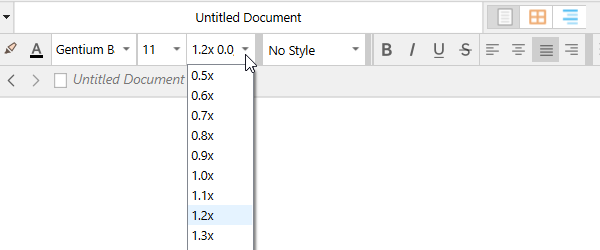
I remember it having to do with line height. But I can’t remember where I changed that.
Thank you very much, that helped! Appreciate!