My project was created using the Non-Fiction template. The structure is like this:
Intro (Ch. heading)
Preamble (Contents page)
Manuscript (Ch. heading)
Chapter 1 (Sub-heading)
Text 1.1 (Contents)
Text 1.2 (Contents)
Chapter 2 (Sub-heading)
Text 2.1 (Contents)
Text 2.2 (Contents)
etc.
Addenda (Ch. heading) - empty folder
Intro, Manuscript, and Addenda are Folders. All the Chapters are File Groups, “Text xx” are Files.
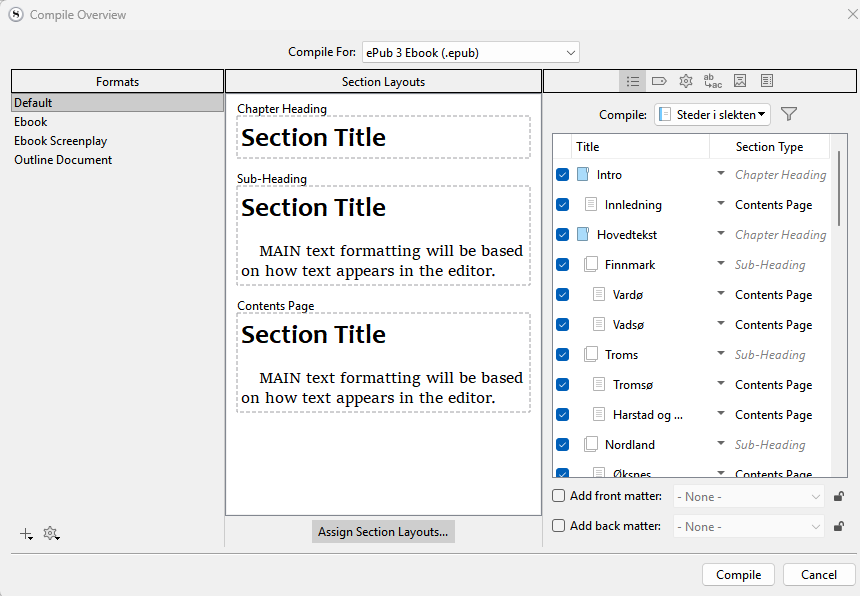
I compile for ‘ePub 3 Ebook’, using the Default format. My chosen layouts are ‘Heading’ (for Ch. heading) and ‘Text Section with Heading’ (for Sub-heading and Contents Page). All sections of the project are included in the compilation. The resulting e-book, however, only shows the Intro section including the Preamble file (plus Notes, showing a footnote from one of the other text files). What happened to everything in the Manuscript section?
If I change the Format from Default to Ebook, all chapters are again included (but this format does not allow the same section layouts as Default). Why should the choice of Format influence what is included in the compile? Any tweaks to correct this?
Is your intro outside the manuscript? you should have the manuscript contains the novel and if want an intro put it inside the manuscript. Maybe use a unique section type (create) like prologue and can choose as for this.
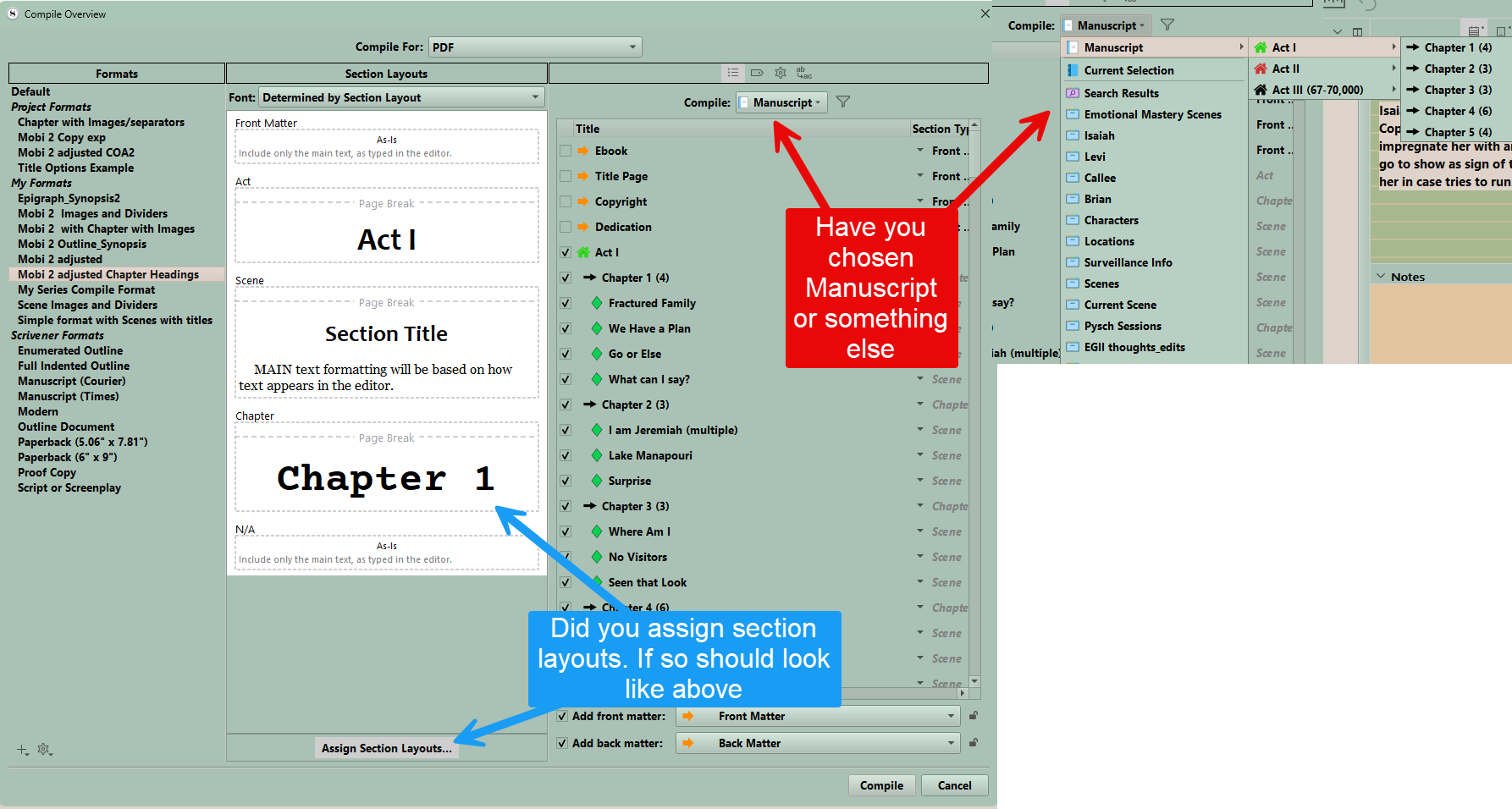
Your third panel should show the contents being set up to compile. Are you printing current selection option, or using filters?
If you can a screen shot of the third panel might help.
In my simplified structure, I should have called the second folder “Main body”, not Manuscript. The entire structure, including Intro, Main body, and Addenda, is included in the Manuscript (aka Draft). Sorry for the confusion. To your questions:
Yes, I have assigned section layouts, see my paragraph “My chosen layouts are…”
Yes, I have chosen the entire Manuscript (titled “Steder i slekten”) for compilation, see window for the actual project below.
My basic question is: Having made these choices, why are only some folders/files included in the compilation when using the “Default” format in the left column, but all of them when I choose the “Ebook” format? Compiling for PDF, by the way, also gives me a complete manuscript.
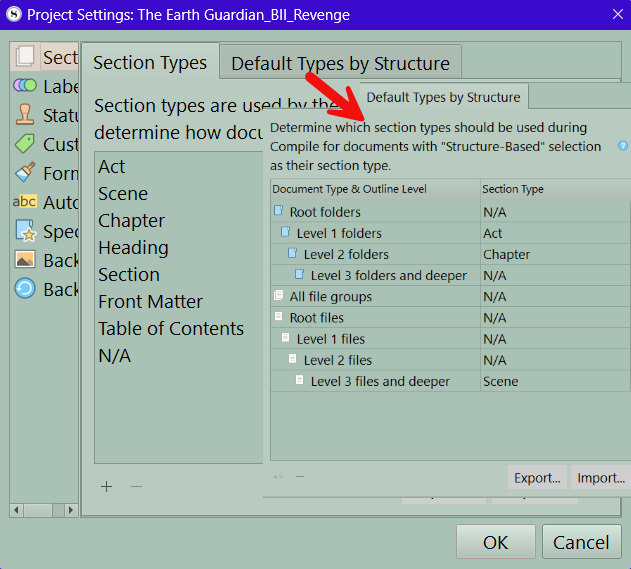
If you look at the section type you have some as default type by structure and some Section Types you create in the Section Type area. I would look at your default types by structure to make sure they are structured properly.
You can also duplicate default compile setup and edit it to adjust.
I do agree that your Section Types look a little odd in terms of naming conventions. But they are just names, and can be set to work however. (If you want to call chapters “bananas” and subsections “Contents Page” you can, so long as you assign them to reasonable Layouts in the middle column of the compiler.)
The bigger problem: Is there a particular reason you are using Default instead of the Ebook format? Unless you are a very familiar with both Scrivener and ebook design (HTML & CSS) then you have a lot of work and research ahead, getting an essentially blank format up to a baseline level like the Ebook format provides.
As to the immediate problem, I suspect you have nothing generating section breaks, or the internal .xhtml files an epub uses to establish navigational break points (what we might colloquially refer to as a “chapter” but anything like that), and subsequently also no ToC detail. Instead the whole book is in one section.
Note how in the Ebook layout previews, some of them will have a grey text indicator at the top stating there will be a section break? Edit a copy of one of those, by double-clicking on the tile, and examine its setup in the Separators option tab.
But again, that is probably going to be only roadblock one in getting Default set up right. It’s a good choice if you only want minimal processing with very few assumptions, but more for basic text file output.
Thanks, AmberV! I realize I need to go '“back to school” and study the manual more in detail. I am definitely a beginner, currently testing Scribener on a real project. This was my first go at compiling a structured project with some content.
The reason I chose the “Default” format was that I found the pre-defined section layouts in the middle column to be closer to what I wanted in my output than those available with the “eBook” format. I will now revert to eBook and try editing some of the layouts there, as you suggest.
What is so odd about my Section Types? I use Chapter Heading and Sub-Heading for my two top levels, and Contents Page for the main text chapters. Isn’t that fairly standard? Or have I missed something?
You can definitely more easily get to something good by taking the “Ebook” format and making it look the way you want in the Section Layouts section, if what you’re mainly talking about is the heading formatting. Don’t get me wrong, starting with “Default” would be a tremendous learning experience, because you’d have to go over nearly every tab and understand what is going on in them. But that’s a lot to take on all at once. Maybe better to learn in bits and pieces, like figuring out how to change how a chapter heading looks.
Do bear in mind that with ePub in particular, the middle column is a bit abstract because the ebook reader itself will be exerting a lot of influence on how it looks, too.
Fortunately you can switch between Formats without any fear of messing things up, so it’s a relatively simple matter of looking up the Section Layout you want to copy the look of, jotting down the font settings and such, and then swapping over to the Ebook format, and editing the Section Layout you wish to adapt.
What is so odd about my Section Types? I use Chapter Heading and Sub-Heading for my two top levels, and Contents Page for the main text chapters. Isn’t that fairly standard? Or have I missed something?
Ah, I see! I misunderstood your intent with the naming convention. I was reading “Contents Page” as something you’d likely only use once in the entire book, for the Table of Contents section (if you have one instead of using the dynamically generated one). But I can definitely see how you are using the phrase “Contents Page” to refer to… well, pages with content.
Carry on! It definitely underscores the point I was making about how these are just names. Use whatever works best for you. They only become practical once we assign a Section Layout to them.
It is easier to start with the included compile format closest to what you want be it ebook, or a manuscript and then tweak that, then start from scratch, which is Amber’s point.
OK, I understand. I will experiment some more with compile format and see if I can tweak them to suit my needs. And re-read the Compile chapter in the manual…
I have a bunch of articles on compiling about how to structure your project and how to use separtors, section layouts etc. you can start with this one.
 Maybe better to learn in bits and pieces, like figuring out how to change how a chapter heading looks.