I’d like to have the outliner open in one window and be able to work my way through it with each section opening automatically in another window. As though I had right-clicked Open > in Top/Bottom Editor for each item in the Outliner, but without having to do so. I want to keep the Outliner static, and have its elements open above or below. Seems very basic - what am I missing?
Navigate → Outliner Selection Affects → Other Editor
(given that your Outliner has the focus and an Editor is open in a split, otherwise the option is not available)
Additionally, Navigate → Editor * → Lock in Place could also be helpful.
* in your case that “Editor” would actually be the Outliner
3 Likes
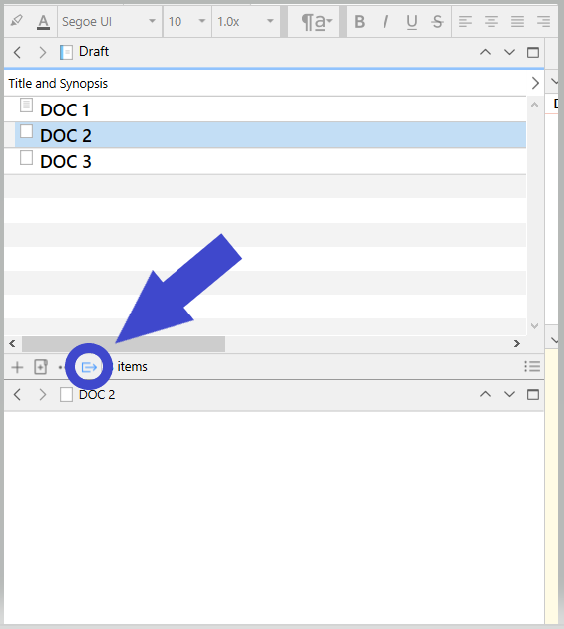

Yeah, that’s the same functionality, even a bit less finicky (as you can enable it without the Outliner being in focus).
1 Like
And you can save both your usual preferred layout and this new one when you get it set up as named custom layouts … or so I seem to recall.
2 Likes
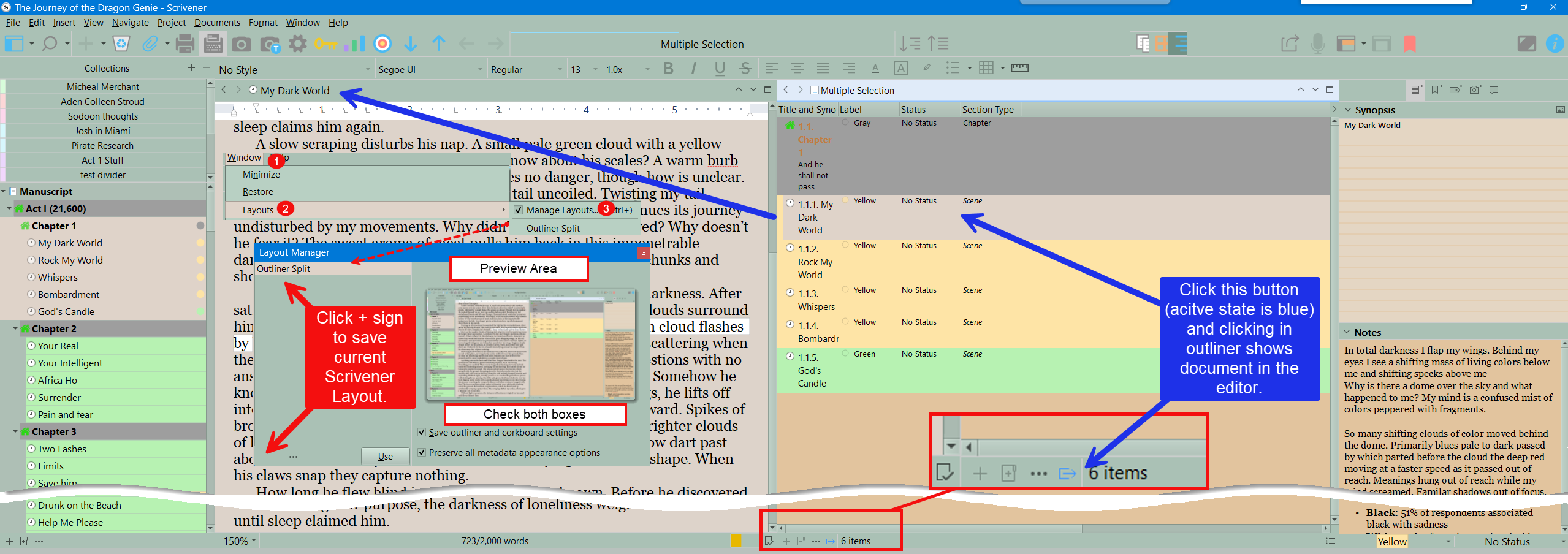
Other people have shown you how to set this up for yourself, but on the Mac, at least, it’s already built-in as a pre-defined Layout.
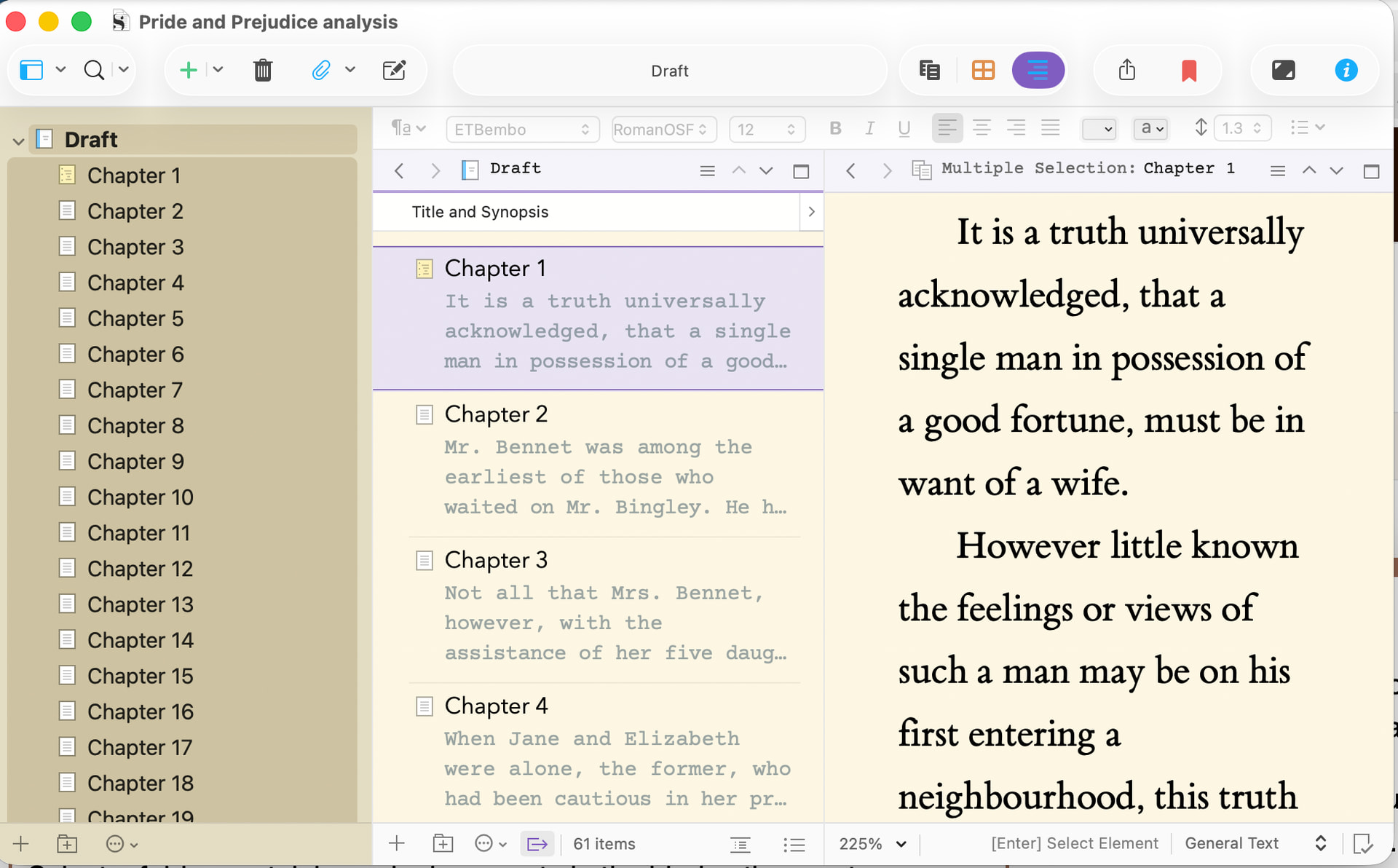
Select a folder containing sub-documents in the binder, then go to Windows > Layouts > Three-pane (Outline).
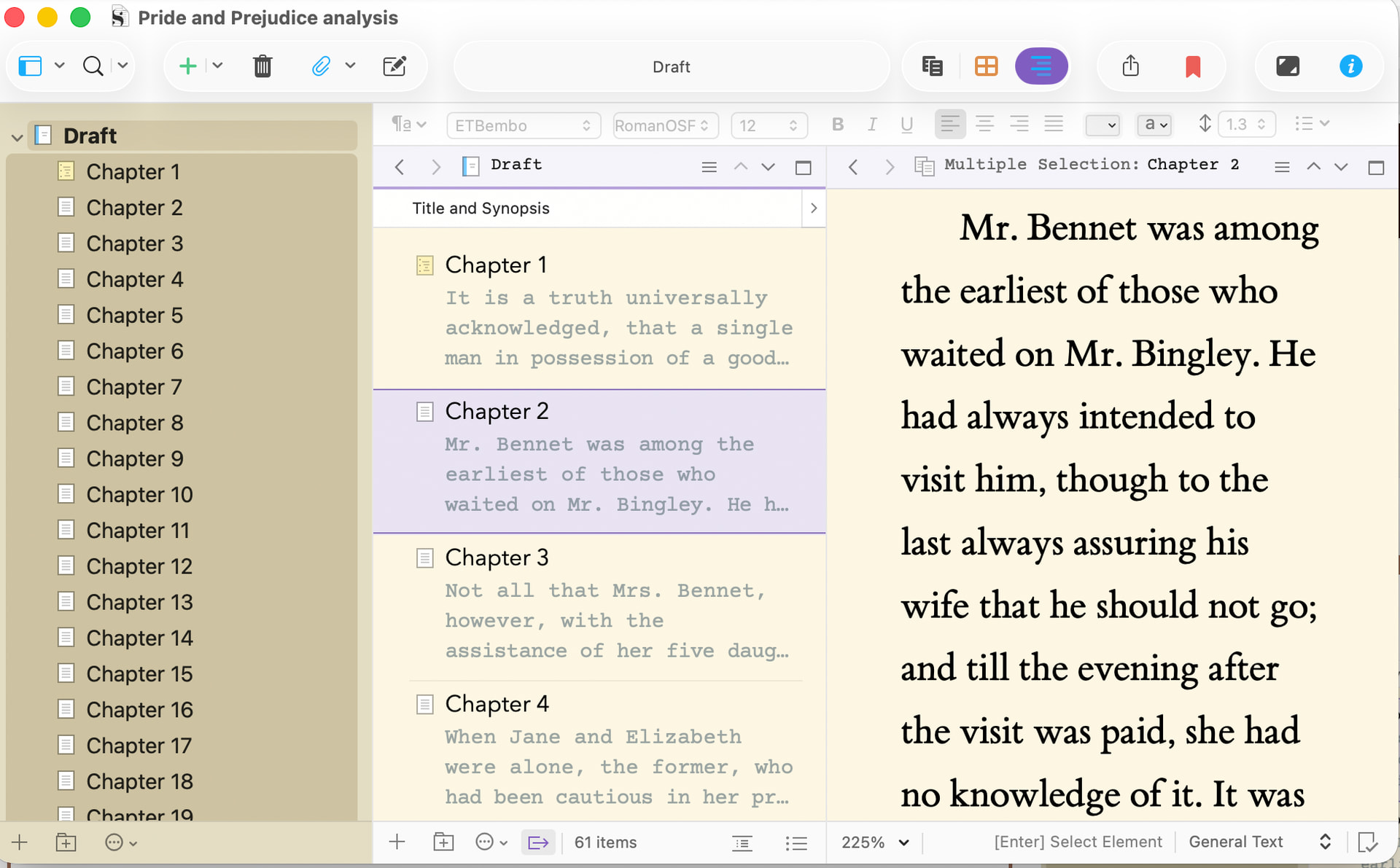
This gives you, from left to right, the Binder, an Outline, and an Editor, and clicking on an item in the Outline will automatically show that document in the Editor:
Obviously, you can give the layout a keyboard shortcut and you can tweak the default using the Window > Layouts > Layout Manager.
HTH.
4 Likes
That’s the ticket, @brookter - thank you so much. Thank you, everyone. What a nice community.
3 Likes
Excellent – glad it helped…
1 Like