BUG: In Outline view, right clicking on the column headers (or anywhere) to select columns, as per help instructions, does not work. No context menu appears.
Columns can be chosen through the View menu. However, if changing many columns, the right-click functionality is definitely required!
Could you refer me to where the documentation states that you can click on column headers to select new ones? It should in fact be stating that doing so will sort by that column (as is typical). The button to set columns is all the way to the right, above the scroll bar.
Yes, the OP is correct, the Windows manual calls out right-click for column selection.
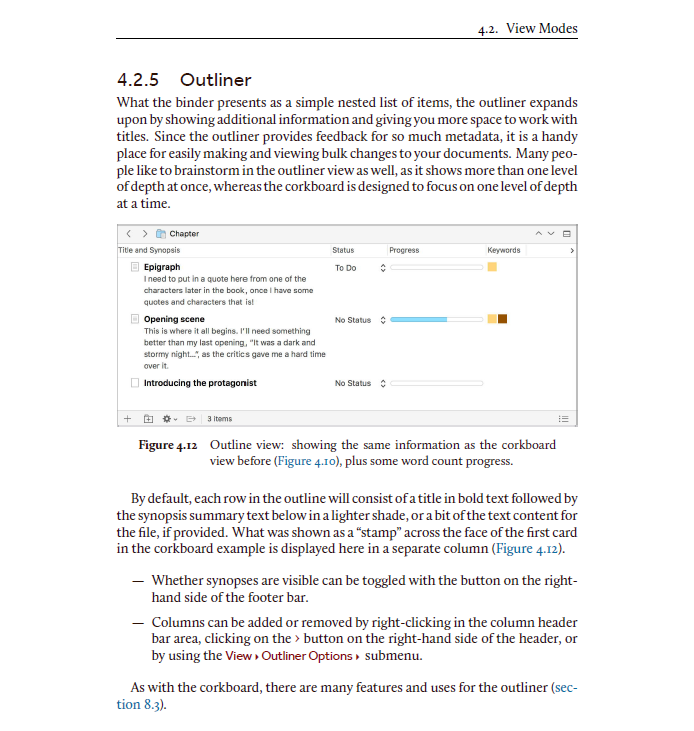
Columns can be added or removed by right-clicking in the column header
bar area, clicking on the › button on the right-hand side of the header, or
by using the View ▸ Outliner Options ▸ submenu.
Well, yes in a perfect universe, but as it stands there may well be a technical limitation for why it isn’t there, and even if there isn’t it may take who knows how long to add it given the backlog of other things that need to be added. So in the meanwhile it doesn’t make sense to document something that doesn’t exist in the present tense.