First time user here (trial version), still going through the myriad of possibilities the software gives me, and I got to wonder:
Is there a way to include a portrait of the characters inside their character sheet? If so, how?
First time user here (trial version), still going through the myriad of possibilities the software gives me, and I got to wonder:
Is there a way to include a portrait of the characters inside their character sheet? If so, how?
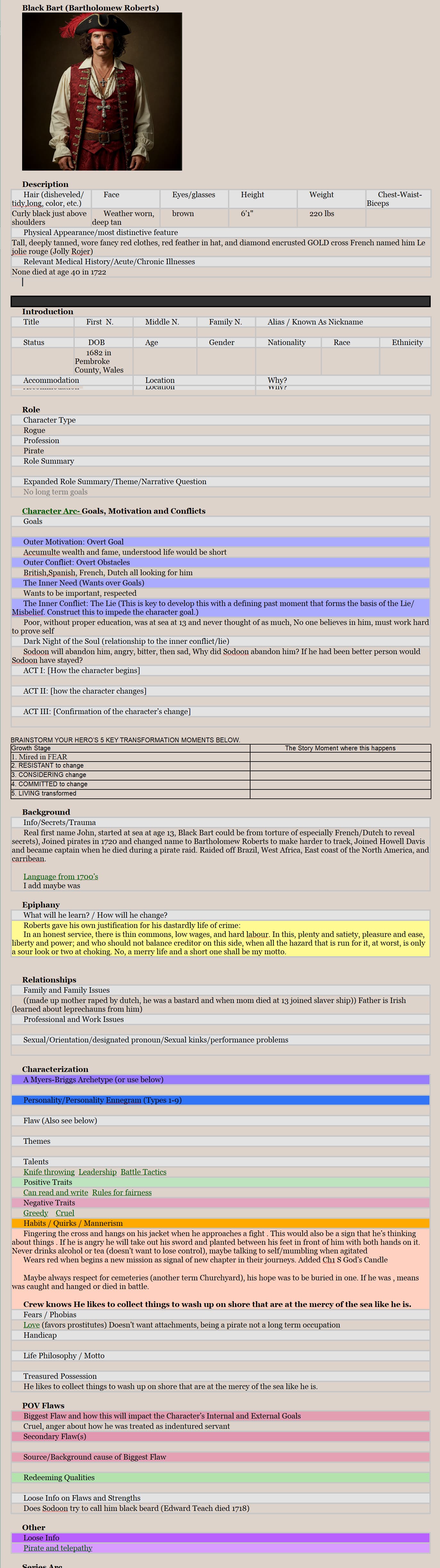
A character sheet is simply a document. Copy and paste a picture in it at the top and add information below. Not at home but will post one of my character sheets which is actually an elaborate table. Anything in scrivener can be dragged into the template folder to be used as a character template or otherwise.
@GoalieDad is right about putting an image into the document, and his advice in generally good, so you should consider doing as he says 
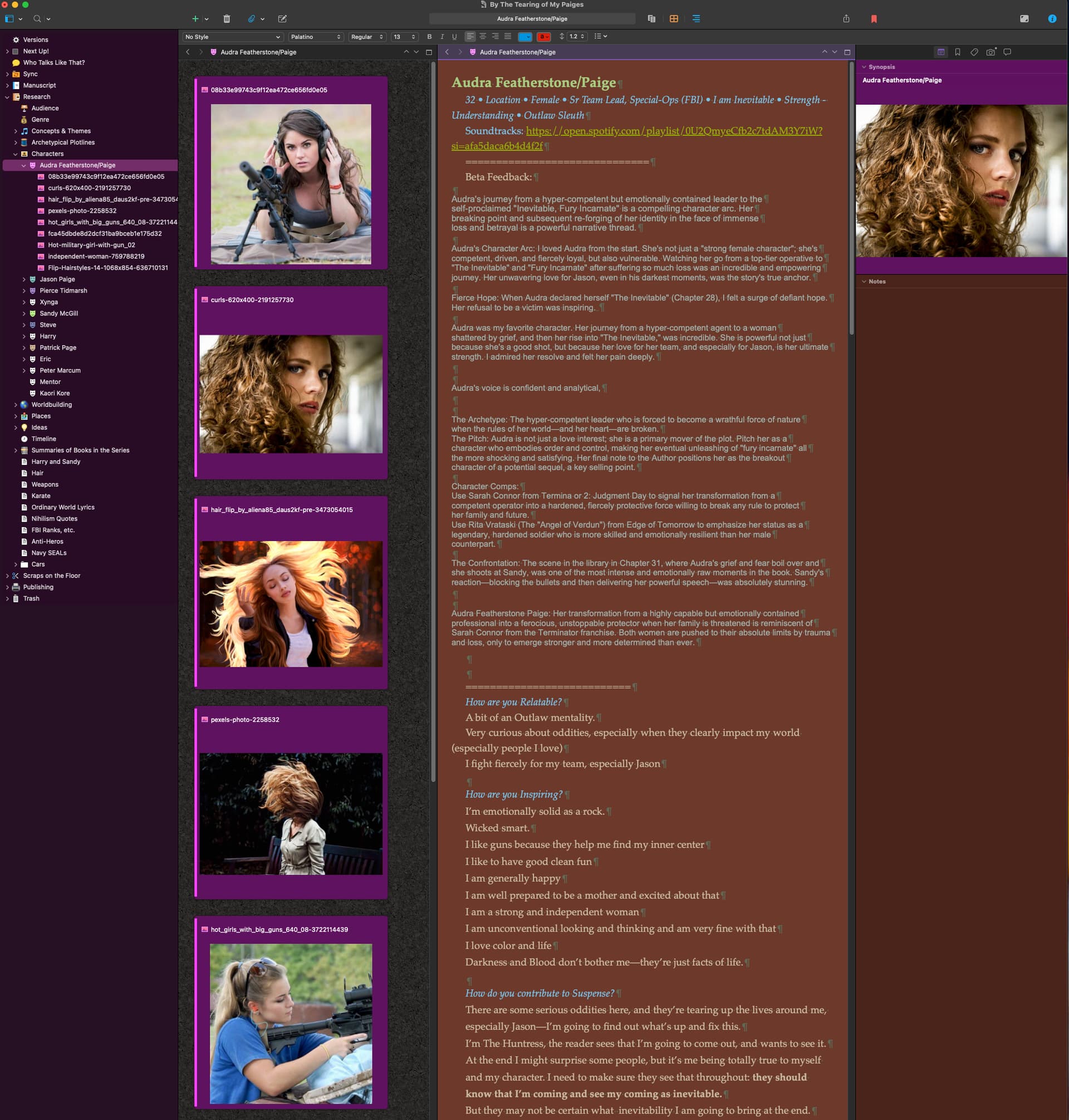
For me, I often have multiple pictures for each character (because actually, I have zero, and so I’m faking it with collecting a handful of photos off the internet that are similar: Audra has the hair from this photo, the face from this one, the stance from this one, the clothes from this one, etc.)
So, in addition to @GoalieDad 's good suggestion, I collect all those photos as sub-documents to my character sheet (just drag the photo onto the character sheet document, and it will make the photo a sub-document). Then I can
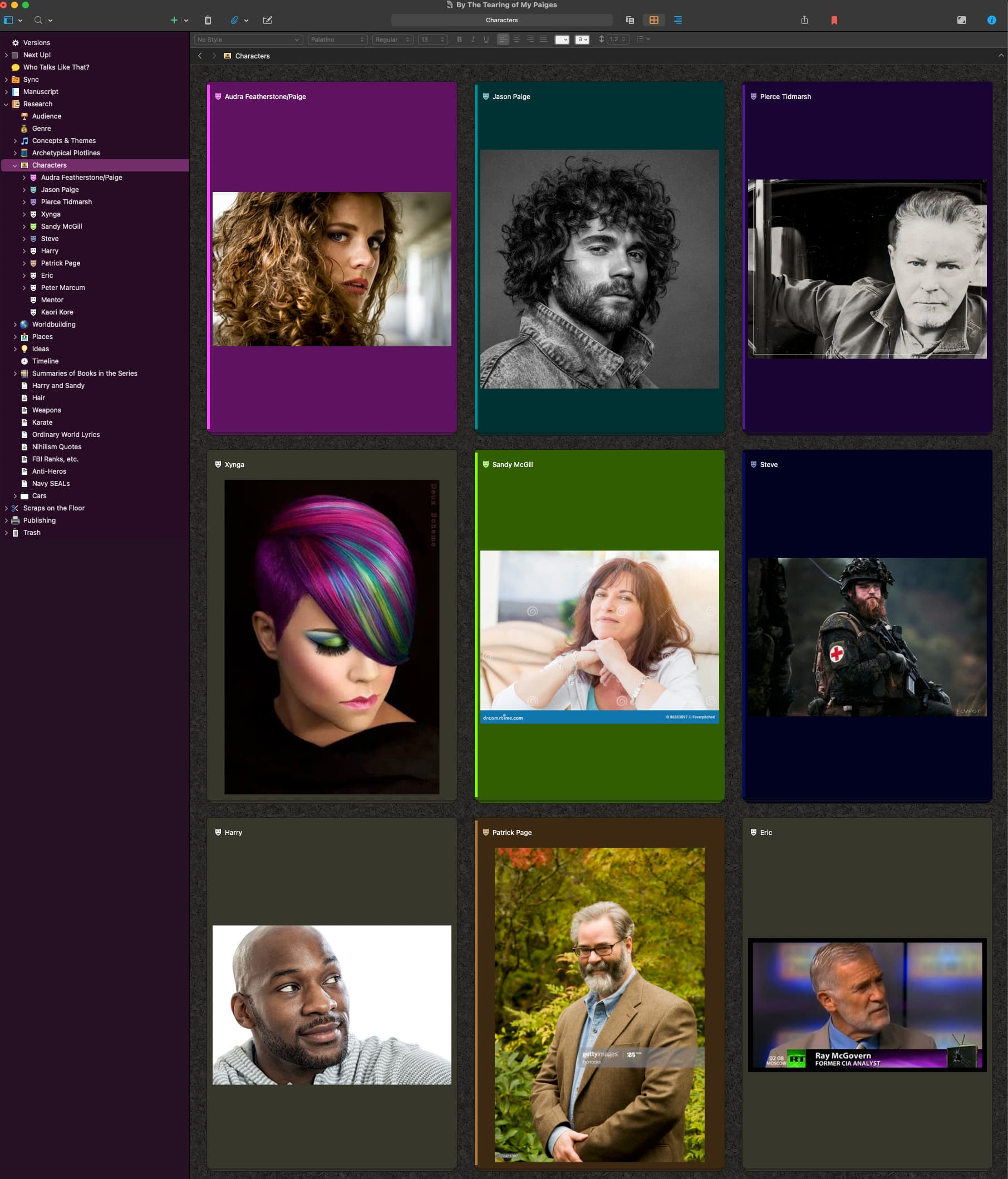
Having that photo in the synopsis has the additional benefit of making it so that I can open my Characters folder and put it in corkboard mode and see a photo of each of my characters. Not nearly as useful in practice as I wish it were, but still cool, in my book :).
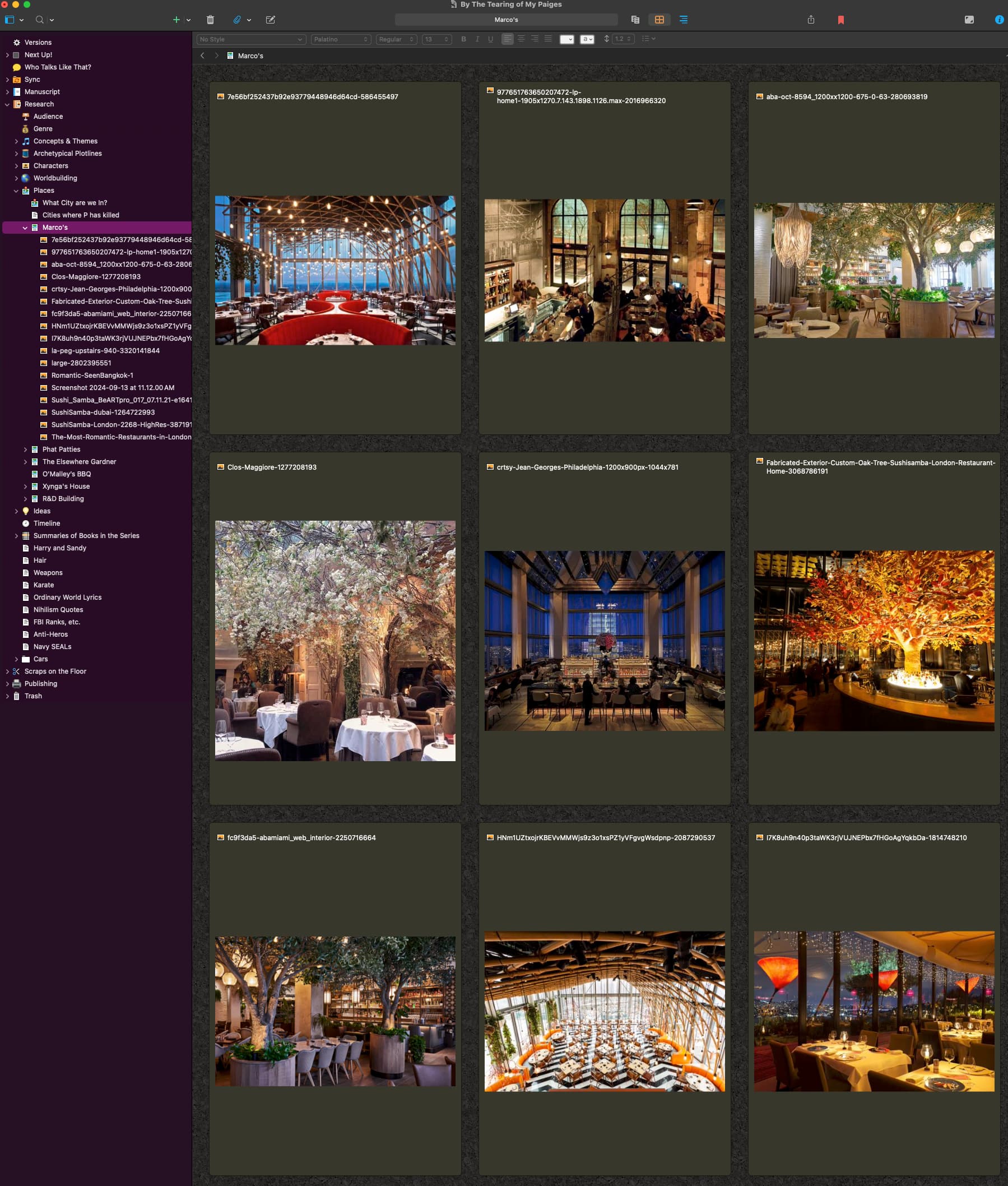
Also: I do similarly for my locations.
Looks good
. . . . . . . . . . .
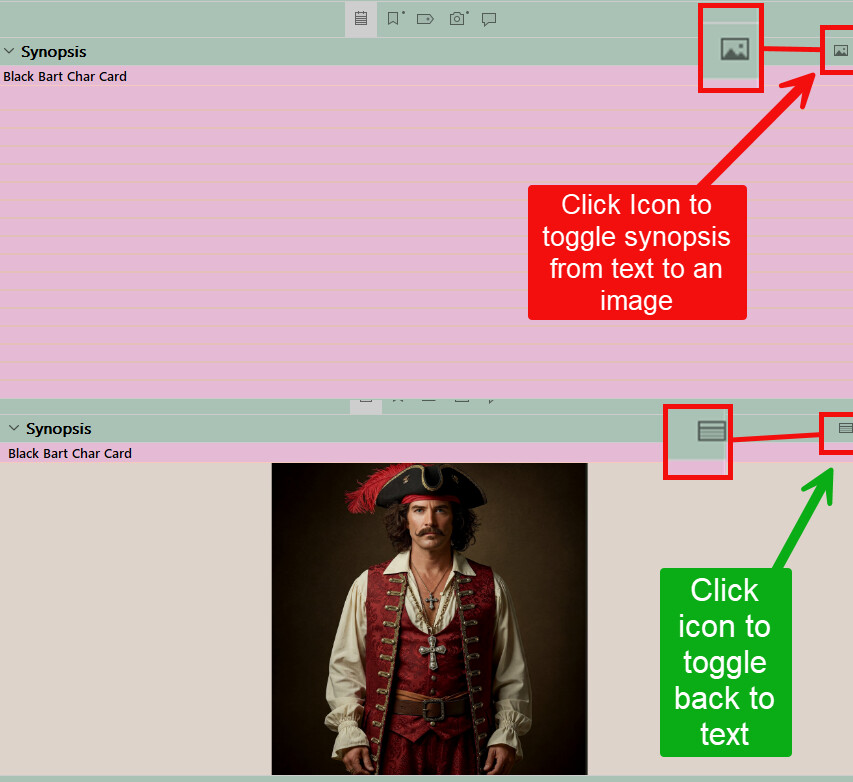
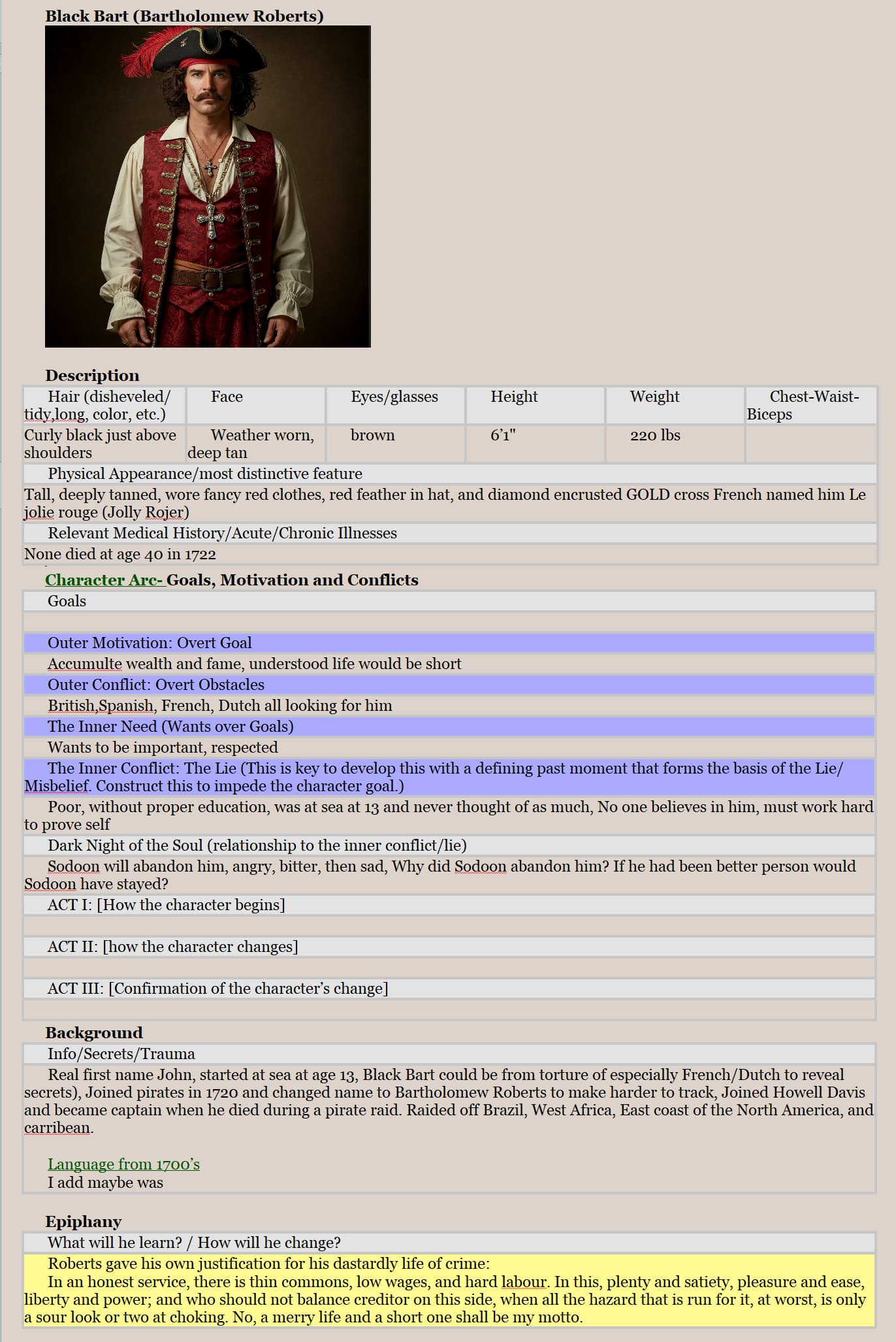
Here is an example of my character card with the picture dragged in at the top, but could easily put in the Synopsis area and switch from text to picture. So you could put the image on the character card/template or in the Synopsis area and click the icon to toggle between an image and text. See below (windows version)
Thank you all.
Quite an elaborate insight in how to better make use of the program. Even got another question answered by looking at the Binders provided in the images.
I prefer the Image inside the card, but can do both. I have a multimonitor setup and open the Character card as a Quick Reference Panel and can still see the picture while viewing a scene or another document in the Binder.
So do I. Laptop + Monitor. Noticed I had to add the images in the Character folder, as well, cause the Synopsis one won’t show a thumbnail of the image inside.