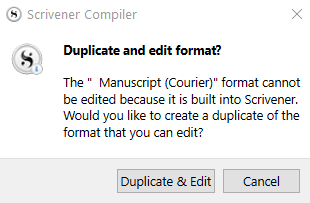
There probably isn’t one single answer to the question of which is easiest. In some cases I have seen people wasting days trying to figure out how to dismantle a Format that had been preset by the template they were using, because in reality they wanted something quite basic—something they could have perhaps built up from “Default” in an hour or two (including learning from scratch).
In some regards, you could say that learning how to undo a bunch of settings is more difficult than learning how to set the things you want. For one thing, you might not even know what is core and unavoidable behaviour versus what is controlled by a setting, let alone where that setting is and what it might be called. Sure, when learning to build up from scratch, you still need to learn what you want to do, but if your needs are coming from a more basic premise than something very complex like “Paperback” or even the “Manuscript” variations to a degree, chances are you’re going to need to learn less to get the job done.
So I guess that’s the main question: is “manuscript” already 95% of the way to what you want? Probably best to start there and whittle down to what you need. If what you have in the editor is already basically what you want though, you’re going to be going through many tabs and settings to stop it from forcing 12pt Times everywhere and so on.
There are some notable exceptions. I would very rarely advise someone to start an ePub format from scratch, rather than using our “Ebook” starter. The starter is vanilla enough to add your own design flare to, but it establishes a lot of internal wiring that would take a lot of familiarity to replicate, that “Default” or “New Format” will lack. We also provide a fair amount useful CSS, for stuff like keeping captions together with their figures, that would take intermediate to advanced level of web design familiarity to replicate off the cuff.
Another exception would be the LaTeX format, provided by that template in the non-fiction section. Without that format you could almost even say it would stop being a LaTeX project. As with “Ebook” it is intentionally vanilla and meant to be built up upon, providing a useful baseline level of configuration that would be remedial and time consuming to recreate on your own.
Lastly, I heartily second the above advice on learning how to save global compile formats. Use project formats for experiments (duplicate and edit works for your own formats too, and is just as safe and non-destructive), but start building up a base of starters of your own. As you refine them, those refinements will automatically benefit all of the projects that still use them (I do tend to eventually fork off to project-saved formats once a design gets specific).
Here’s a little bonus format I use to start from scratch. I find what you get with “New Format” has way too much clutter, at least for how I work. This one is super clean, makes no assumptions about separators, and starts with only three basic permutations of Section Layout. It’s made on Windows, but it should work fine on Mac too (fonts will revert to defaults unless you happen to have Source Code Pro installed; but a starter like this isn’t at all about providing font setups, rather not doing that—but you can’t choose nothing  ):
):
Blank.scrformat (19.6 KB)