Hi, I’m making an overview of my novel manuscript in Excel to track major plot and character arcs over the whole book, and I want to be able to easily match up the scene numbers in my spreadsheet to my printed manuscript as I’m marking up the latter for revision. How do I get Compile not just to label Parts and Chapters, but also to add the scene number at the beginning of each scene within a chapter? I have labelled all my scenes in the Binder with nothing but the numbers 1-89 in order, so it seems like this should be easy but I can’t figure it out!
1 Like
Hello.
Include the scenes’ binder name as their title, since you’ve got them manually numbered.
I suppose that for now they compile as part of the parent document, as a chapter combined together, and without a title. (..?)
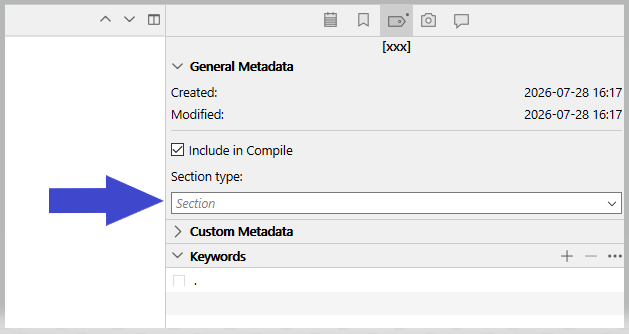
Go in the inspector (Metadata tab / General metadata) and check what is the section type your (sub)scenes are assigned to.
Then, in the compile panel, clicking at the bottom of the middle section, note what section layout that section type is assigned to.
Last, double click the compile format you used so far, click “Duplicate and Edit” if prompted to, and check the title box for that section layout in the “Section Layouts” panel.
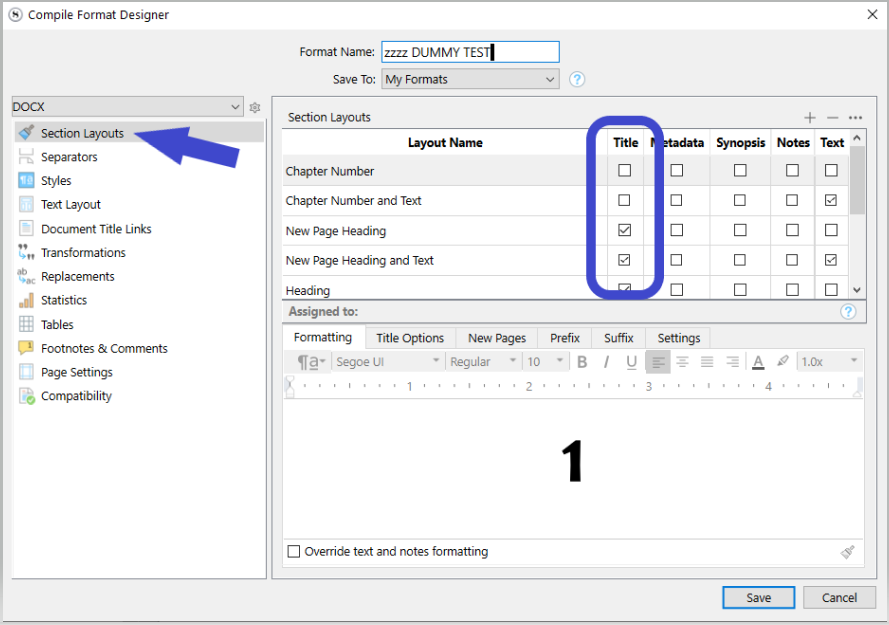
Find the right one (section layout, in the top list) as per my explanation above, and check the title for this one section layout only.
Save and exit that new version of the compile format. Use this new version for compiling in the future.
1 Like
Splendid, thank you! It worked!
1 Like
You could include a scene title with the number as well to help you find information. Ex 3. The Major arrives, 4. Courtmartial, etc.
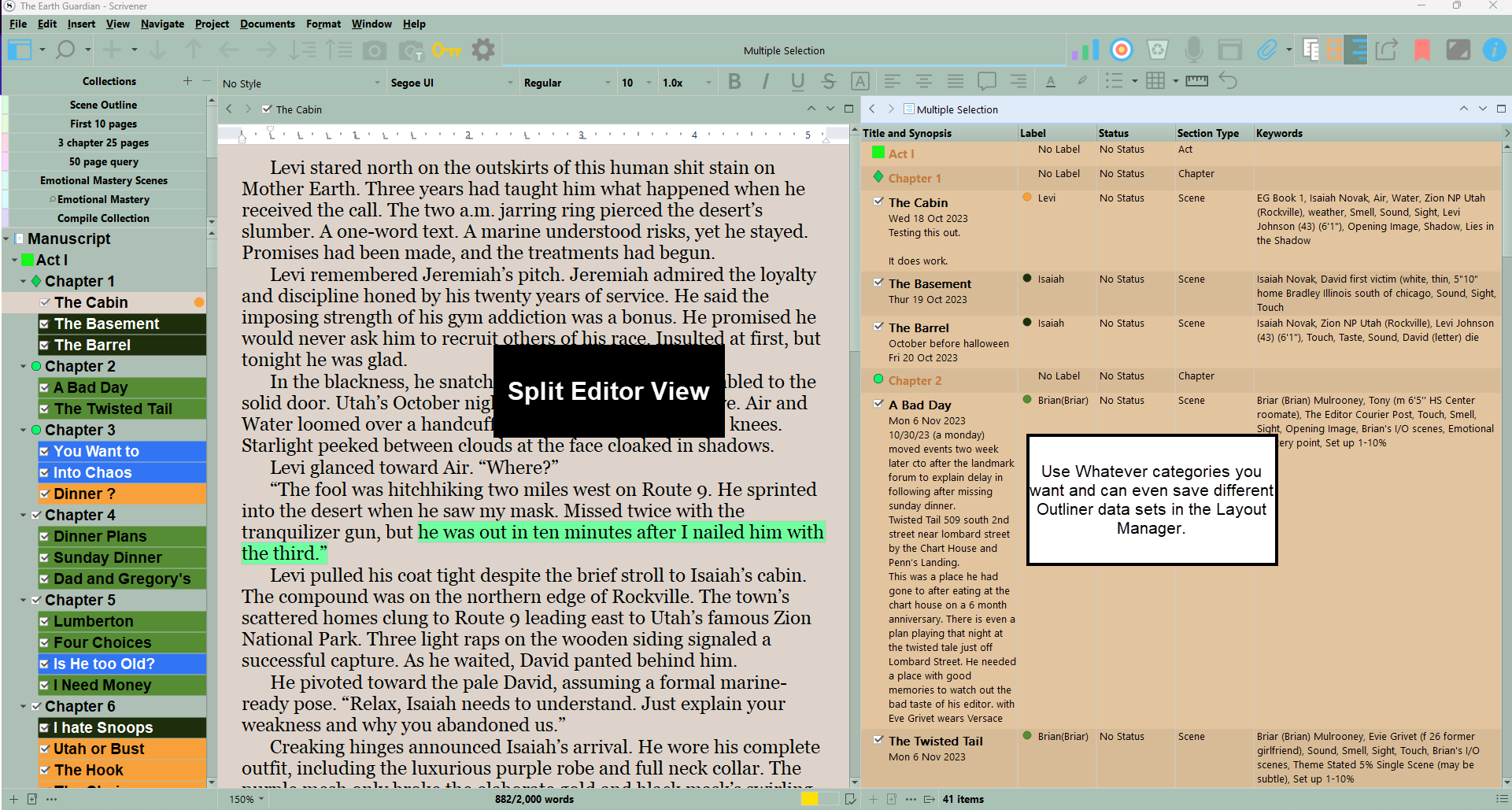
When tracking I just go by scene number and use keywords metadata to track characters, locations, plot points, themes, etc. If you do that then the Outliner in Scrivener becomes your spreadsheet and can do a split editor to view as you scroll the Binder
2 Likes
Amazing layout! I have never used the Outliner, or Keywords, and have a lot to learn for sure if I’m going to figure out how to do everything in Scrivener for future projects! Thanks for sharing.
I have a bunch of articles on Scrivener including 3 on Keywords (look at this one first Keywords overview part 1 — My Writing Journey ) If they help sign up for my rare newsletter. I also have a four article series on the Outliner and you could start here - Scrivener’s Outliner part one — My Writing Journey
Another thing to think about for the future:
- Manually numbering your docs is not great. It makes for trouble if you ever want to add a scene or move scenes around. It is also very uninformative for you when trying to find a section of your typescript (what ordinary bedizened folks call your “manuscript”).
- In future, you should let Scriv number things for you for your output and instead use your doc titles to give you quick access to your content, maybe using short intuitive names (‘telling Lance’, ‘at the ceremony’)
Scrivener has a placeholder system for automatic numbering (among other things). You can find a complete list of placeholder functions under the Placeholder… menu item. (Not at my computer, so just guessing that is either under the Window or Help menu.) There are various places you might put a scene placeholder numberer for this particular purpose (and additional tricks you might get up to to make things clever), but the details are not important at this point, since this note is just for future reference.
“I want to say one word to you. Just one word: Placeholders.”
1 Like