Hi, I realize this has been asked but I’ve tried everything suggested. I don’t see the project target in my options, just ‘show project targets’ or ‘project settings’. Sorry, am I missing something? When the project target window opens and I hit reset, it doesn’t work. I can’t type in the boxes and the old word count doesn’t reset regardless of the settings of when to do a timed reset. Help!
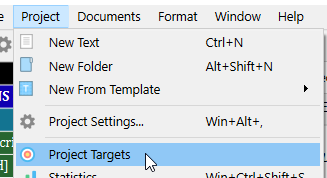
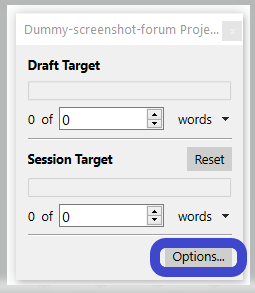
It is the session target that (should) reset(s).
It is the one at the bottom here (showing nothing in my case) :

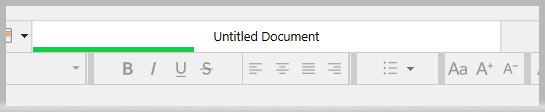
Where I’ve added a green line :
. . . . . . . .
Have you tried to set it to auto-reset?
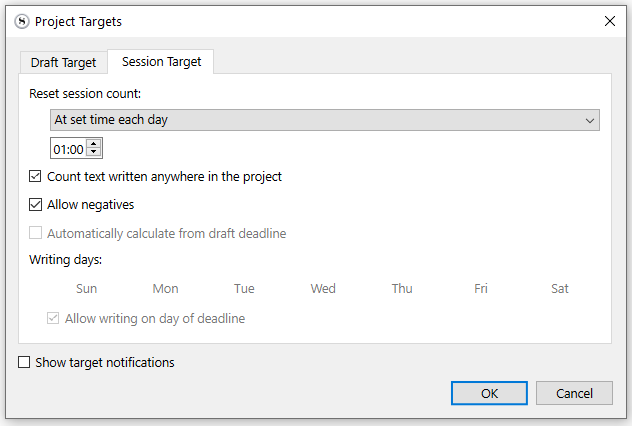
Yes, it should be, and I just lost 4,000 words for no reason…I think this is a bad version and needs to be reinstalled.
None of these options are showing up…
I’m on Windows, btw.
But I am pretty sure this part of the two versions is the same.
Yes, they should be, but they aren’t in my pull down menu.
Could you post a screenshot, please? I’ll check your permissions to make sure you can.
Also, which version of Scrivener do you have, and with which version of Mac OS?
Hi! I rebooted, and re-installed app and it’s unfrozen. I can re-set! I am running Sonoma 14.6.1 on a desktop Mac BTW. Not sure what happened but I imported my old project into re-installed app and it’s working fine now. Why I lost 4,000 words is a mystery, but I have a backup elsewhere. Thanks!