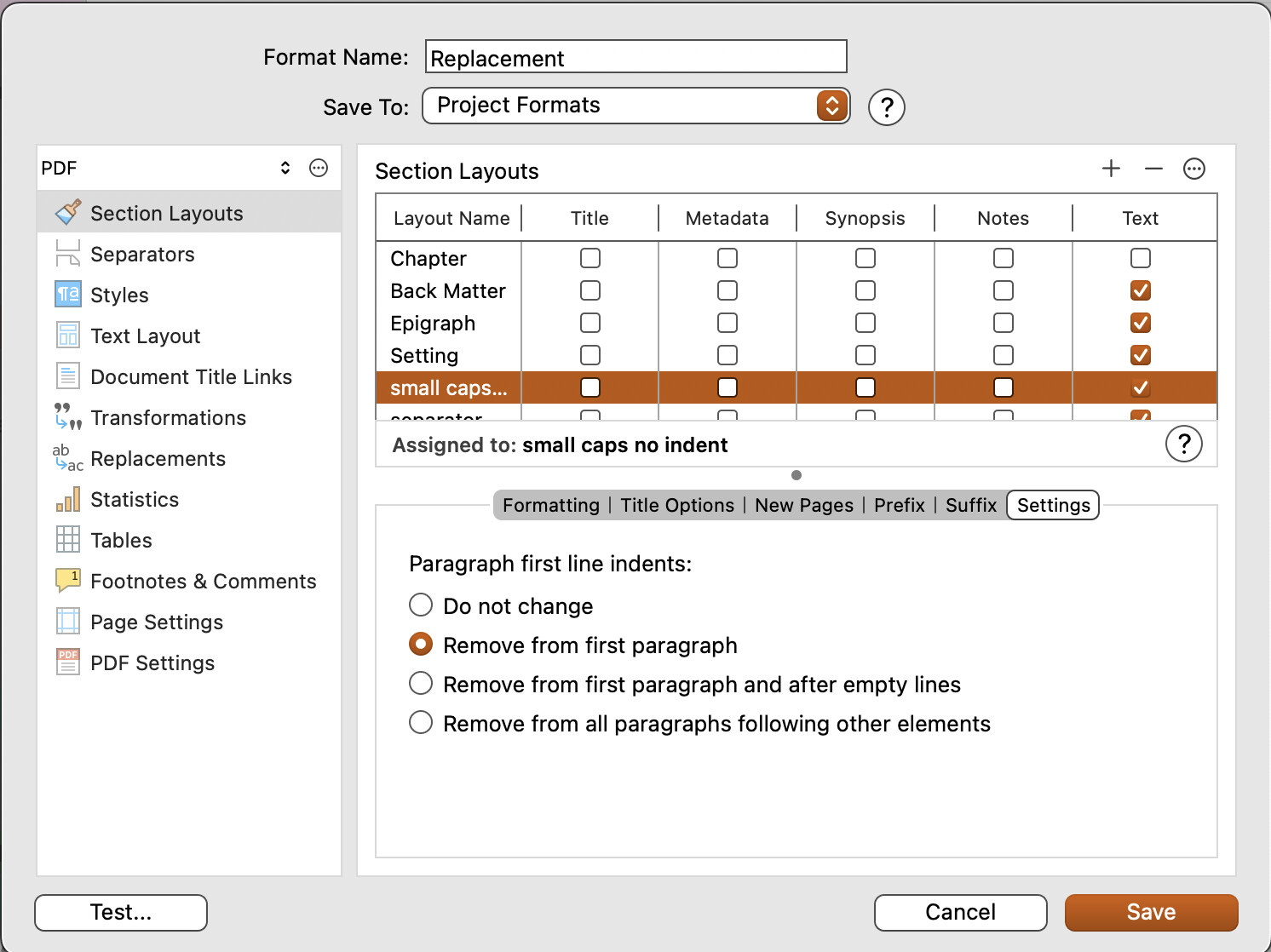
I have an old Skrivener project (c. 2013) that has been successively updated thru versions of Skrivener. I’m now on 3.3.1.
I’m compiling into ePub format. When I choose the chapter format I see the first paragraph not indented, the others indented - as is normal. However, when I compile, the first paragraph of every chapter gets indented. I cannot find a setting anywhere to change this behaviour - despite all the pages on the web that show this under “Settings” for the format. Where is it?
Thanks.
Here it is, but it doesn’t appear to work for ePub 3 (which I tested just now).
Thanks. I see: so you can do this for PDF but not ePub.
Skrivener developers: Huh?!
Here’s my workaround.
The default CSS in the ePub file contains rules intended to make the first paragraph non-indented, and the subsequent paragraphs indented (for those who understand these things, there’s a ‘p’ rule which governs first paras, and a ‘p + p’ rule that governs subsequent paras).
But those rules are getting undermined by Skrivener putting a subtitle paragraph (in my case, with no visible text in it) before the first para of the chapter. I’m using Calibre, whose editor allows one to run search-and-replace on all the files in the ePub document. I did the following:
Find: </h2>\n<p class="subtitle"><br /></p>
Replace: </h2>\n<br /><br />
That is, I replace the subtitle para with some
elements to make space without a para.
And, hey presto, all my first paragraphs become non-indented.
Hope this helps someone else.
My solution