Having “Mark Revised” in the right-click menu would not only speed up my workflow, it would be a great workaround for the lack of revisions in the iOS version. There are several hacks to mark your revisions in iOS, like Styles and Character Format. But back in OSX or Windows, I always convert it to a revision color. Speeding this up would make my iOS version truly useful!
I use preserve formatting with a shortcut assigned to it, if it is of any help.
(Under Windows I can pick the color of my choice for the background.)
No conflict with any styles or character attributes in the text.
Downside is you have to remove it before a compile.
Thanks for the reply. I probably should have stated my issue better. I always track my edits with the Revision Mode feature, which iOS doesn’t support. I’m looking for a good workaround to mark my imported iOS edits to the current revision level. Does preserve formatting help with that?
Preserve formatting hijack :
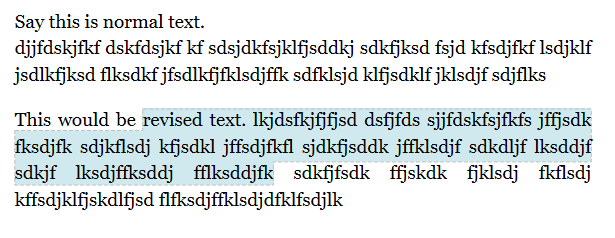
Else, I am not 100% sure, but I believe that if you make your text of the exact same color as a revision color, it will be seen as revised text by Scrivener, back in an install that has the revision feature.
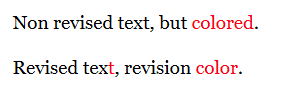
I removed the revisions :
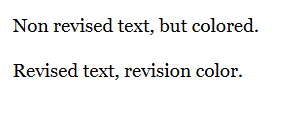
Again, but with a random font color for the first line this time :
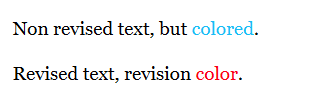
I removed the revisions :
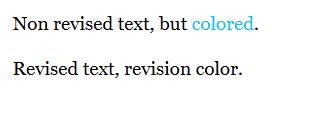
Conclusion : It works, under the Windows version. Using the exact same font color as a revision color makes Scrivener see that text as revised text.
Perhaps it’ll work for you too.
. . . . . . . . . .
Just to be clear, I use preserve formatting mostly to track revision progress. In a more general way than using the revision color to mark edits would. My usage is very minimalistic in this case. I just track what I’ve revised, not edits.
It is exactly like selecting a whole paragraph and then Mark Revised.
On Mac, you can assign a shortcut to the Mark Revised command via system settings; you can also assign one to the current revision level you’re using, if you’re frequently in and out of that when you’re typing.
Windows has the option to set a shortcut for the revision level in the Keyboard tab of File ▸ Settings, but unfortunately Mark Revised isn’t currently available there. However, the accelerator keystrokes Alt, R, R, M will toggle it quickly.
3 Likes
Thank you, MimeticMouton! Once I took the time to carefully read the instructions you linked, this worked like a charm.
2 Likes