I have a document with a lot of italicised text that I want to convert to Regular. Is there a way to do this globally.
Hi.
Scrivener doesn’t have a built-in character attributes global replacement, no.
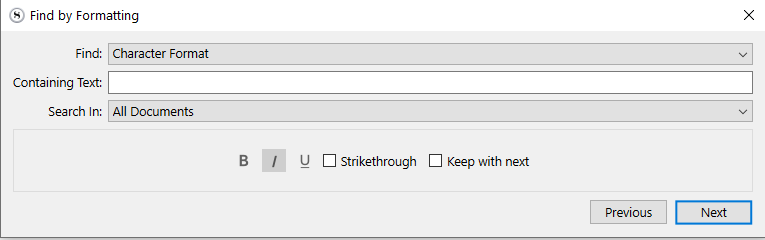
You can use Edit > Find > Find by formatting to have it navigate you to the different places, then fix them instances manually, though. That’ll save you some time.
Else, the quickest way would be to handle it in a third party app (LibreOffice, for e,g.) that can do it for the whole of your document(s) at once.
Either now, using Sync with external folder, so editing one document at a time in the said third party app, or the whole manuscript at once, post compile, if you can tolerate the italics remaining present for now.
. . . . . . . . .
Alternatively, if you want all italics gone – absolutely all of them –, one thing that you can do, in Scrivener, one document at a time, is to select all text, then toggle italics twice.
(Under Mac I think that you could do it for the whole of your manuscript at once, in a scrivening.)
3 Likes
Thanks, that last one is probably the best.
1 Like
Correct, that works.
1 Like