Everytime I use Scapple I have to put in my activation code information. I have whitelisted Scapple and Scrivener in my AV software as suggested by their support with no luck. Any ideas on how to fix this?
Technically the license key should be encoded in your registry. It is not something you can manually temper with (other than messing it up, I mean).
I would reinstall (complete uninstall first) and if you are luckier this time, it’ll store properly.
I don’t have this issue at all.
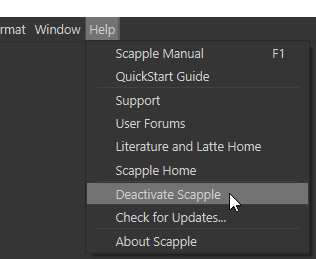
You may also first try to deactivate Scapple, then reactivate it. Maybe it’ll work, no need for a complete wipe and reinstall? – You’d get to preserve your preferences.
Have it ask for your license code, enter it, then deactivate your Scapple license.
Close, relaunch, and either re-activate it, if in demo mode, or enter your license if prompted on start.
(I give it a 50/50 chance of working.)