I’ve got a screenplay I wrote on Scrivener 1 some years ago, now converted to Scriv3 format. I used to make extensive use of Scrivener script settings, and then exported to fdx and tidied it up in Final Draft. I think the only thing I needed was (MORE)s and (CONT’D)s. However, I no longer have access to F Draft.
What is the least painful way for me to:
either create a Scriv3 compile profile that will print this properly (I guess without the (MORE)s and (CONT’D)s)
or export it to another screenwriting program and print from there? Any suggestions which one?
Is it worth trying to convert the script settings to styles? And if so how?
I’d compile to FDX, then stump for a licence for Fade In ( https://www.fadeinpro.com ), an FD compatible app that can import and export FDX. MUCH cheaper than FD and more useful/featured than any of the Open Source offerings.
The have a demo version that’s full featured, just prompts you to buy every 10 pages and puts a watermark on printed output.
Then download WriterSolo, the free, non-cloud version of WriterDuet. It’s free forever, without limits and is as good as any of the Final-Draft-wannabes. I tell aspiring screenwriters to buy Final Draft if they can afford it, and if they can’t, get WriterSolo for free.
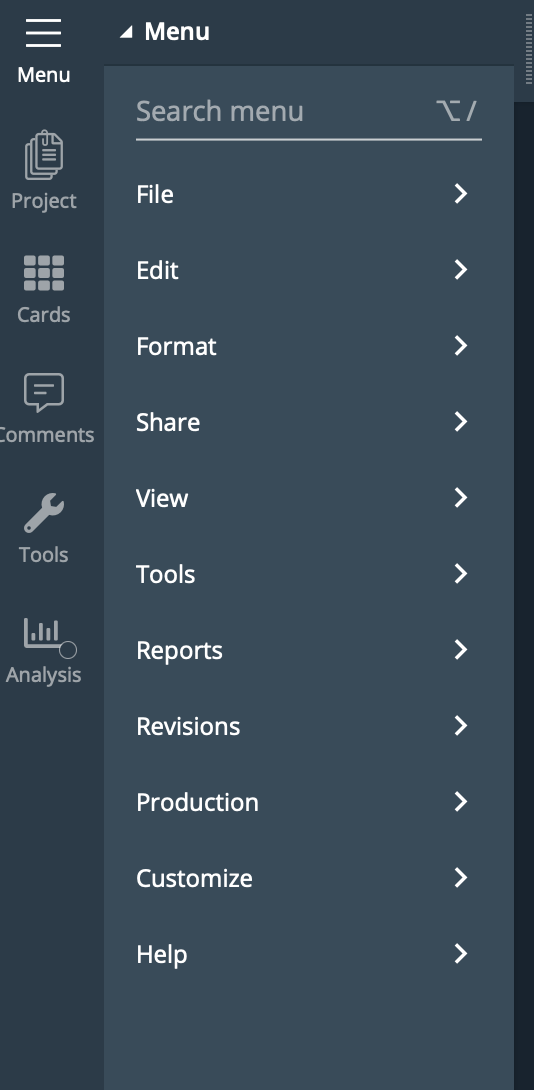
To download, click the “continue anonymously” link on the front page, then click on the menu/hamburger icon to see the menu:
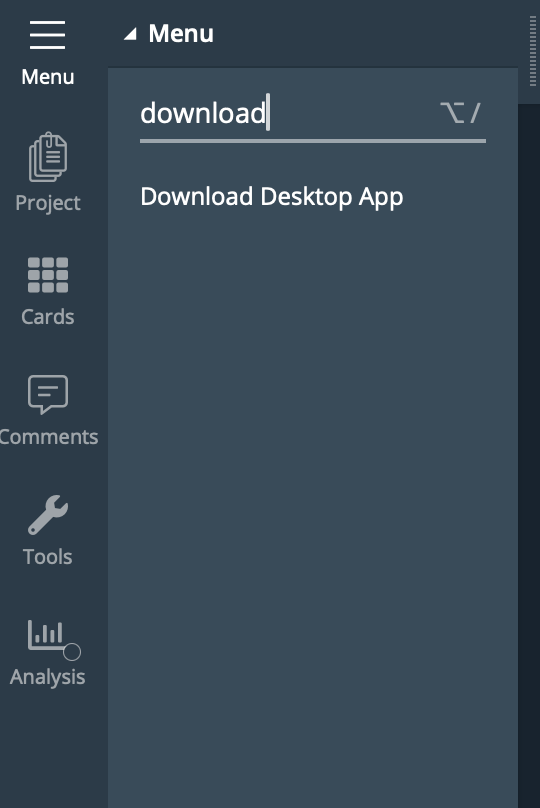
Click on “Download Desktop App” - it’s available for Mac/Windows/Linux. You don’t need an account to use the software. Recommend always exporting a backup to FDX, so you’re not trapped in WS/WD proprietary format. FDX is imported by a ton of apps.
I type all my screenplay pages in Final Draft and then use Paste Plain Text As Screenplay to copy/paste them into Scrivener. I love Scrivener’s organizational tools, but the screenplay word processing isn’t as robust as Final Draft or WriterSolo.
I’m not certain what the OP’s issue was with importing into Fade In as it’s an excellent app I’ve used extensively (I’ve also used FD and hated the pathetic first attempt at a mobile version). Perhaps exporting to FDX using your instructions would resolve it.
I wouldn’t classify Fade in as an FD wannabe, it’s a powerful script editor used by many in the industry, just happens to be compatible with the expensive elephant.
Me neither. I own a seat of Fade In, too, and it’s a good app. I prefer Final Draft for some personal preferences and because it’s more compatible with production software. Even if I write a draft in another app (Fade In, Screenwriter, Scrivener, etc) I always output the final FDX from FD because there are less problems downstream.
We’ve had radically different experiences. Final Draft Mobile was IMHO the best mobile screenwriting app. Did you try FadeIn’s mobile app with the modal input boxes? Intolerable.
Final Draft Go is still my fave for jotting a scene on my iphone. Everyone’s entitled to their opininon.
Every screenwriting app is a Final Draft wannabe, because FD dominates the marketplace. Except Scrivener, of course, which is a novel-writing powerhouse that accommodates screenwriters bregrudgingly and under duress.
It’s no more powerful than Final Draft, and has a much smaller user base.
Look, Taylor Sheridan just made a $1 billion deal to leave Paramount, and he uses Final Draft.
Rian Johnson got paid $100M to do two Knives Out movies that he wrote on FadeIn.
Shonda Rhimes made a $700M deal to make TV series for Netflix. She uses Screenwriter.
What does that prove? It’s not the app. Most of the apps do a fine job. It’s the writer that makes the difference.
My only point was that there is no need to pay the FD premium and that quality alternatives exist.
The very first iteration IMHO was barely functional. Didn’t have issues with Fade In IOS.
No, they just need to output in FDX as an option if they need to interface with FD users or apps that require FDX input. It’s a bit like saying Pages is a Word wannabe because one of the output options is .docx. No, they just realise that with so many fools and lazy people only wanting .docx files it has to be an option offered. Editors/Publishers would do so much better if they insisted on .scriv files only.
We agree - as I said, I advise aspiring writers to buy Final Draft if they can afford it. if they can’t, don’t bother paying for any of the competitors, because WriterSolo is free and robust. If you prefer FadeIn, great. I own a seat of that too, and it does fine.
The subjectivity of software UX always fascinates me. I was a beta tester on Final Draft mobile, and I really liked it. It just worked. The main change to Final Draft Go was the change to subscription payments. (From $10 all-in to $10/yr. Still not very expensive.) FadeIn’s mobile app used modal input boxes so each paragraph had a separate input box and you couldn’t read any of the script before or after that paragraph while you were editing. Ugh.
I’m sorry I wasn’t clear. Final Draft is as dominant in screenwriting as Photoshop is in photo retouching. Any app (like FadeIn) that slavishly copies all the features of Final Draft, and markets itself a “cheaper better than FD” is pretty obviously a FD wannabe.
I don’t consider Scrivener to be a FD wanabe, because it offers a vastly different interface and feature set.
As I said before, there are many screenwriting apps that work just fine. If you’re optimizing for price, I recommend WriterSolo because it’s free, unlimited and has a robust feature set.
Fade In is NOT a slavish copy of Final Draft. It has significant features that Final Draft doesn’t have, or didn’t have at the time Fade In had them.
Every review I have read, and from personal experience, it’s just a nicer app to use.
it’s a damned sight cheaper
It’s available on Linux
Final Draft does have advantages when it comes to production.
Though Final Draft is dominant, just as the bloated and overpriced Word and Photoshop are doesn’t make them better, just the beneficiaries of established momentum.
It’s harder these days, but let’s not forget WordPerfect, 123, and other apps were once the dominant forces and they eventually died deserved deaths.
Yes there are free apps that are OK (some barely), but I prefer to pay a reasonable price for an excellent app that performs as well (or better) as the overpriced market leader.