Here, I played around with the settings and saved a theme file. It is a dark theme file. Just change the font color of the main editor. Go the Scrivener>Preferences>load theme from file.
Scriv-Theme-Dark.stheme (158 KB)
1 Like
I created a blush and cream colored theme that’s a free download for subscribers.
greyzonepages.com/2018/12/20/sc … -resource/


1 Like
Salvete omnes,
I created my own Solarized theme today, which I now share with you.
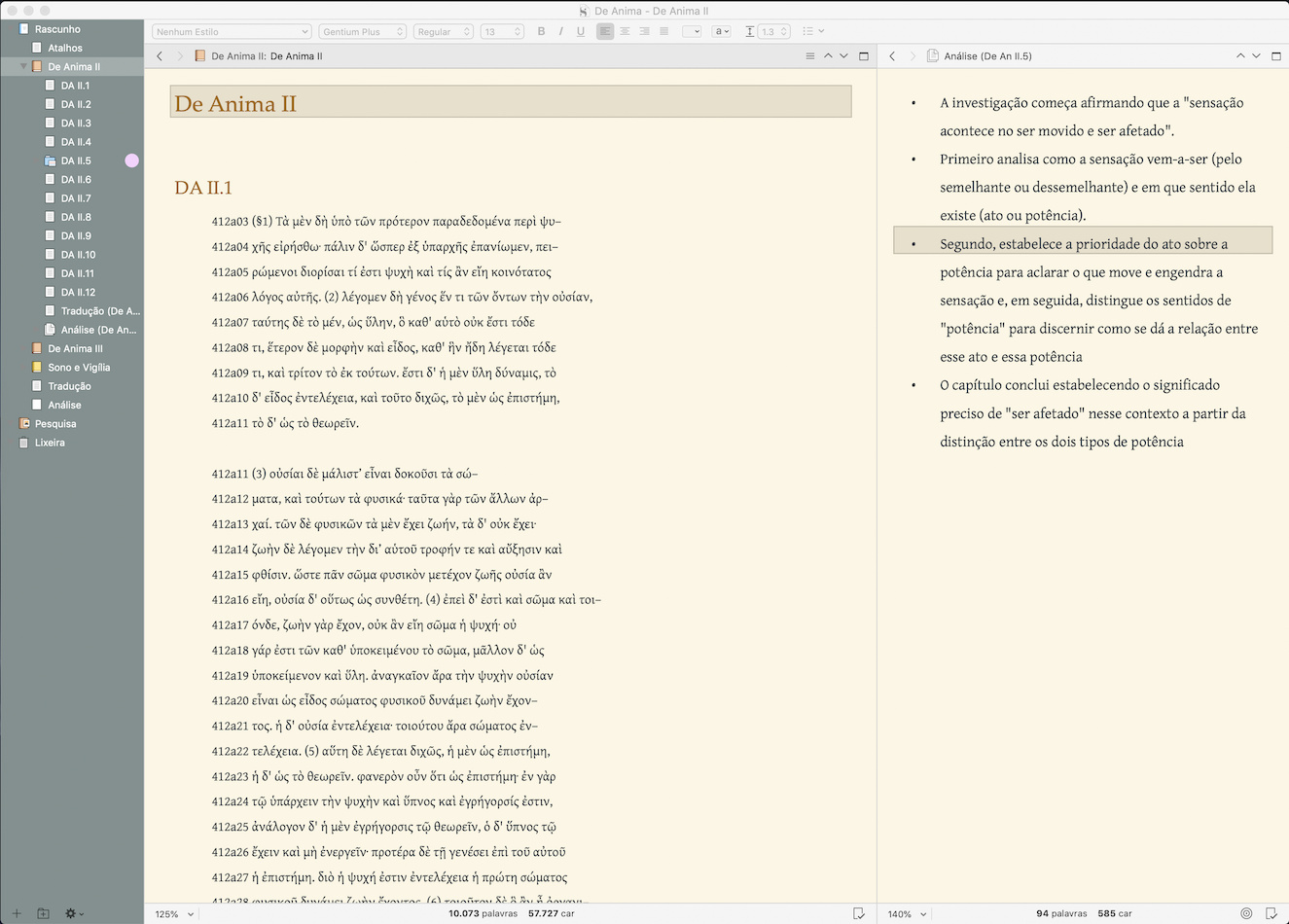
BVasc-Solarized-Scriv-Theme.stheme (98.2 KB)
1 Like
Muito obrigado! I’ve updated the theme list on the first page for both of these new themes.
Não há de quê, Amber!
Besides, I am the one who should be thanking you and the other for this beautiful software and neat community.
Have you studied any Portuguese or close enough languages?
Also, a quick question about your Ulysses template/pref.: do I have to type md markup and manually add a style over it? Or once I type word something should happen on its own?
Close enough language, you might say. I live in Galicia, so I’m learning galego, more the rough and functional sort by immersion than study, but yes. It’s a lovely language; sounding quite similar to Brazilian (just don’t ask me to fathom a single word south of Porto!  ).
).
In the Ulysses template, you have to apply the style if you want text to look like that. Scrivener does not have format triggers, like many plain-text editors do (it’s a little expensive and difficult to do that in something more resembling a word processor). Personally I do a little Style+Markdown myself, though rarely for anything like bold or italics. I have a style I use for lists that adds a little hanging indent, so that individual list items are easier to recognise at a glance—stuff like that.
I don’t expect people to use those styles, but I put them in so that the colour palette used for them would be accessible.
Galícia?! This even better than I thought. Indeed, it is almost the same as portuguese and, in particular, brazilian portuguese. To me in particular it is a joy to hear the gallegos speaking. South of Porto I am not sure that they understand themselves and, at times, I find it hard not to laugh hearing some of my Portuguese friends speak (soo hard that it can be even for us to make up what they are saying).
Thank you for clearing that up. I thought I might be missing something. My workaround was using Keyboard Maestro to activate and de-activate the styles (I don’t keep the markup, by the way, I just use it to activate and de-activate the styles. It auto-deletes it as soon as I type it). With this setup I get to use standard markup to write (* item, bold, italic, [^foot], # Header, and so forth).
I love using Solarized themes, but I’ve had two problems with them:
- The Scrivener Solarized Light theme starts with base3 as the editor background, which provides too much contrast with no-colour (i.e., black) text.
- The base Solarized palette, once it moves darker than base2, contains all cool greys. They have too much blue in them for me to be comfortable with using the Scrivener Solarized Dark theme. In the rare case that I’m using this, I’m working late and would like to avoid exposure to blue light (even with Night Shift on, it still looks very blue.)
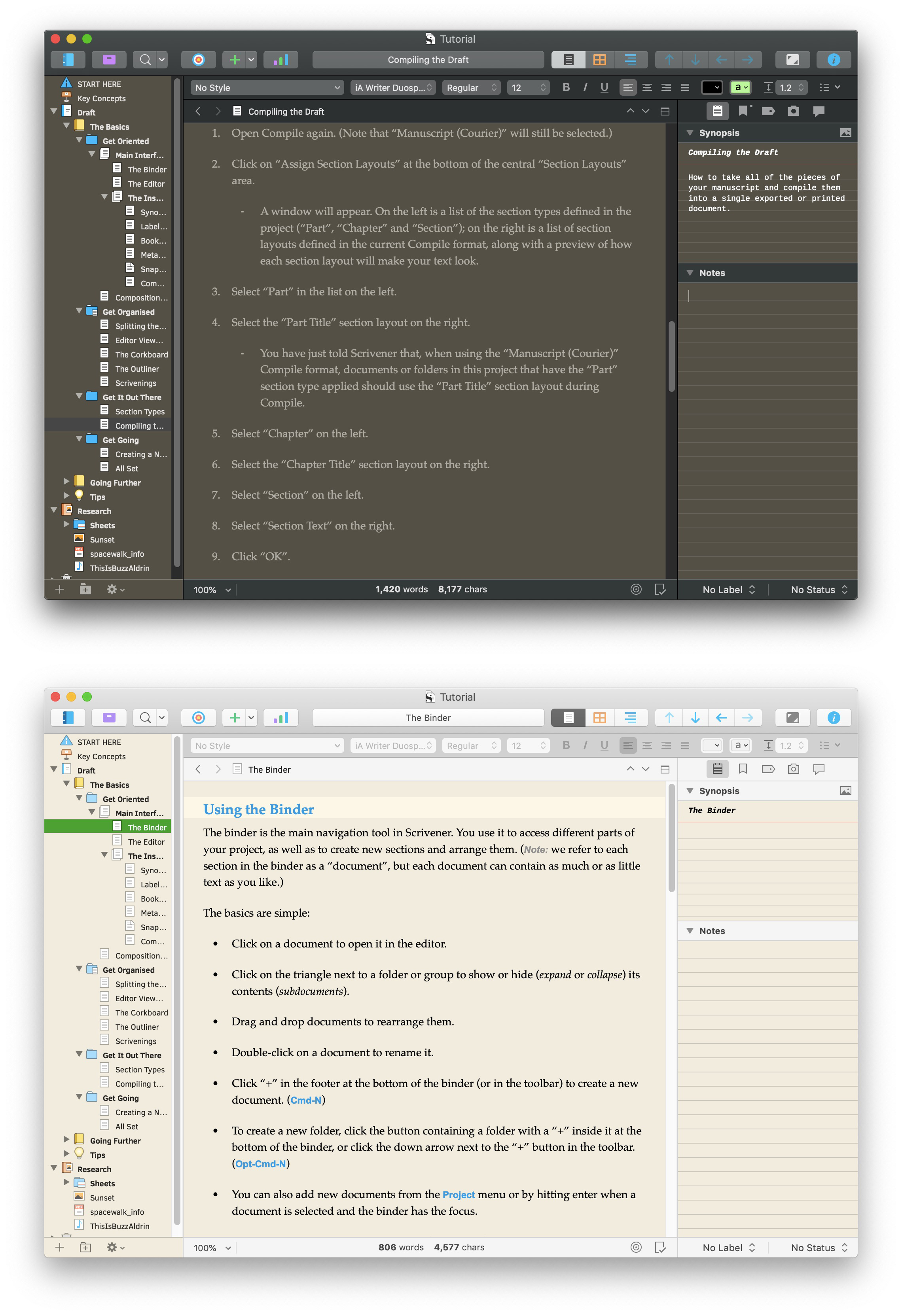
So here are my Solar Warmth Dark, and Solar Warmth Light themes! I’ve stepped down contrast between editor backgrounds and text, and developed a palette of dark warm greys to avoid the blue light problem. (For the squeamish, I’ve left out fonts.  )
)
Enjoy!
Solar Warmth Light.stheme (45.4 KB) Solar Warmth Dark.stheme (40.7 KB)
2 Likes
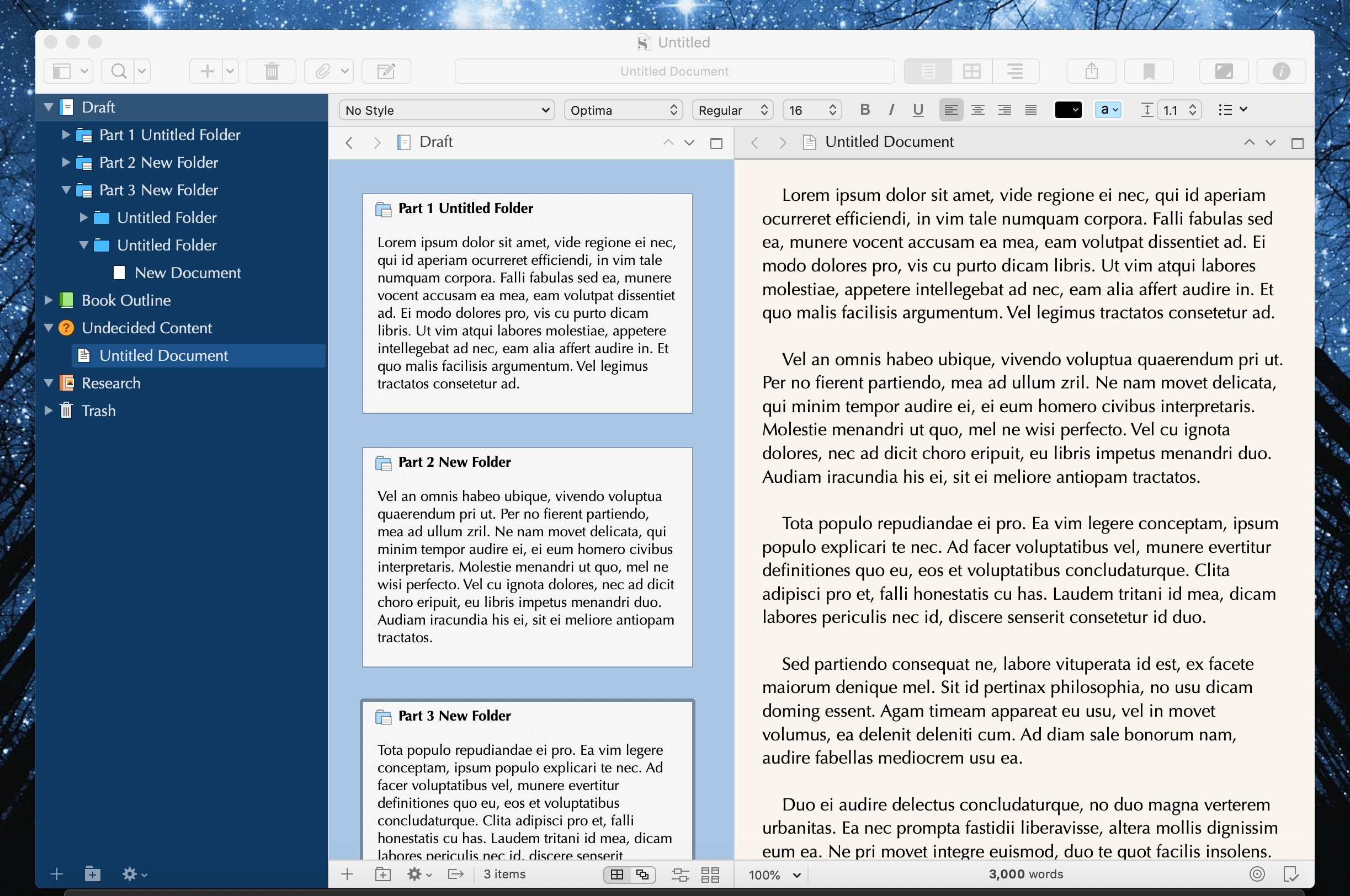
This is a little number I have been working on for a while now. I might update it a few more times yet, as I occasionally come across areas of the UI rarely used that need to be fixed, but I think the basics are all covered the way I would like to see them.
Rose Madder is at once a tribute to the Stephen King novel (which I do not even recall if I particularly enjoyed, but I always liked the name), and to a few colour palettes I have been playing with, for iTerm and Sublime Text. It is very loosely based on the Paraíso theme created by Jan T. Sott, which is in turn inspired by the artwork of Rubens LP.
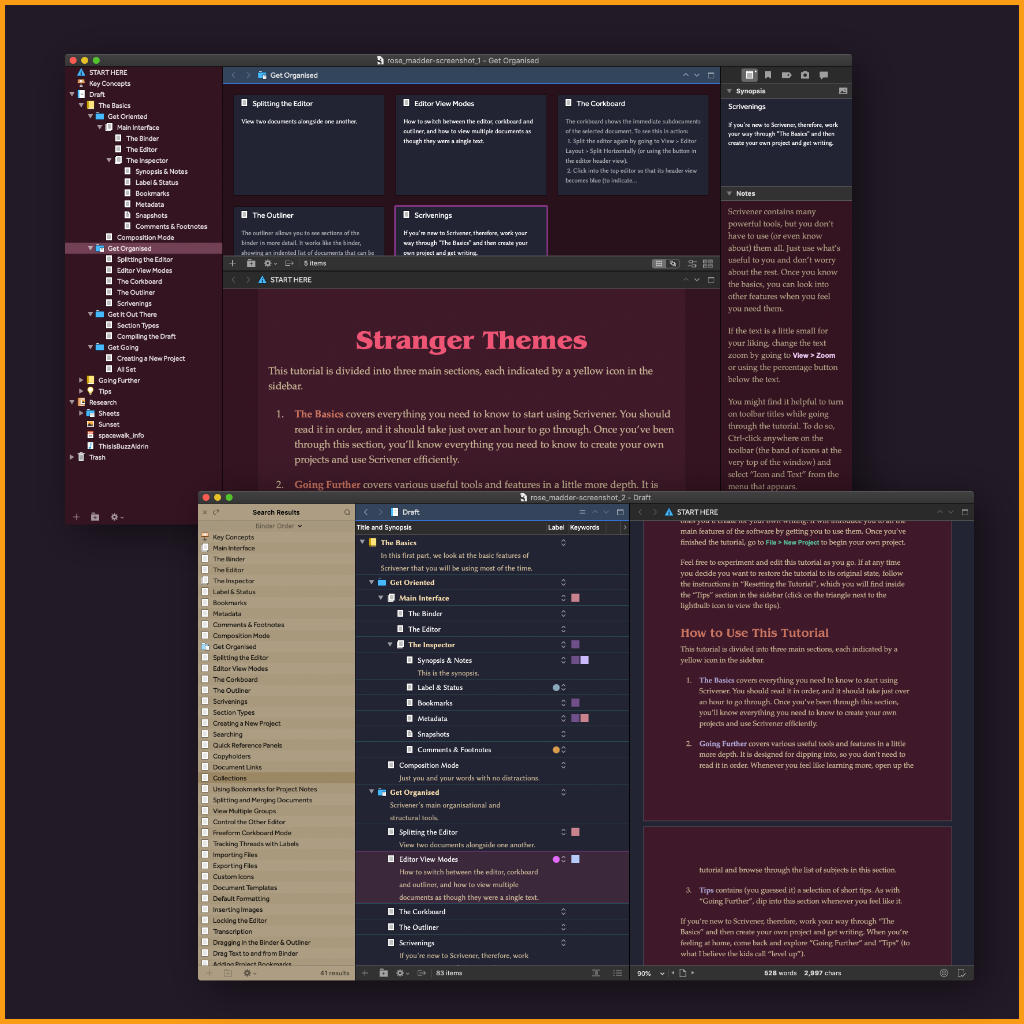
It is a theme designed for Dark Mode alone (sorry, but I rarely use Scrivener any other way these days), and can be downloaded here.
The .zip file also includes the macOS .clr file. Drop this into your ~/Library/Colors folder if you would like to mix things up a bit, but stick with the same basic palette.
Updates
- I’ve fixed a few areas I had missed.
- The CLR file now includes a few accents, meant to be used in styles to indicate different types of text. I think they look best with the Appearance: Main Editor: Colors: Text setting to “Show colored text as-is”; bold colours seem to work well with this theme.
- Index card stamp colour brightened.
Amber,
Thanks for this. I intend to try it as soon as 1.) I purchase Scrivener 3 for Windows and 2.) get it running under Wine. (Installing is a snap; tweaking the UI gets complicated.)
I’m with you about “Rose Madder”. I think I recall a plot element or two, but…
I recently reread “'Salem’s Lot” and it’s interesting how King’s writing seems to have improved. Gives me hope for my own.
Again, thanks,
Is this a Mac only theme?
Yes, as noted in the first post, these are Mac-only themes. I’ll be starting a separate thread (and renaming this one) once the beta is out of beta, since the formats are not shared. That will make for easier browsing than having to squint through descriptions looking for mentions of platforms.
Thanks all, for these. Much appreciated.
Oh, poop!
Guess I didn’t squint hard enough. Still… that theme looks amazing.
I’ll try to recreate most of my themes, once the beta is closer to done. We’ll need something to start the new thread off with, anyway. 
Thanks,
M
I’m back at it with another theme! This time, it’s a Midnight Blue dark mode look that I love.

It’s available as a free download resource for subscribers.
Here’s more information on how to get it: greyzonepages.com/2019/07/28/sc … -resource/.
And if you want my blush theme too, here you go! They’re installed the same way. greyzonepages.com/2018/12/20/sc … -resource/
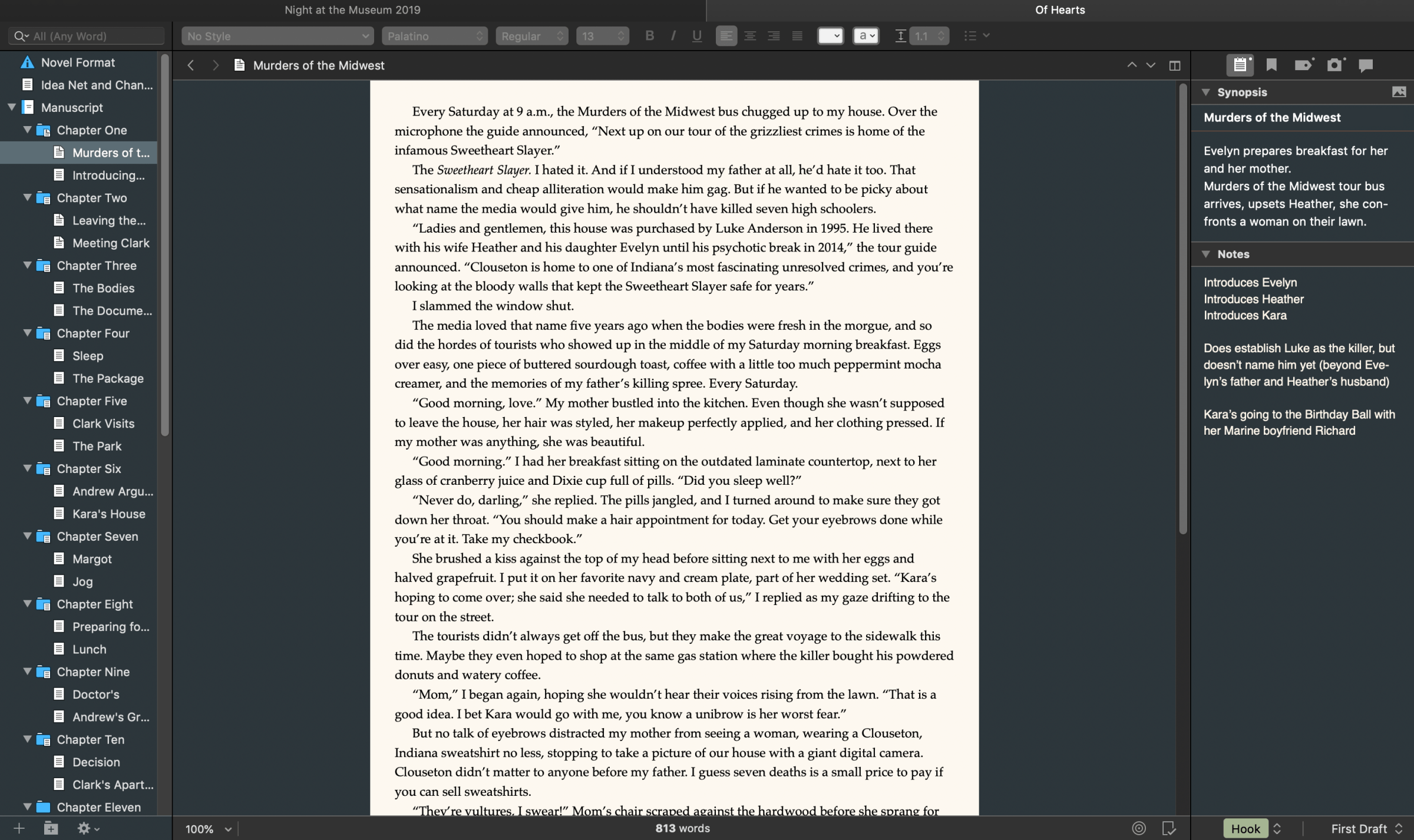
I’m back with another free theme, this time a slate blue! Feel free to check it out here: greyzonepages.com/2019/09/19/sl … -resource/

Thanks! I had to add a category for you in the theme index section.
1 Like