After going to macOS Tahoe whenever I open Scapple, it crashes if I have opned the Scrivener and Scapple window. Immediately after going from Scapple window to Scrivener window Scapple crashes. Is there some fix or is this known bug.
Which version of Scrivener and which version of Scapple?

Mark
Welcome to the Scrivener forum …
Specifically, what version (number) of macOS, Scrivener, and Scapple do you have?
I searched this forum for “Tahoe” and didn’t find many reports of crashes. Perhaps you can take a look and see if you see anything similar to what you see.
Knowing of all the reports world-wide of early Tahoe issues, no surprise there may be a few issues and perhaps with L&L products. Conflicts of Liquid Glass mentioned–so perhaps turn that off? Others may have suggestions.
Scrivener version 3.5
I can not retrieve the information of Scapple because it immediately crashes when I am trying to clik about scapple 
Go to your Applications folder, select Scapple then scroll down the pane with the icon. The version will be shown at the bottom.
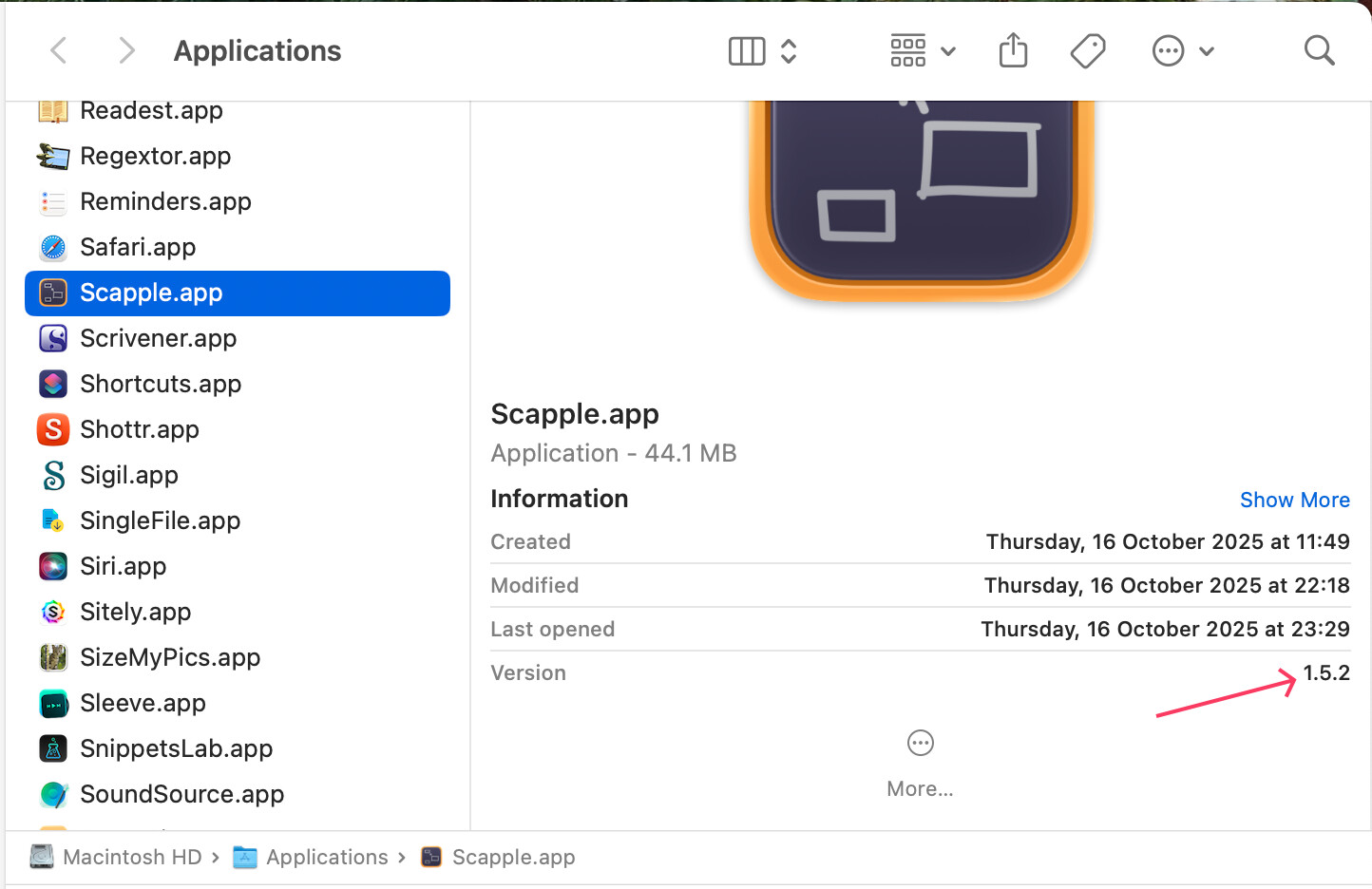
Alternatively, simply go to the Literature & Latte website, download the latest version and install it. My guess is you haven’t updated it to a MacOS 26 compatible version.
Mark
2 Likes
Thanx. I downloaded from some other support page version 1.5.2 which seem to be the last. I bought the app in the Appstore where there was no update for 7 months. It is more stable, but still crashes.
There were multiple crashing bugs fixed in 1.5.2 (such as launching a board straight into Full Screen). Unfortunately getting this version to the App Store has proven difficult as it was coded, and we’re having to roll back to an older mechanism for how it handles receipts. It will be updated for 1.5.3, which fixes one new crash (which you might be referring to), and will otherwise largely just be an update to get it on the MAS finally.
2 Likes