Reworking my novel on Scrivener. I’m able to compile and it looks good, except that my Part Titles and Chapter Titles do not pass to the compilation. Any help would be appreciated.
Assign Section Types
If you have separate folders or files for Part and Chapter Titles, each should be assigned its own Section Type, e.g., a Part Section Type and a Chapter Titles Section Type. Check in the Inspector > General Metadata Tab to do this. Also, tick the Include in Compile tick box on the same tab.
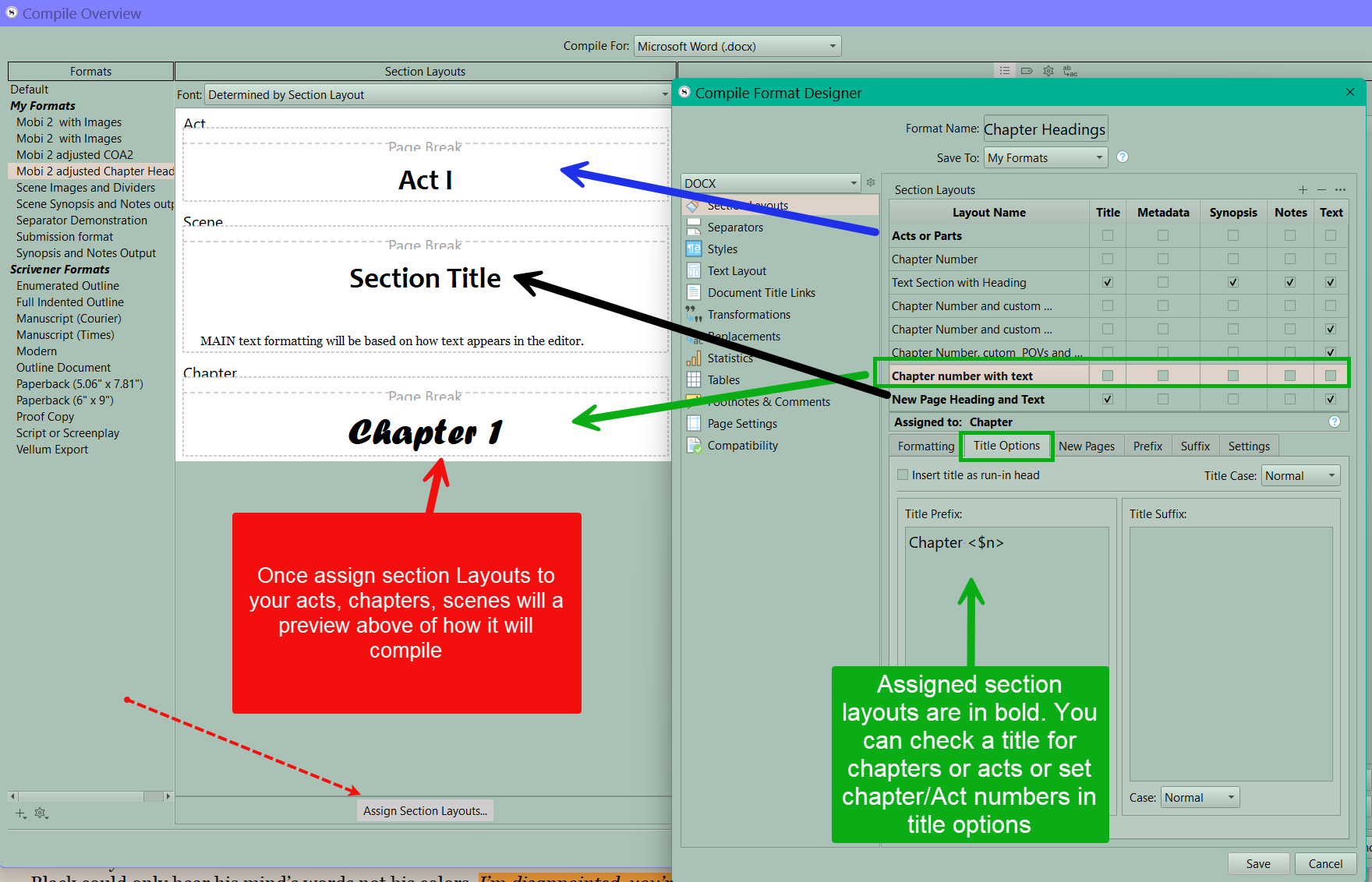
Format Section Layouts
Then, whatever you have a Section Type for should have a defined format, even if it is As Is in Compile Format Designer, e.g., Part Section Layout and Chapter Header Section Layout.
Assign Section Layouts
Once the design is complete, click Assign Section Layouts on the opening Compile screen, then assign each Section Type to a corresponding Section Layout.
When done. Compile.
I think the bane of confusion for many users is that these features are scattered throughout Scrivener, yet are so interdependent.
Personally, I’d prefer if they were compacted into a tabbed menu as (1) Types | (2) Layouts | (3) Assignment | (4) Compile. Though I understand that Section Types are integral to the structuring of your Binder and have nothing to do with compiling until you actually need to compile, it wouldn’t hurt to have the Section Type replicated in the manner I suggested.