I have seen various answers to this, so would like to confirm. On iOS/iPadOS, are there multiple ways to designate which documents to compile?
“Inspector - Document Settings” has the option: “Include in Compile”
Is this the only way on iOS and iPadOS to designate documents to compile? Is it possible, for example, to include a document in a compile by using a particular heading format, or by marking the document you want included in the compile in some other way?
The idea is which documents to include could often change and it is somewhat burdensome to have to go into the Document Settings for each to set the toggle.
At present, this is the only method to alter what documents are included in a mobile compile. With a caveat.
NOTE: If you sync your changes and then open on Scrivener proper, you can go to compile, select in the usual way, back out, save, sync, switch back to mobile and after syncing it will having the compile bit set the way you did it on Scrivener. You do not need to actually compile anything, just adjust the settings and save.
CAVEAT: There is a mobile only shortcut for compiling just a cluster of binder tree items.
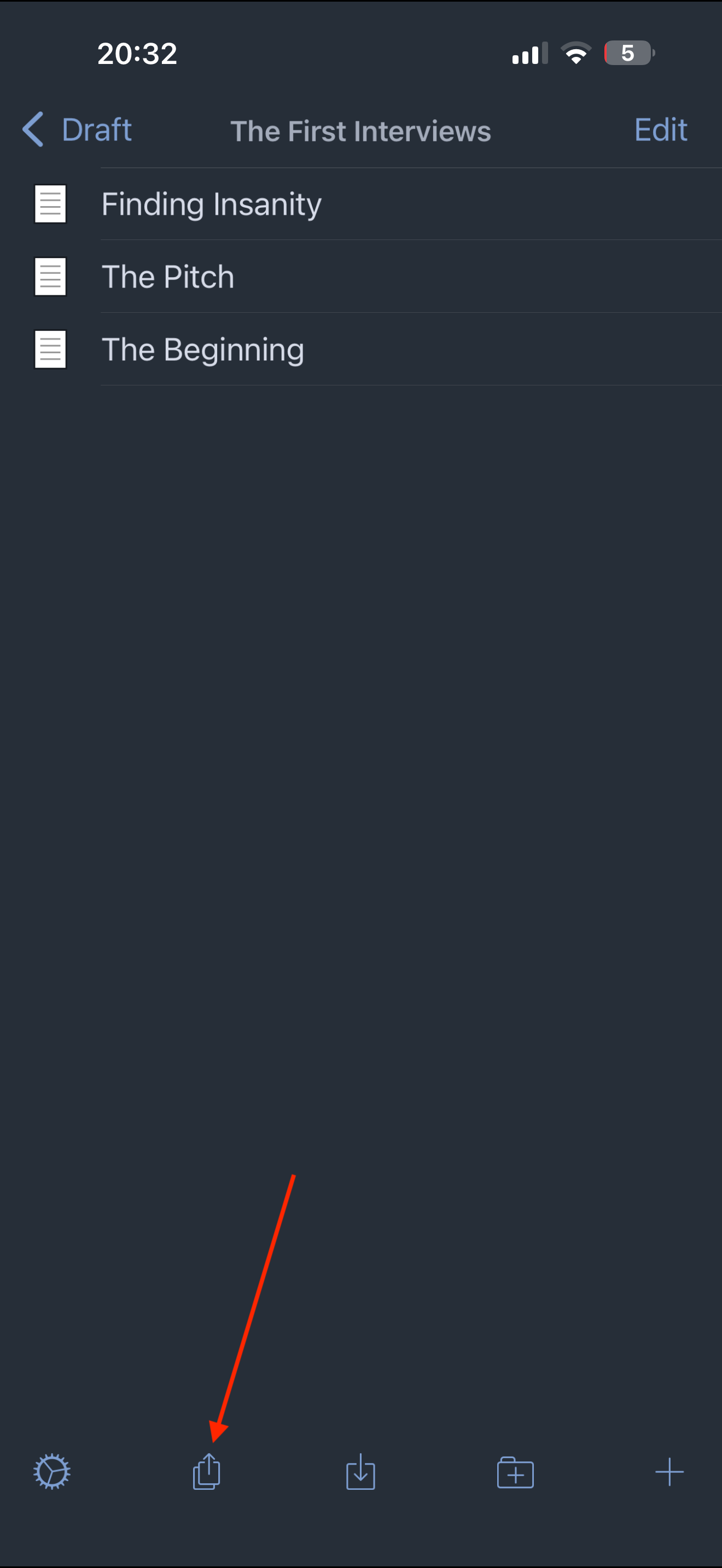
If you select a binder node on mobile, you can use the ‘export’ icon:
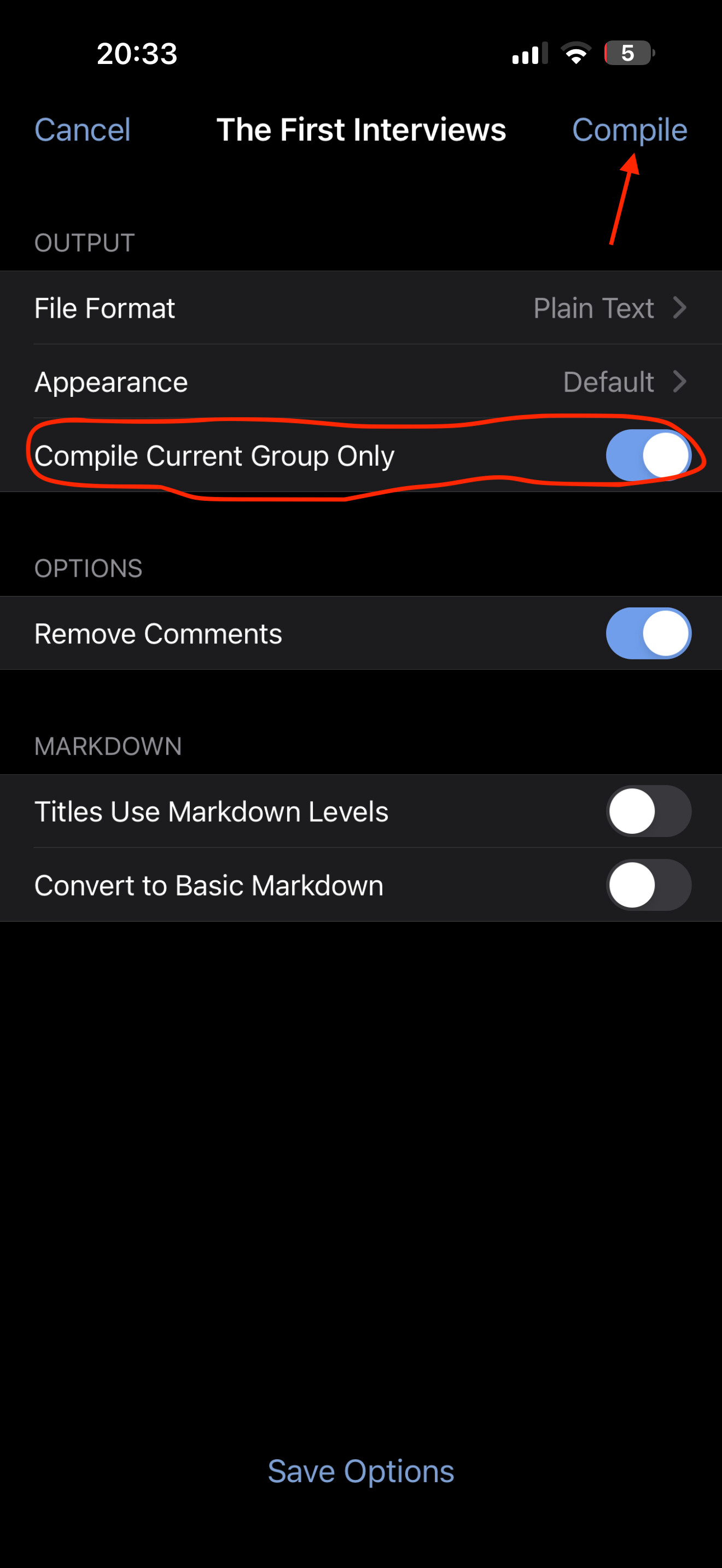
If the circled toggle is on, then you can compile…. EVERYTHING THAT HAS THE COMPILE BIT SET in this folder structure any nothing else.
So if I had not set any of the three scenes in the first screenshot to compile, then the resulting document would be zero bytes. However, had I set the compile bit on everything in the binder, and only wanted those three scenes (and anything under them) then this would be how you would do that on mobile without going through the massive work of going into each and every entity, tapping the ‘i’ icon, toggle “include with compile” and backing out, rinse&repeat through your whole binder.
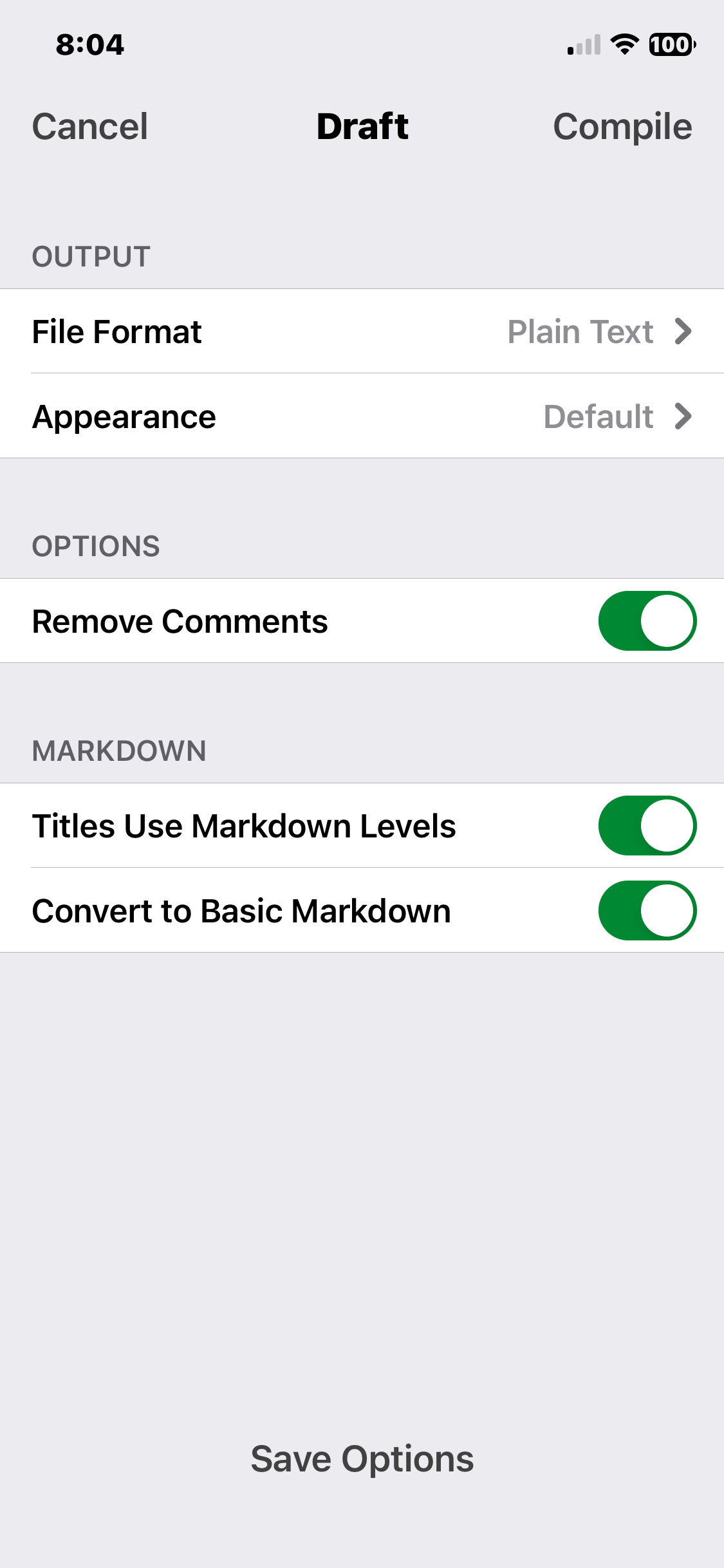
@Dain Uh oh. I just had a chance to take a look. It appears that I do not have that option on mobile to.. “Compile Current Group Only”. Would you have any idea why I don’t have that option?
I’m using the same version as you, but you are in the top level of the binder “Draft”. You need to drill down into the sub-folders from Draft (or whatever you renamed the top nod of the binder to) to be presented the option to compile only the current group.
Got it! Thank you, Thank you, Thank you. Really appreciate the time you have given and the answers you provided which, as you know, make Compile on mobile so much easier. Thank you Dain!