I have italics in my draft documents. I have tried compiling and your manuscript format converts italics to underlines. I duplicated and edited the manuscript format and checked the Transformations and Convert Italics to Underlines is NOT checked. I saved and used my copied format but the output still has my italics as underlines. You must see that this is a non-negotiable issue and negates the reason I bought Scrivener (to make formatting for publish easy) .
Late but came in to say it happens to me too, with Courier, but not with any other font so far.
That’s true. Courier doesn’t have Italics.
1 Like
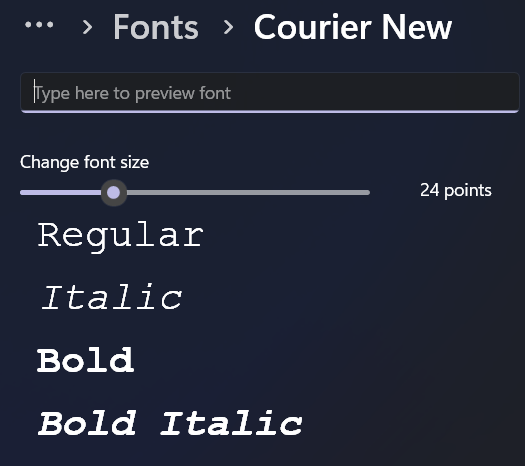
Courier New, included in Windows, has italics:
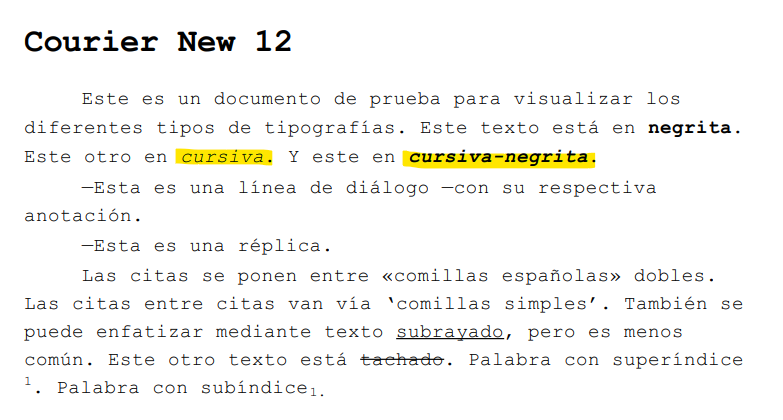
Here’s a text compiled with Courier New:
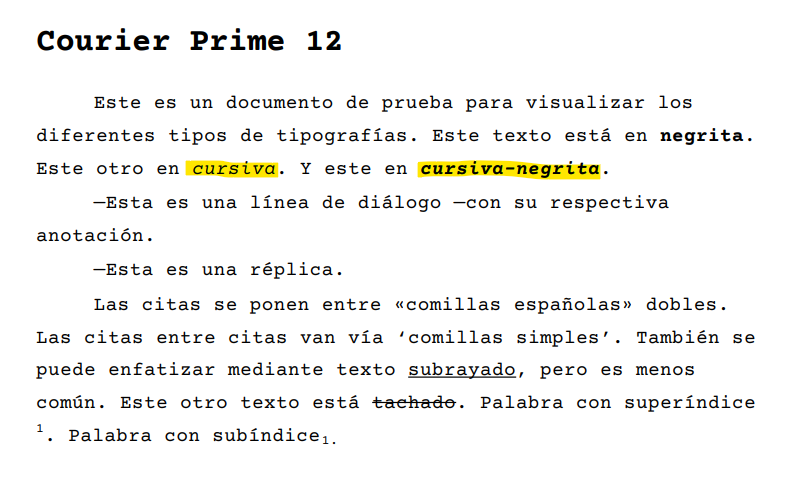
Courier Prime, included with Scrivener, also has italics. Here’s a text compiled with Courier Prime:
Here’s a comparison between several Courier fonts, including the original IBM one.
Courier, per se, does not have true italics. Certain writing apps, such as Word, can create pseudo-italics with it via software-generated oblique rendering. It’s true, though, that other versions of Courier do have built-in oblique fonts to create an italic font of sorts. For example, Courier New, Courier Prime, Courier Final Draft (which I use), and Courier Screenplay have such italics built in.
Only the good folks who develop Scrivener can tell us why selecting, say, Courier Final Draft or perhaps other versions of Courier will compile italics as underlined text. I have made the educated guess that when selecting a Courier font in Scrivener for compiling, and certainly Courier Final Draft, which I use, it is mimicking typing with a typewriter. Except for some of the more expensive electric typewriters that emerged in the late sixties that enabled us to switch out the letters on keys (I owned a Sears electric typewriter that did this), we writers back in the day indicated Italics by underlining the text. In journalism, for example, a typesetter entering text into a linotype machine would see the underlined text in a reporter’s copy and know to select italicized versions of the type when creating galleys for pasteup. It was the same for book manuscripts.
I could well be wrong, of course. There could be another explanation as to why Scrivener renders italics as underlined text in certain cases. If so, I’d enjoy learning more.
2 Likes
Do you have a font named simply Courier in your Windows install?  Can’t find it in mine, so can’t reproduce the problem the OP is having.
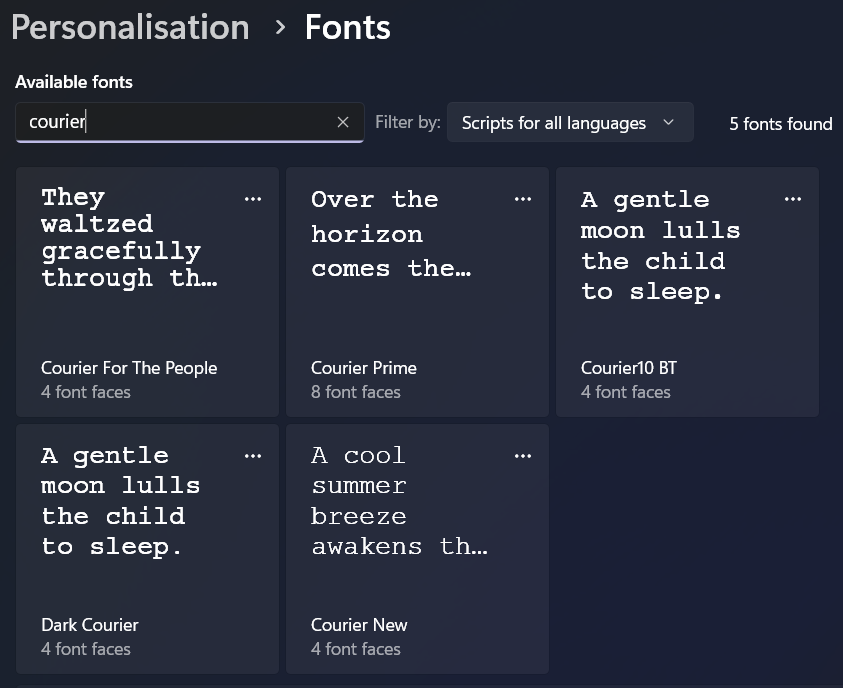
I don’t. Here are the Courier fonts I have:

FYI, the behavior reported, where the compile renders italics as underlined text, occurs for me when I use the Courier Final Draft font provided with the Final Draft app. As I like the underlined text whenever I use a Courier font, I never tested the other Courier font versions to see if they, too, render italics as underlined text.
Perhaps @kahaleohu could send you the Courier font being used, for testing purposes.
It’s occurred to me that we’re speculating that the behavior relates to the Courier font being used. Perhaps the development team could weigh in here. 
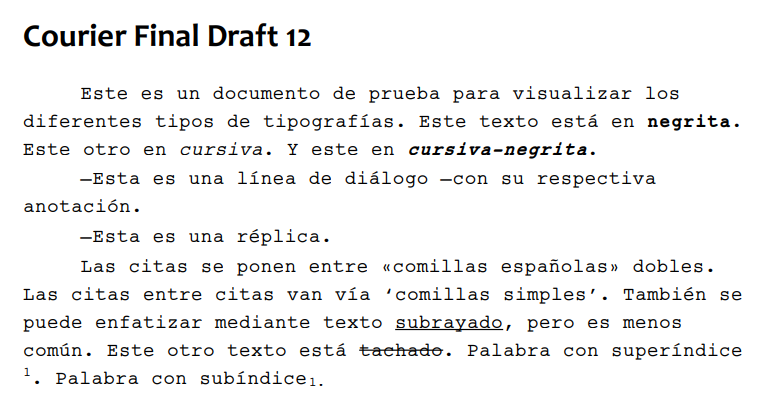
My apologies. Let me back up.
My compile settings are set to Courier New:
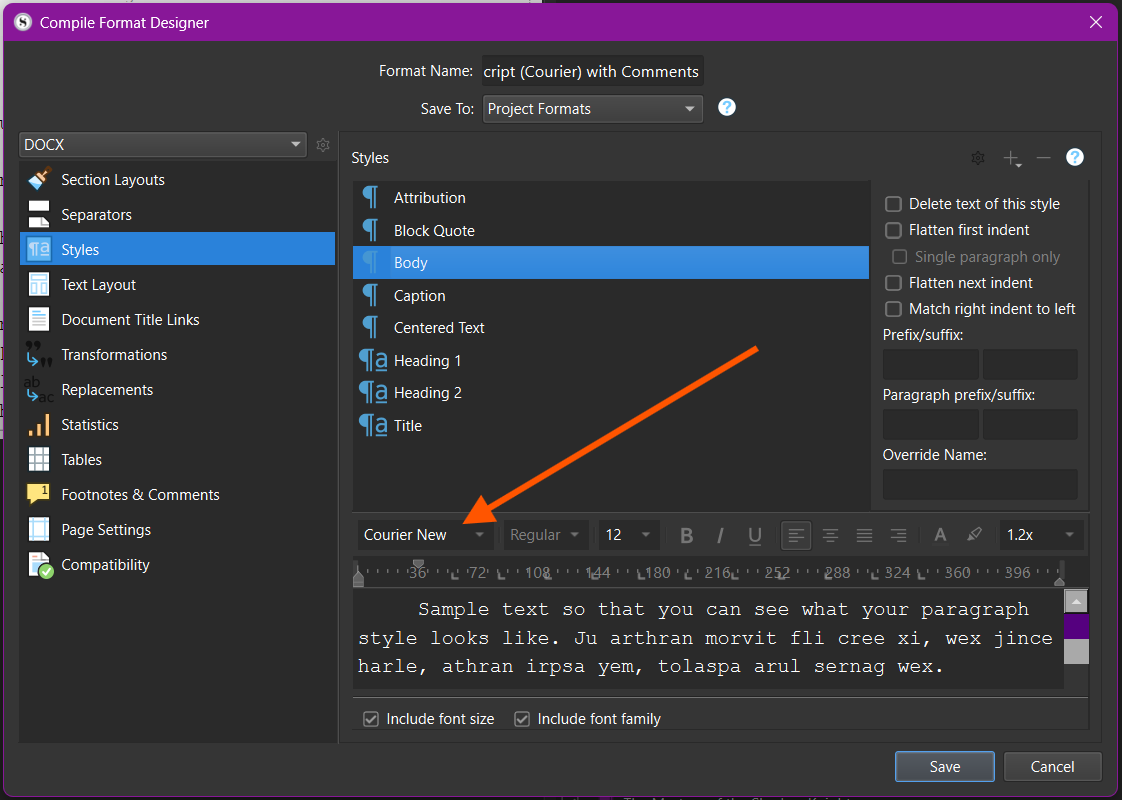
It produces a .docx document in Courier New, with underlined text in lieu of the italized text I set in the editing window:

What I had forgotten is that once I open it in Word, I use Word to change the font to Courier Final Draft. But that doesn’t matter, as the text was rendered with underlined text in lieu of italics in Scrivener’s compile. Sorry about that.
I understand you can change that here, unchecking the corresponding option:
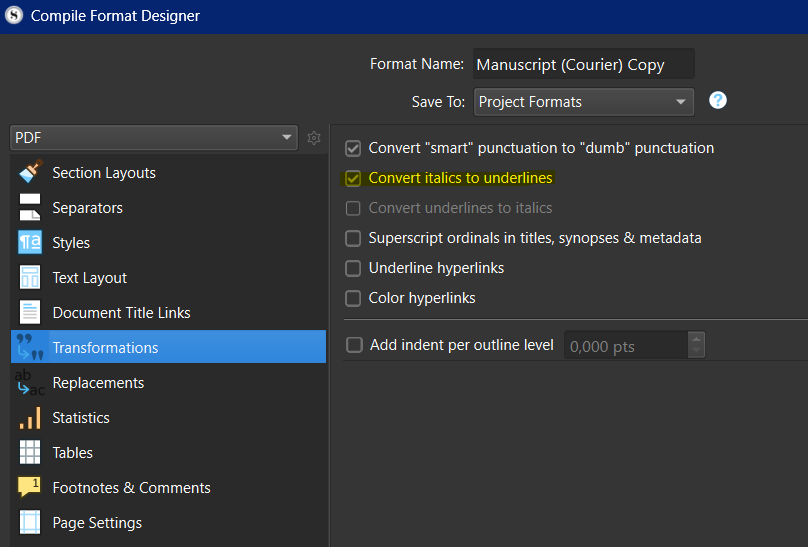
This option is checked by default on the Manuscript (Courier) format, which you seem to have used as a basis to build your own.
2 Likes
Yes, indeed. My settings are identical to your screenshot. That explains why the Courier template default uses an underline for italics. As I was quite happy with the underline in lieu of italics when using the Courier template, I never thought to check the settings. But this does seem to be the default setting to change for anyone wishing to have the italics as italics when compiling.
My thinking that perhaps the chosen Courier font lacked italics was a false trail.
I’ve learned something. I hope this helps our colleagues who have struggled with this.
3 Likes
It was just the Manusript (Courier) that came out of the box with the download. I love it actually, but it balloons my page count and I have foreign words in my MS so I need the italics. Iʻm not sure how acceptable underlines are when querying.
1 Like
Wow thank you. This totally worked. I also needed to modify my quotes as needed.
1 Like
Mine were as shown above too and Iʻve since made a copy and edited it. Thanks.