When i opened Scrivener i noticed the file name was C:\Users\user\Documents\Scriv Backups\Backup.scriv - Scrivener dated 4 Dec 2025. When i opened the project file it was dated 2 Dec 2025 (the day i purchased Scrivener after the trial) and saved in C:\Users\user\Documents\Project name.scriv - Scrivener and it is missing 2 days work.
I am hesitant to do anything with the backup (which seem to be stores under apps and which i cannot find in File Explorer).
Do i keep using the file that opened, and seems to contain all my work and simply rename it? And how can i prevent this reoccurring?
A backup is technically just a project. They can be loaded like any other projects.
This said, NO, at this point you do not want to work on your backup.
And, you most likely loaded it yourself, by pointing at it. Scrivener wouldn’t reopen the backup of a project on its own – it simply has no programmed reason to do so.
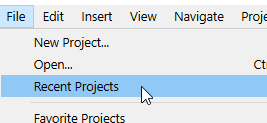
In Scrivener, look for the recent project list ; your project will be listed in there. Your backup will be listed too, now that you’ve loaded it. It’ll have the same name. Pick the right one. Load the second occurence of your project starting from the top. And if that ain’t the right one, pick the other. (Note that the order changes slightly each time you load a new project – it moves to the top of the list. So pick the second one, just the same, one more time – or the third one, if you saved as, to a different location, at some point.)
I appreciate your reply, this is very helpful. I am on a steep learning curve with Scrivener at present. When the program opens, it just appears apparently as I left it, even though I have clicked exit under File. I think I tried Backup as: … so perhaps that was left on the screen.
This time I have two versions open. Backup, and in a separate Window the original project Project Name(missing 2 days work).
I tried your suggestion and clicked on File Recent Projects in the first version that opened. That showed Project Name at top, then Backup (checked) The second version shows at top Project Name (checked) then Backup. As though my project is now called Backup.
In my File Explorer File “Scrivener Backups“ there exists a zipped backup of the right date, and is called Backup. The version in a separate File Explorer File called “Scriv Backups“ has a zipped file called Project Name but dated two days earlier, therefore missing my two days work. It seems I have been working in the Backup for two days. In File Explorer, there is a file called Backup.scrivx 4 Dec 2025 Type = Scrivener Project. I wonder if I used Backup As incorrectly and renamed Project Name to Backup. If so, can I rename this file (as it is already a scrivener project) and keep it as the main project (with a different name)?
Apologies for asking what may seem obvious. I’ve crammed very hard during the trial and have been very productive in Importing and using the many excellent outliner features (which have increased output and analysis of scene placement dramatically), but this has alarmed me and I wanted an expert’s advice before proceeding.
As Backup seems to be the new name of my work and is described under Type as a Scrivener Project, is it reasonable to rename this and use it instead of the original (which just had a Working title)?
Yes. It would be the thing to do. But first make sure it ain’t missing files and stuff you would’ve typed/added over the course of the last two days.
⮚ You’ll want to get rid of the other versions of the same-ish name after a while, once you’ve confirmed you want this as your working version, to avoid mistakes.
Use File / save as, to rename your project. Or: close scrivener, rename the project folder, then double click the project file in it, it’ll rename itself to the project folder’s name. That would avoid a useless clone of that project. [Windows]
. . . . . .
Make sure that your backups are set to be zipped, in the options, as I explained earlier.
P.S. Your backups being named “Backup” is a bit weird to me. I am not sure I really understand that bit.
This is excellent. I think I have used Save As in Word when saving files externally and unfortunately failed to realize Scrivener’s different requirement. Yes, the backup option is set to zipped - and has already created zipped backups.
Thank you for the File / save as tip to rename the present version of my project. It looks to have everything inside, including some great inspirational character photos that were fun to find and a challenge to Import - but got there in the end!!
Really appreciate your time and great suggestions.
Be carefull with Save as. It can lead to mistakes. Like: working on the wrong version of a project for a while. You do not want to accumulate clones of a project.
The alternative I described in my previous post would be better in your current case.
Yes, this makes total sense, an important lesson learned.
I checked under File Option / Backup and can see where Scrivener is storing everything zipped. It uses user\AppData\local etc. which I have been unable to find as AppData doesn’t show up in my File Explorer - except when tracking a file backward. I tried entering it manually and it picked up AppData\local\LitteratureAndLatte\Scrivener etc So, although not a fun experience, I’ve learned a workaround to find my Scrivener backups in future.
I have been using Scrivener intensively for a good couple of years, now ; and I am not even sure I used Save as twice. The less you do the better it is.
Ill-considered use of “Save As” is a very common cause of this sort of error.
If you want to make a backup copy of the project, do that, using the Backup To or Backup Now command. As noted, ZIPping your backups is additional insurance against this kind of issue.
The Save As command is appropriately used if you intend to keep working in the new copy it creates. For instance, you might use Save As to “clone” a project between the first draft and the second. Just make sure that you give the new copy a unique name so that you’ll know which version is which.
Thanks for your reply; good to read Save As is identified as a common cause of this error. A hard lesson learned that will never be forgotten. Using Save As to create a clone between drafts is a great idea. It will allow playing around with new ideas but leave the original unchanged.
I’m very impressed with what Scrivener can do. In the few days of use it has been a gamechanger.