Upper right search field disappeared. How do I get it back?
Windows or Mac and assume you mean upper left. Search is a toolbar icon. Look at View > Customize Toolbar and then Main toolbar, did you accidently remove it.
Or Under view menu did you unclick the toolbar by accident. Check the box and see if reappears.
Widen the project window?
You are on Windows, but on the Mac side, if the project window is narrowed down, the Search field in the toolbar will bow out to leave room for your toolbar icons.
1 Like
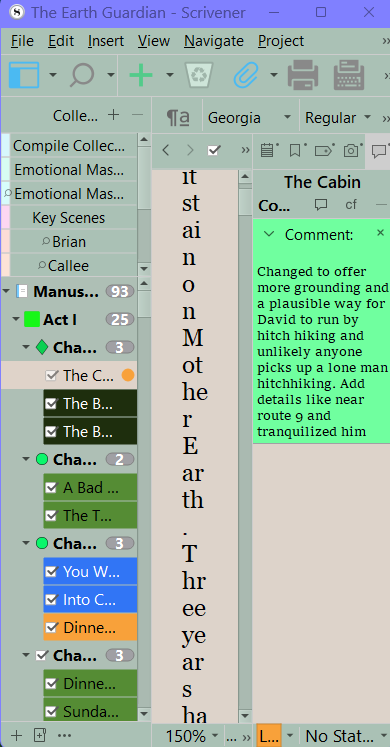
In my installation, there are two search fields on the toolbar. The one whose icon shows in your image is Project Search which results in a hit list in the binder area. The other search field (on the Mac side anyway) lives over the editor pane (roughly). That one bows out entirely when you scrunch the window up.
Oh your talking the quick search window. Does for me too, but you could customize the toolbar and move the quick search toolbar location to next to Project Search to avoid this issue if this was a major issue.
1 Like