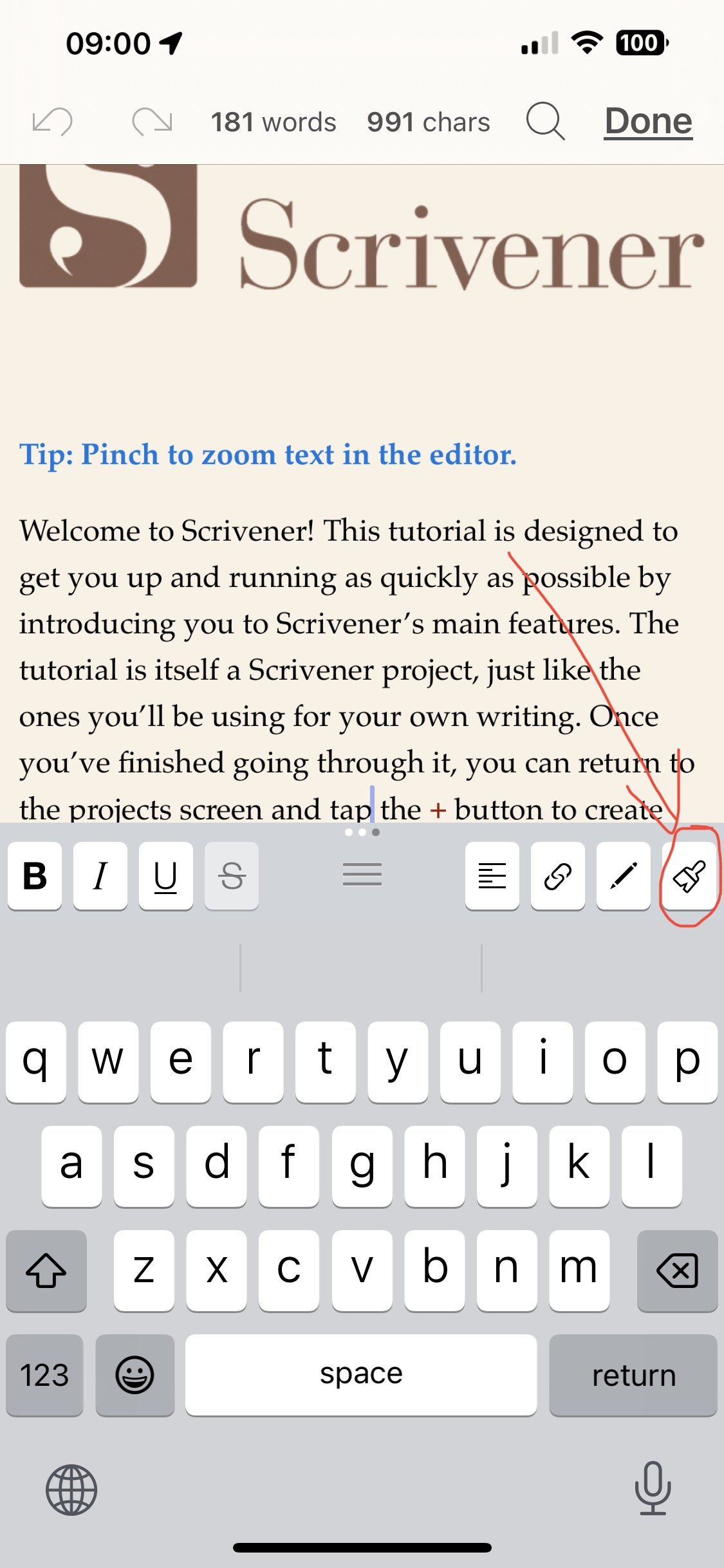
By default , it’s in the third extended keyboard row (see screenshot below.)
If you don’t have the extended keyboard showing at all, open the Settings app, tap Scrivener, tap Editor, and turn on Keyboard Row.
If you have the row showing, swipe right on it repeatedly until you’ve seen all three of the rows. Tap on the paintbrush when it appears.
If none of the 3 rows shows the paintbrush (not impossible—it’s easy to replace it with something else by mistake) then select an icon you’re not likely to use, long tap on it to bring up the list of possible icons, and tap on the paintbrush.
Hope this helps!