Reading on reddit about editing tips and mxevilknight on reddit suggested printing 7-10 pages of your WIP and highlighting various elements to look at their distribution in your work. Well with Scrivener, we don’t need to waste paper. This is my Scrivener version.
Editing Trick
This is a great trick for someone looking to level up their editing game. Take two to three scenes, then use four different highlight colors and highlight the text for:
One color for description, (default red)
One color for dialogue, (default yellow)
One for actions, (default green)
One for internals. (default blue)
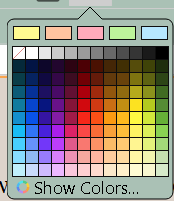
Using default colors makes it easy to shift colors as read the scenes. (could even highlight all the dialog first and if description inside dialog, or internal thoughts put that in the red highlight color to show you have two elements occurring at the same time.)
Using the default colors would be the easiest to switch between.
My initial thought is to duplicate several scenes and will see the scene with a -1, now use a dark red label (or color different from the novel), strip out the comments, inline highlights or annotations
View in scrivening mode and then highlight the different elements.
The goal in polishing your manuscript is to get a nice colorful page, with all four aspects represented, not big chunks of one color.
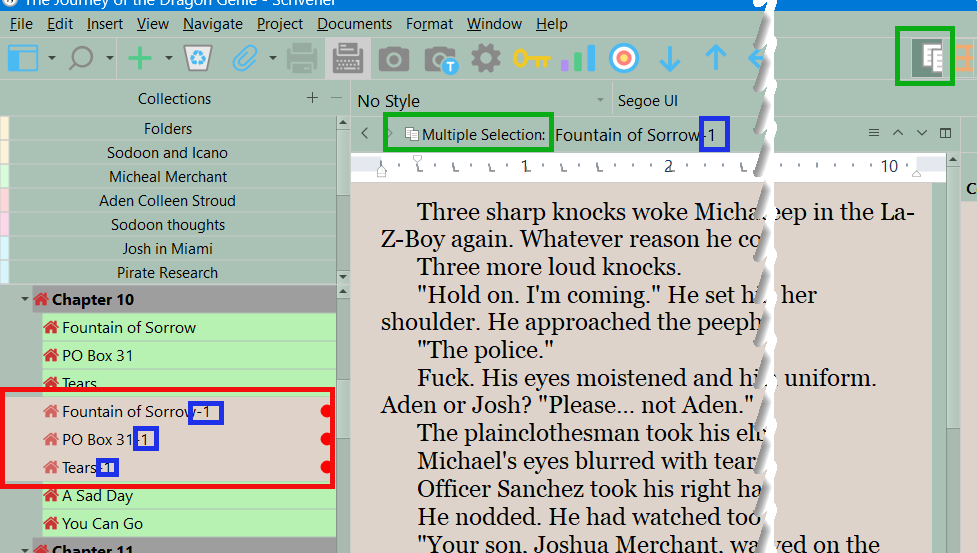
And when finished I would trash the duplicate scenes.
If anybody has tried something similar, what did you think? Was it helpful?