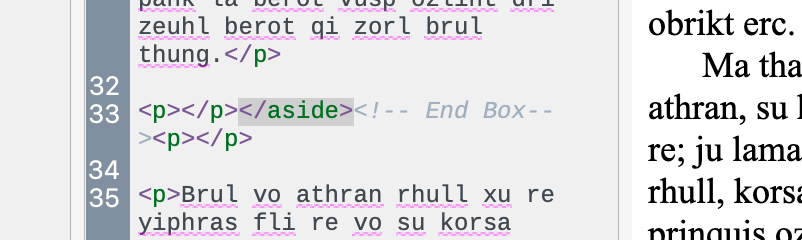
But now comes the real headscratcher: I copied the Call-Out style etc. over to my own project - only to discover that I do NOT get the extra p tags there, and that I therefore don’t need the above workaround.
I think I’ll just give up at this point
In any case, I now know how to create a call-out box. Thanks, @AmberV
Thanks for the update! That you were able to get it working by merely copying and pasting over to your main project suggests that perhaps the bug is being caused by something introduced by the Windows version that we cannot see; perhaps an invisible character or something. I’ll definitely take a look at that and see if I can get it working properly on both.
But now I see both tags. Very odd. Maybe the macOS 26.3 update that I installed yesterday has something to do with it?
Oh, that’s because I removed the carriage returns from these fields. Previously I had a newline at the beginning of the prefix—which is why you couldn’t see it as it was pushing it down below the height of the field—and then one after the suffix, to help space them out nicer in the HTML itself. As the MMD bug I referred to is related to extraneous newlines, I tried removing them to see if that would help. It didn’t, but I then decided for the sake of a demonstration of how to use Scrivener, it is better to have the fields more visually obvious, than a slight improvement in the spacing of elements within the HTML itself.
Glad you’ve got a functional starting point to work from, now.