@kenny_R, instead of changing the text to a specific color (black, white, whatever), consider removing the color entirely.
To do so, highlight the text and right-click:
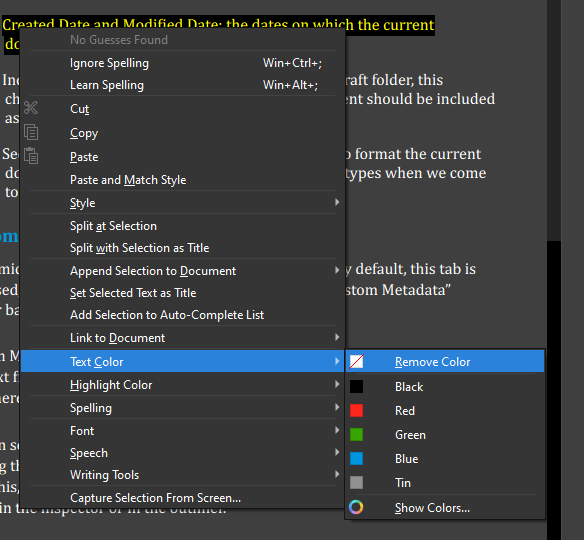
The advantage of this approach is that, when the text is not set to a specific color, Scrivener will automagically change the color to accommodate your theme.
But if you set the text to a specific color, this overrides Scrivener’s magic.
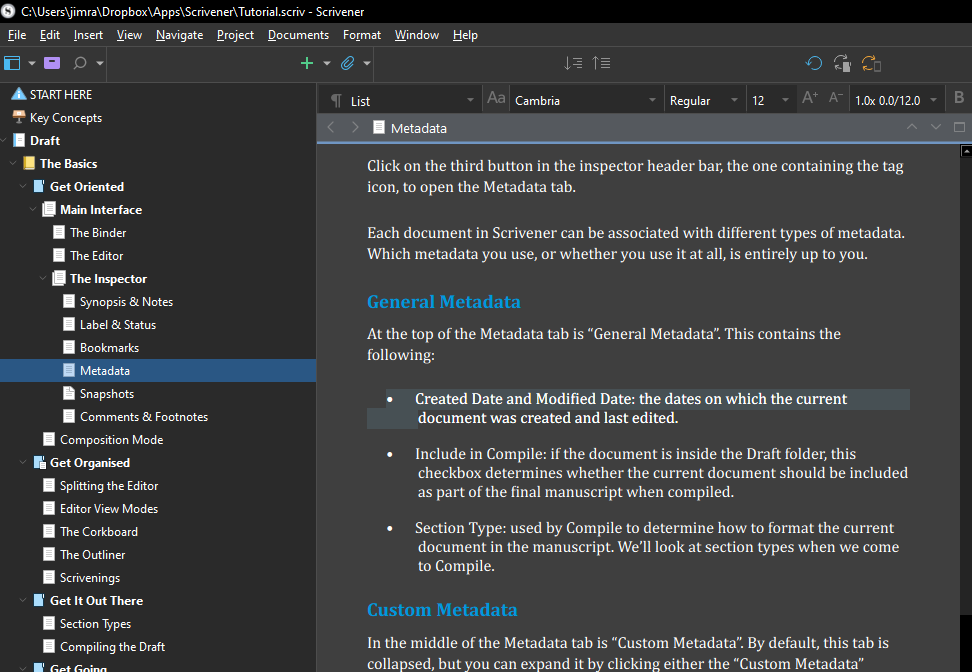
Here is the Tutorial project using the Dark theme - note the white text:
And here is the Tutorial project in the default theme - note that the text is now black:
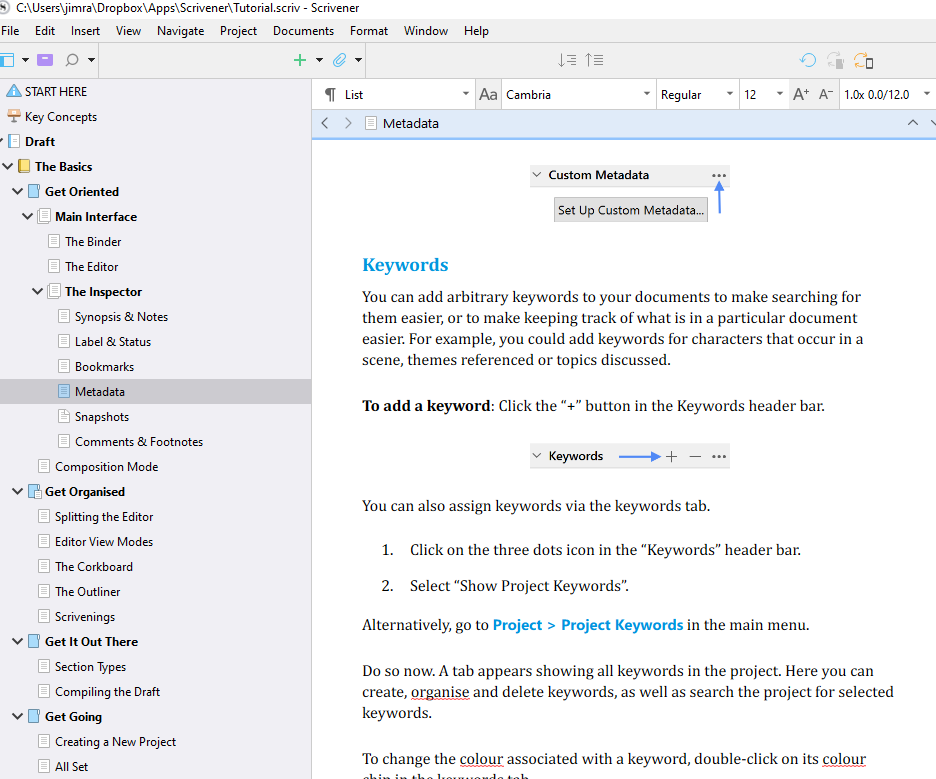
I didn’t change a thing with the text color–all I did was change the theme. Because the text is not set to a specific color, Scrivener changes the text color all by itself.
Best,
Jim