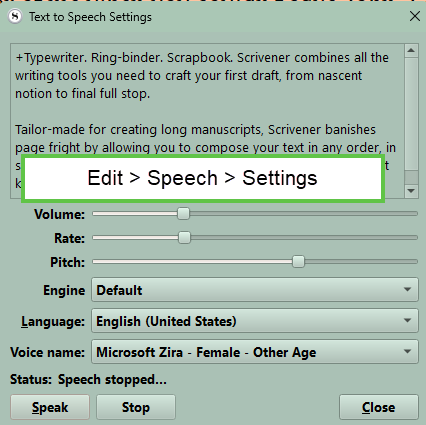
Hello I’m new to the world of writing, my typing is horrible and I rely on “speechnotes” to dictate and scrivener speech to review. when i played with the settings it stopped working. I don’t want to bounce back and forth to “Word” for review. please help
Hi

1 Like
Awesome that fixed it, is there any way to get a more natural voice?
Is there a better dictation function coming in the future?
1 Like
This (TTS) is from the OS, not from Scrivener. Scrivener only bridges to it.
So :

1 Like
Yes. If you have M365 installed. The downside if you’d need to access it in a Word compile of your Scrivener work. These more natural-sounding speaking voices are not accessible in Scrivener.