Hi folks,
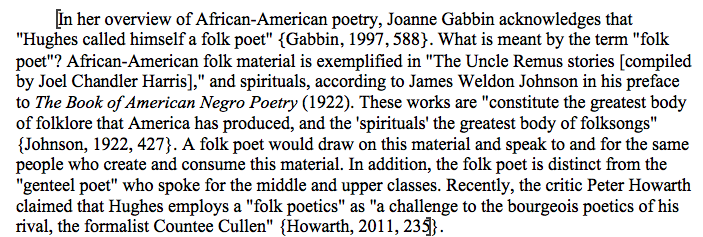
I looked for this issue on the forums but couldn’t find it. I’m exporting to rtf and then opening the file in MS Word. When I do I get thick brackets around paragraphs. I can give more detail, if necessary.
Thanks!
Dave
Hi folks,
I looked for this issue on the forums but couldn’t find it. I’m exporting to rtf and then opening the file in MS Word. When I do I get thick brackets around paragraphs. I can give more detail, if necessary.
Thanks!
Dave
Could you provide a screenshot of what you are seeing? That doesn’t ring any bells for me. The only thing that I am aware of that would insert square brackets into the manuscript is if you enable inline annotations in the Footnotes/Comments compile pane. By default it will enclose comments in brackets. However these would just be the normal bracket you can get by typing them in on the keyboard. I wouldn’t describe them as thick brackets around the all of the paragraphs.
To make a screenshot, just press Shift-Cmd-4 on your keyboard. The mouse will turn into a crosshair. Use that to draw a rectangle around the portion of the screen you wish to capture. This will create a file on the desktop that can be attached to a response.
If you have Word set up to show bookmarks, then Word will put square brackets around bookmarked text. These square brackets will not be printed. To turn them off, open Word’s preferences (Word > Preferences…) and deselect “Bookmarks” from the “View” pane. (This option is turned off by default, so presumably someone on your machine has turned it on at some point.)
Hope that helps.
All the best,
Keith.
Thanks, Keith and AmberV! It was the bookmarks. I have attached an image in case you are interested.
Does anyone know how to fix this is contemporary Word? I can’t find how to turn it off. Alternatively, how do I expert without bookmarks?
Answering you question, yes I do know. So, here you go:
Menu: Preferences → View icon → click on the option to turn off viewing bookmarks. While there, possibly other options you may wish to consider.
Generally there is no harm in having bookmarks in your document. Scrivener does use them more heavily than one might on their own, as it needs them for its proofing ToC feature, or any other cross-reference hyperlinks you may have in the text. Thus by default they are enabled everywhere as the alternative would be mysteriously broken links for everyone that uses these features. Having them on is the path of least resistance.
Turning them off is something I wouldn’t recommend unless you really need them off. That Word displays a field marker around them should not be reason enough for that—as noted above it is, like invisible characters, just a display feature you can disable.
But for those that really do need them cleaned out: the setting is per Section Layout, in the Settings tab: Include in RTF bookmarks.