In the research for a radio script I’m doing, I’d like to have some emails people have sent me. However, when I open a new file in the Research section of that script, it opens it in the Radio Script format, so it looks like this:
HER DAUGHTER ARRIVES FROM ITALY TONIGHT AND ANOTHER ONE ON WEDNESDAY.
This is (to use the technical term) a pain in the ass, when what I want is plain text. Is there a solution?
I’ve used a workaround by pasting the email into a Word document, then importing that into Scrivener, but this is a bit of a kludge-o-rama.
Tried Convert Formatting to Default Style (in the Document rather than the Text menu, which makes me a little uneasy - will this convert the whole project, or just that file?) Anyway, it didn’t work.
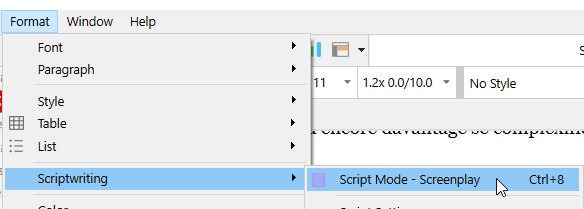
If I turn off Scriptwriting mode (how? - oh, Text menu this time, and Scriptwriting) that doesn’t work either.
Yes, Text > Scriptwriting mode does turn off script mode - you will notice the footer bar change. But that won’t change the formatting of anything already typed in the document, of course.
All the best,
Keith
Ah, I see the confusion - just for the file you are in. A project can contain a mixture of script and non-script documents. If you are in script mode, new documents are created in that mode.
I’m working on this for 2.0 as too many users are accidentally ending up in script mode, so I’m trying to find a solution that works for scriptwriters and non-scriptwriters without cluttering things up.
If that isn’t jarring enough pink flashing Vic-k.
[size=65]
Punctuation intentionally omitted for “the fun of it”. Who will be the first to bite?[/size]
I’m working a project that makes me want within that project all of the built-in features of both the novel and screenplay project types. Is that possible?
As backstory, I started with the screenplay project first.