I could really use some help. I wrote a book with Scrivener, personalized a compile template, and it worked great. It’s in “My Format.” I started a new novel using the novel template. I see my personalized compile template but when I click on it, I get the following message. I can’t click on assign section layouts or really anything. I can click into the assigned section layouts but it insists on including what I’ve used to name my chapters (the folders on the right) even though I’ve unclicked them. There’s no way to remove “section text” from any of the boxes. Why can’t I just use my personalized template again? Any thoughts on what I’m doing wrong? I’ve been trying to figure this out for hours. Thanks for any help you can provide.
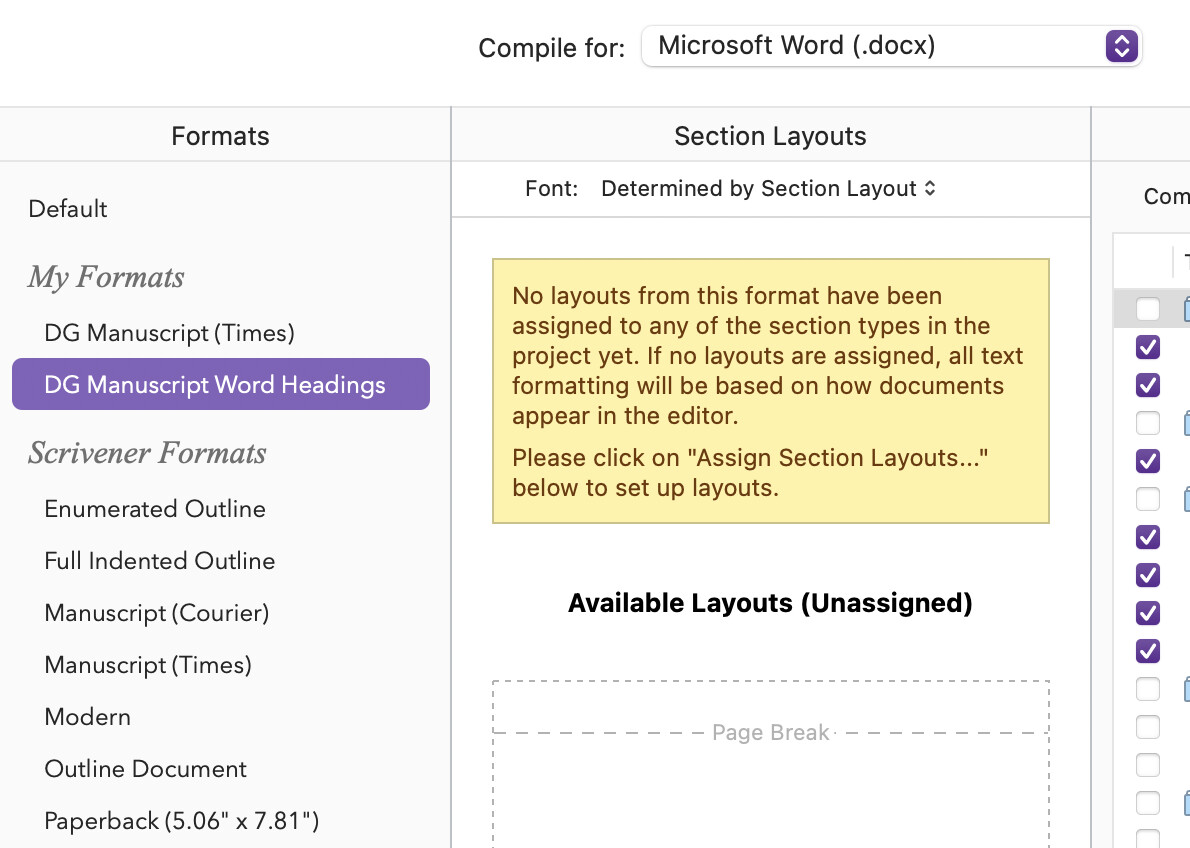
While your screenshot seems to depict a roughly intact UI, the obviously broken areas I might look for are outside of its cropping area. Do check to make sure you are running the latest version of the software (3.5.2), as macOS 26 completely broke the layout of the compile window, causing most of it to become non-interactive like you describe. I don’t recall off-hand if the Assign Section Layouts... button at the bottom of the middle pane was impossible to click on as well, like you describe, but the right parts were definitely inaccessible (and you would see buttons out of place, it would look very obviously busted).
As an aside, for your project template you might want to set up some basic Section Layout assignments and save the template again, as those will carry over to new projects, saving you some time in the future!
1 Like
Ii just tried to check for updates and it says Scrivener can’t be updated if it’s running from the location it was downloaded to. Do you know what that means or should I post this as a message? it says I’m running 3.3.6
It means that you launch Scrivener from the Downloads folder. Move it to Applications.
2 Likes
I did. It still says the same thing when I try to download. It’s in my applications folder.
That’s weird. And there’s no (additional) Scrivener in your Downloads folder? I don’t know how you launch it, via a Dock icon? That might potentially point to the wrong one. 
This error might be triggered by other conditions, like permission issues. I’d suggest downloading a fresh copy, and replace the one you have in Applications.
2 Likes