I am loving Scrivener, but just thought of an idea as I was working on my novel. Maybe this is in the options somewhere and I missed it, but it would be great if the back and forward buttons on some mouses worked with the back and forward buttons in Scrivener, like they do for a web browser.
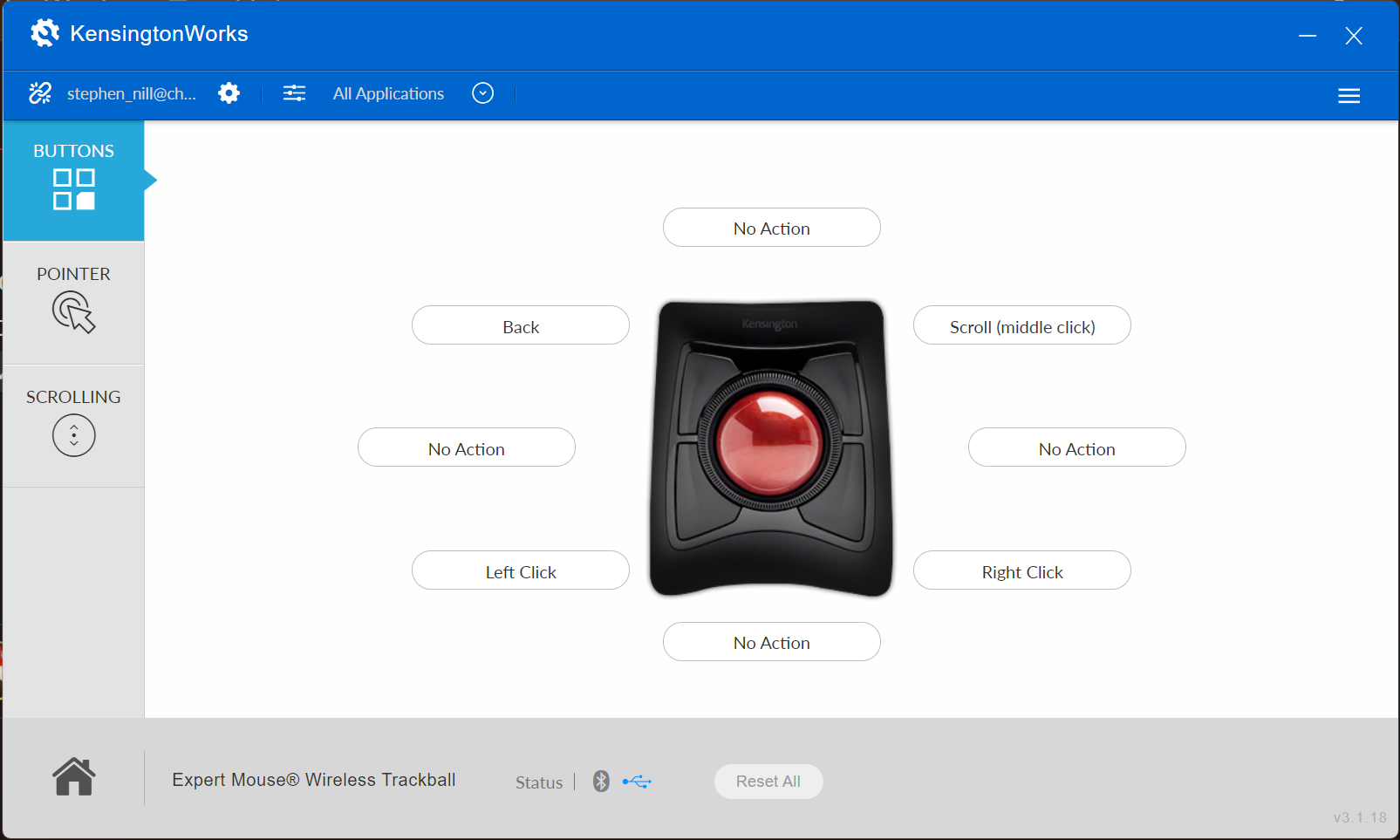
Does your mouse have programming software? If you can, set it up to trigger the keyboard shortcuts for Back and Forward, while using Scrivener. That’s what I do with my mouse as well; it is pretty nice when you are clicking around.
Yes, it should, though you’ll need to click on some advanced setting somewhere to get to it. I have a Logitech mouse as well, and used SetPoint to create application specific profiles. Unfortunately at the moment that particular partition is blue-screening on boot, so I can’t look up the precise sequence. I just remember it was in one of the last tabs on the left side, and then in an advanced interface beyond that.
Oh I found the setting. But what is the keyboard shortcut for back and forward? I could only find the keyboard short cut for moving up and down through documents, but that’s not what I want.
Are you referring to mice that have specific forward/backward history buttons, or buttons that are commonly configured to work that way in browsers? It may be a matter of setting up your mouse to work with Scrivener, if that’s the case. With my mouse (Logitech) I can set what a button does in every program individually.
All right, yeah I had to set up my Logitech to work with Scrivener (and a few other programs with history as well), by having those two buttons trigger the ⌃[ and ⌃] shortcuts. It either uses some other shortcut internally (maybe Alt← style) or maybe sends the command directly to the browser rather than going through shortcuts.
I see there’s the ctrl-[ and ctrl-] shortcuts for navigating back and forth in document history. Would it be possible to add a way for it to work with mouse forward and back buttons?
Many mice have forward and backward buttons on the side (which are usually used for browsing). Other text editors e.g., Obsidian allow using the forward and backward buttons for the previous/next document.
Is it possible to allow the forward/buttons on the side of the mouse have the same functionality in Scrivener? Instead of needing to click < > at the top to view the previous/next document viewed. Thanks!
If you’re able to map your mouse to commands/keyboard shortcuts, these buttons equate to Navigate ▸ Editor ▸ Forward in Editor History (Ctrl+])and ▸ Backward in Document History (Ctrl+[).
I don’t think my mouse supports this and even then, I use the forward/background buttons regularly for web browsing so mapping them to Ctrl + [ / ] would break the functionality for web browsing.
My currently workflow is reviewing a lot of documents and scrolling through the text, so it would not be efficient to do the keyboard shortcut Ctrl + [ / ] and then move my mouse to scroll. The most efficient way is to press the side button, scroll, and click where to edit.
@shortbubble: Assuming you’re on Mac, you need Keyboard Maestro.
With KM you can assign macros to be app specific – i.e. your fwd/back mouse keys will work in one way in Scrivener and a completely different way in your browser, automatically.
For instance, I have a number of simple macros that only work inside Photoshop and another collection for Final Cut Pro.
KM is the 8th wonder and will take you wherever you want, from simple key re-assignments to sophisticated programming.
Seeing as how this is a Windows category thread, the above probably won’t work, but something with AutoHotKey is probably the closest analogue to Keyboard Maestro approaches. If it is a Logitech mouse, they are probably button events 4 and 5.
Otherwise, it may be possible to find a more user-friendly mouse customisation tool that supports your hardware (maybe even from the manufacturer, though in my experience those tend to be awful).
The main issue is that our software doesn’t listen for extended button events and attempt to interpret them like some browsers will. It’s probably not impossible for us to listen to them and do something with them. I’ll make a note of it for us to look into at some point.
What kind of mouse do you have? If you do have a Logitech, if you go in the Logi Options+ app, you can map the buttons by application. If you set the side buttons to map to the keyboard shortcuts @MimeticMouton mentioned, it does work! And then it only does that when you’re working in Scrivener, so you don’t lose the functionality you’re used to in other programs.