Vincent_Vincent you must be much more polite on these forums. People are looking for help. If you can’t provide it you must not blame the person seeking help for being vague.
I can’t provide it.
. . . . .
3 Likes
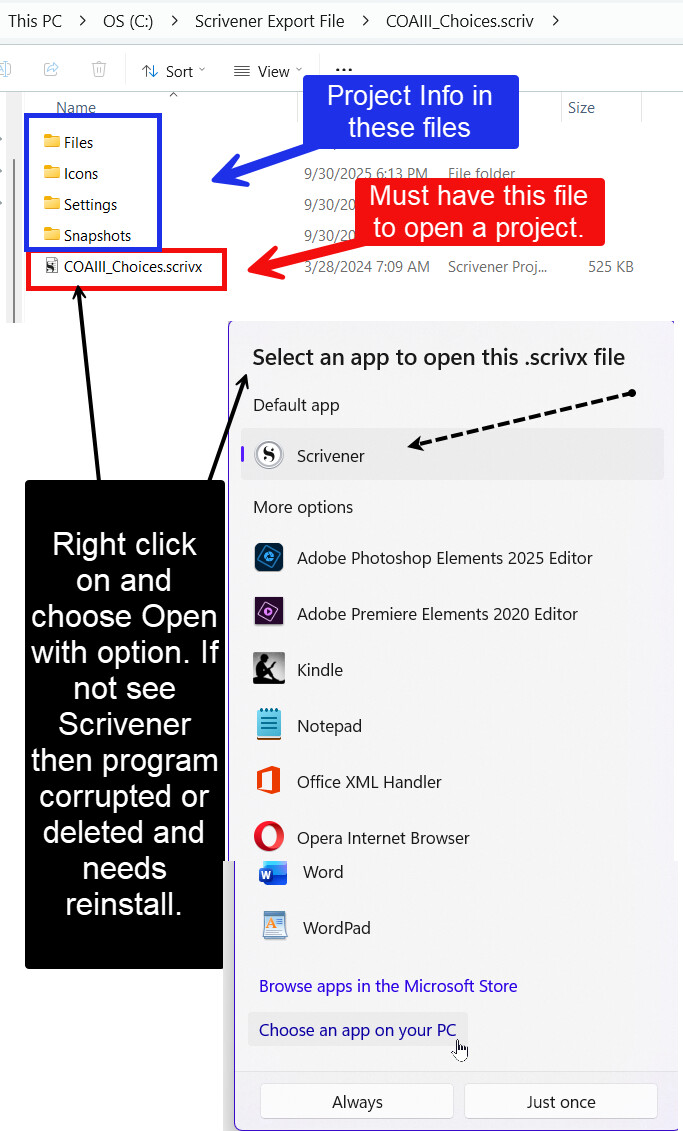
I’ve adjusted your account so you’ll be able to post images here. It would be helpful if you could share a screenshot of the full File Explorer window showing the first-level contents of one of the projects you’re unable to open in Scrivener, e.g. if your project is called “My Novel”, open the “My Novel.scriv” folder in File Explorer and then take the screenshot of the window showing the contents.
Leaving the path visible in the address bar would be helpful as well, though if you prefer to blank out any personal information, that’s fine. The main question is whether the location is in a sync folder such as OneDrive or Dropbox, but sometimes an unusual path will provide other clues, so it can be helpful to see.
A few other questions to help us understand the situation:
- As above: Are the non-opening projects stored in a sync folder like OneDrive or in a location mirrored on another drive?
- How did you open the projects that have successfully opened in Scrivener?
- Did those projects show the Scrivener icon?
3 Likes
@Vincent_Vincent was trying to help you, and asking questions others thought.
I didn’t attempt to assist for the very reason that the info provided was extremely vague and he had already started trying to help, but without information he/we can only guess at your issue.
Just a suggestion, telling someone who is regularly one of the first to help when people have problems, and was actively trying to help you to be ‘polite’ is not going to encourage anyone to chime in to help
One of his points, have you checked that all the scrivener files/folders are selected as ‘Always Keep on This Device’ . Scrivener is not designed to work with files stored on any cloud service, and a recipe for disaster.
I think your vague ‘I checked that already’ suggests you have checked that setting, but can’t be certain you were referring to that, or to recovering files off OneDrive..
@MimeticMouton Jennifer is one of the L&L team so I’ll leave her to help.
3 Likes